Guides
How the work gets done in it.
Each guide walks through one job an owner or a cleaner does every week, on the real Arbon screens, from the calendar to the invoice to the hours.
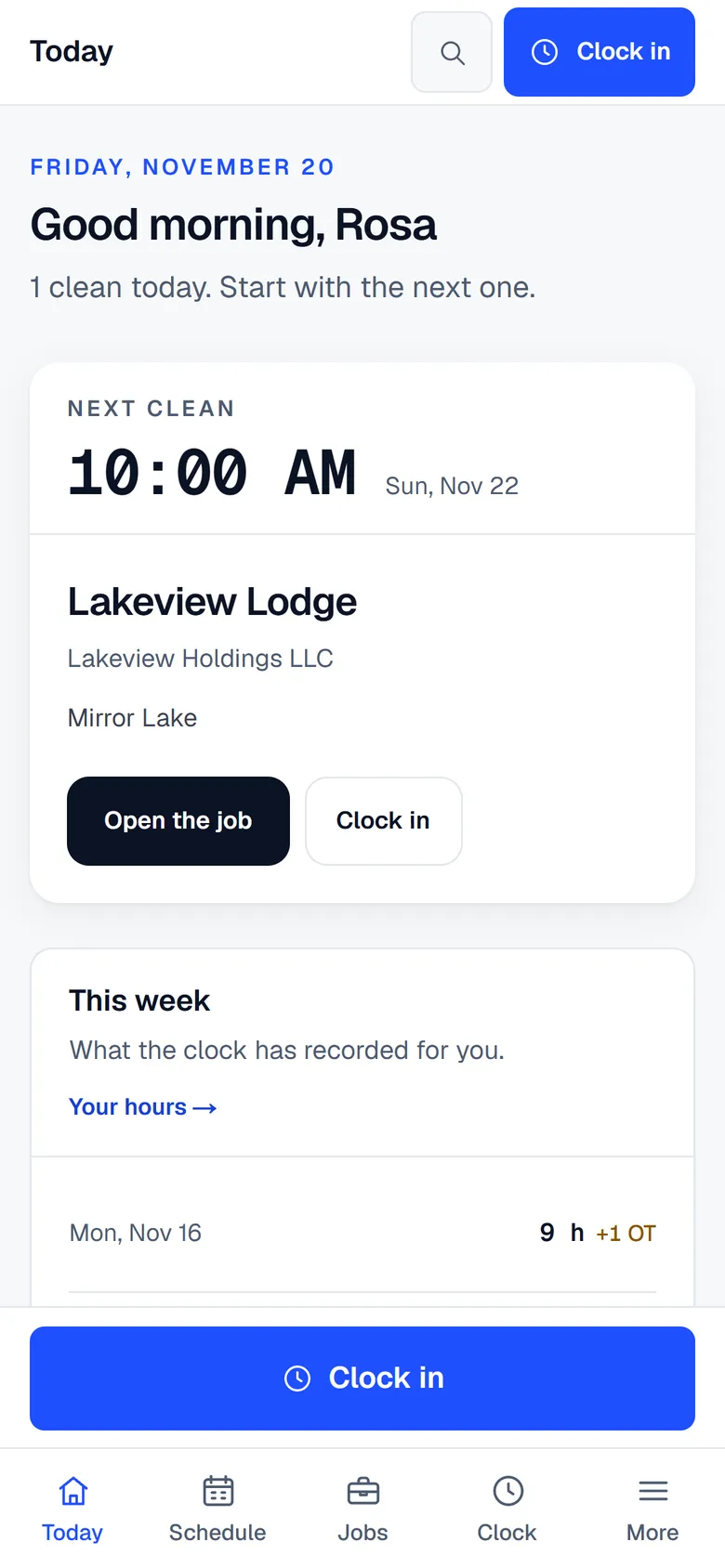
4 steps
How to add Arbon to your iPhone home screen
Add Arbon to an iPhone home screen in four taps from Safari. No App Store, no updates, and the crew clock keeps working without signal.
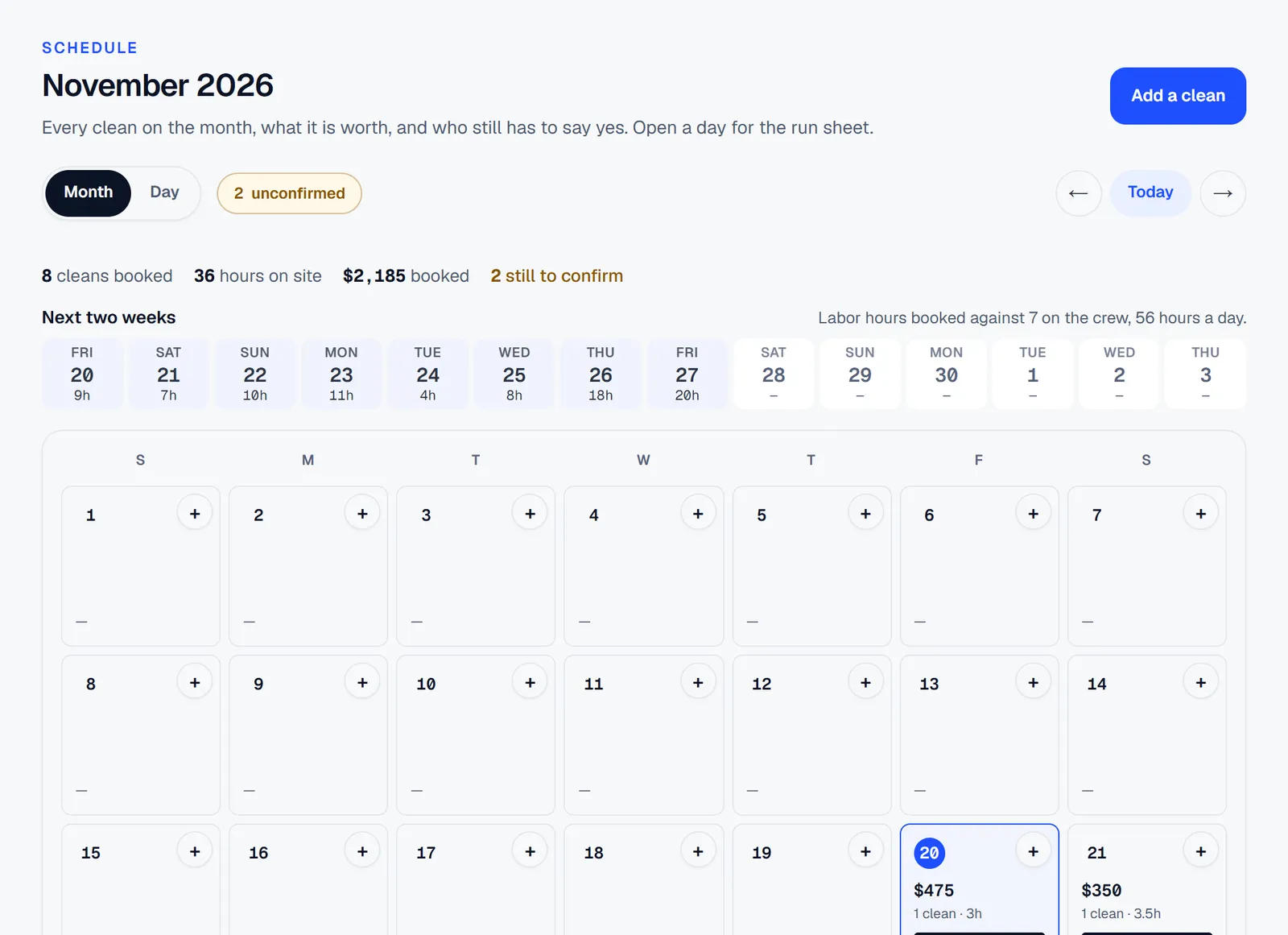
5 steps
How to schedule cleaning jobs and send shifts to your crew
Put cleans on a calendar, send each cleaner a shift to confirm and see what every day is worth. A walkthrough with real Arbon screens.
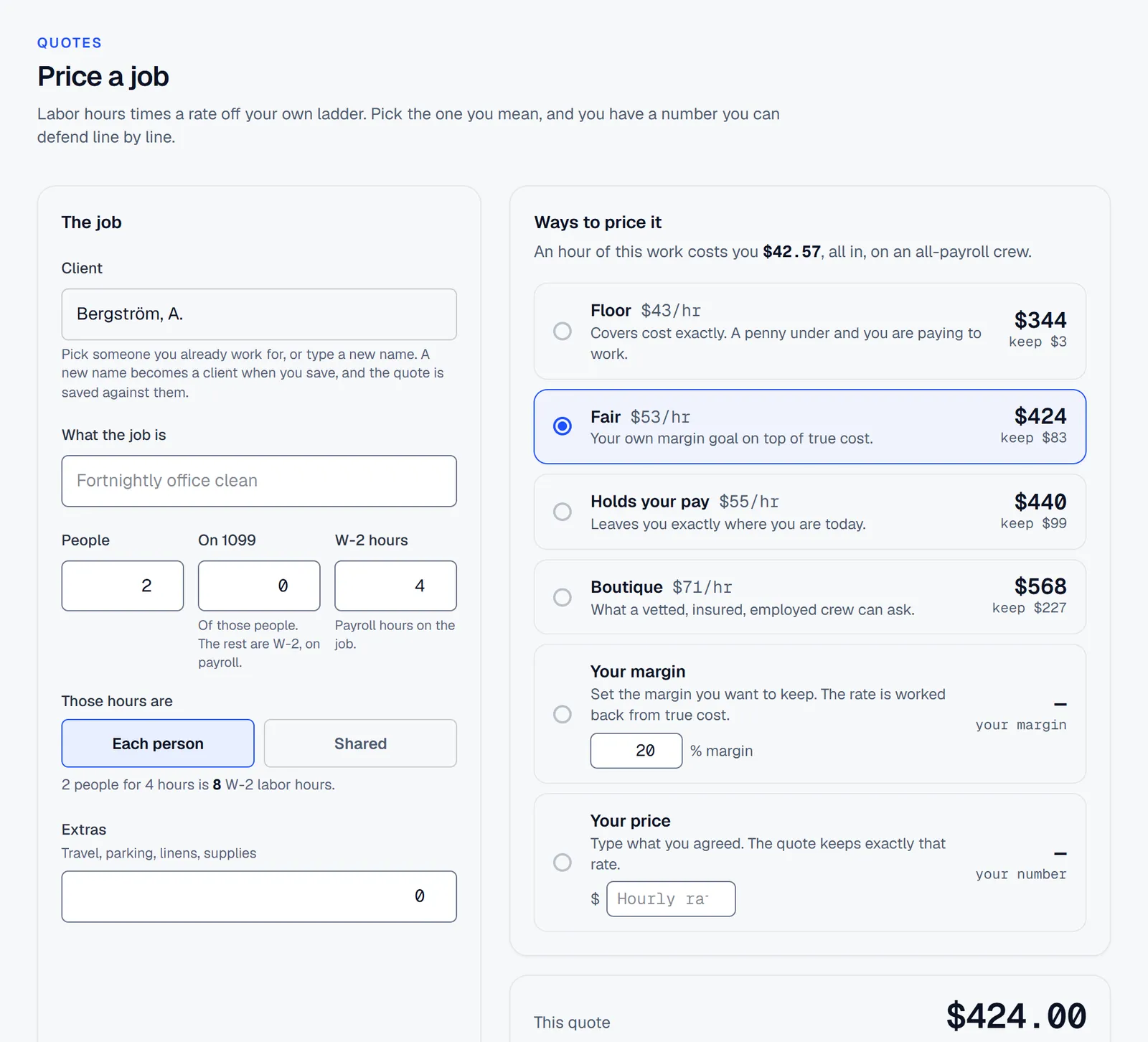
5 steps
How to price a cleaning job and send a quote clients can accept online
Price a cleaning job from your real labor cost, send the quote as a link and let the client accept it by typing their name. Shown on real Arbon screens.
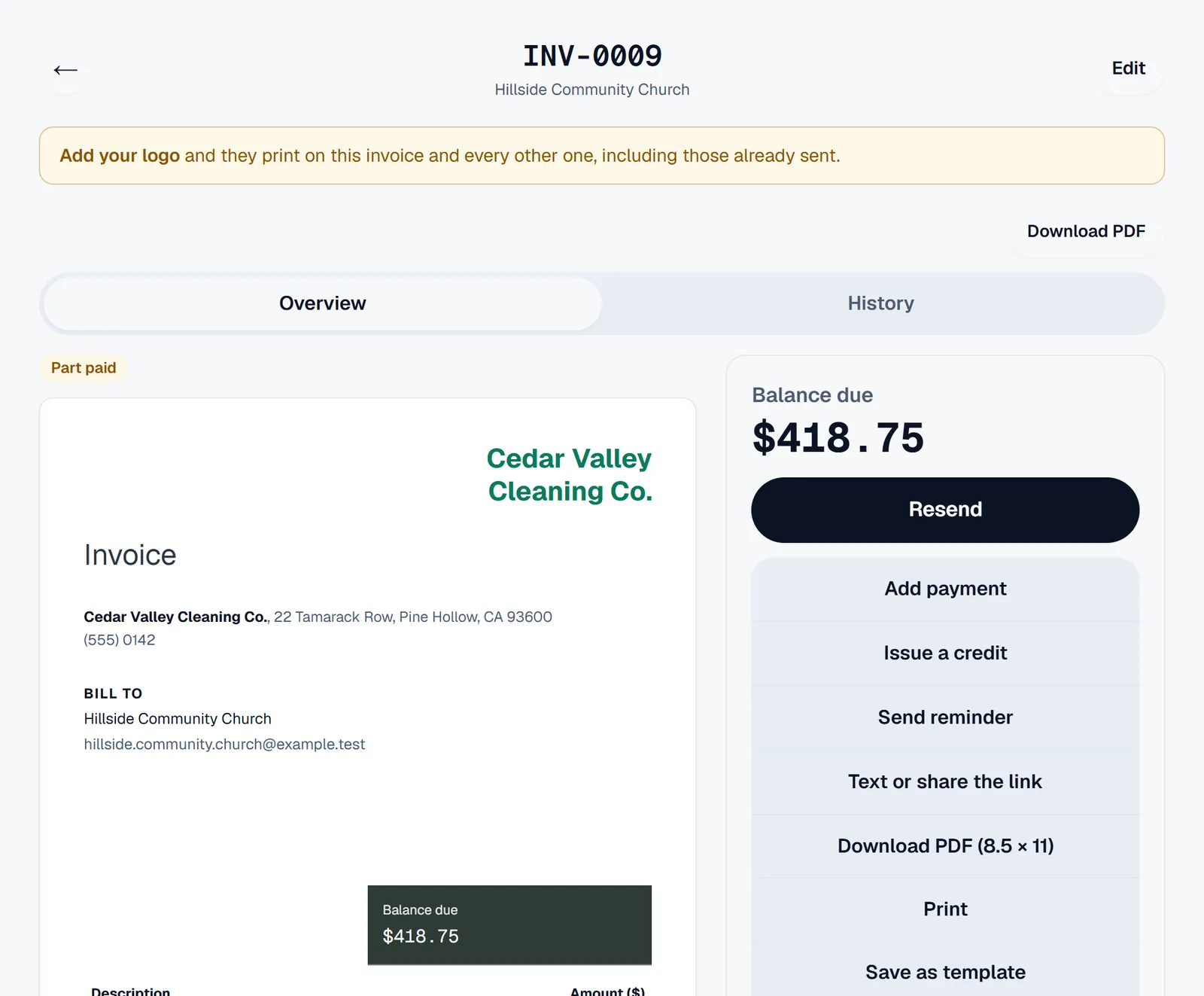
4 steps
How to invoice cleaning clients and keep track of who has paid
Raise an invoice from a finished cleaning job, send it as a link, record payments and send reminders. A walkthrough on real Arbon screens.
4 steps
How your cleaning crew clocks in and works a job from their phone
What a cleaner sees in Arbon: their next clean, access notes, the clock and the checklist, all from the phone. Shown on real screens.
4 steps
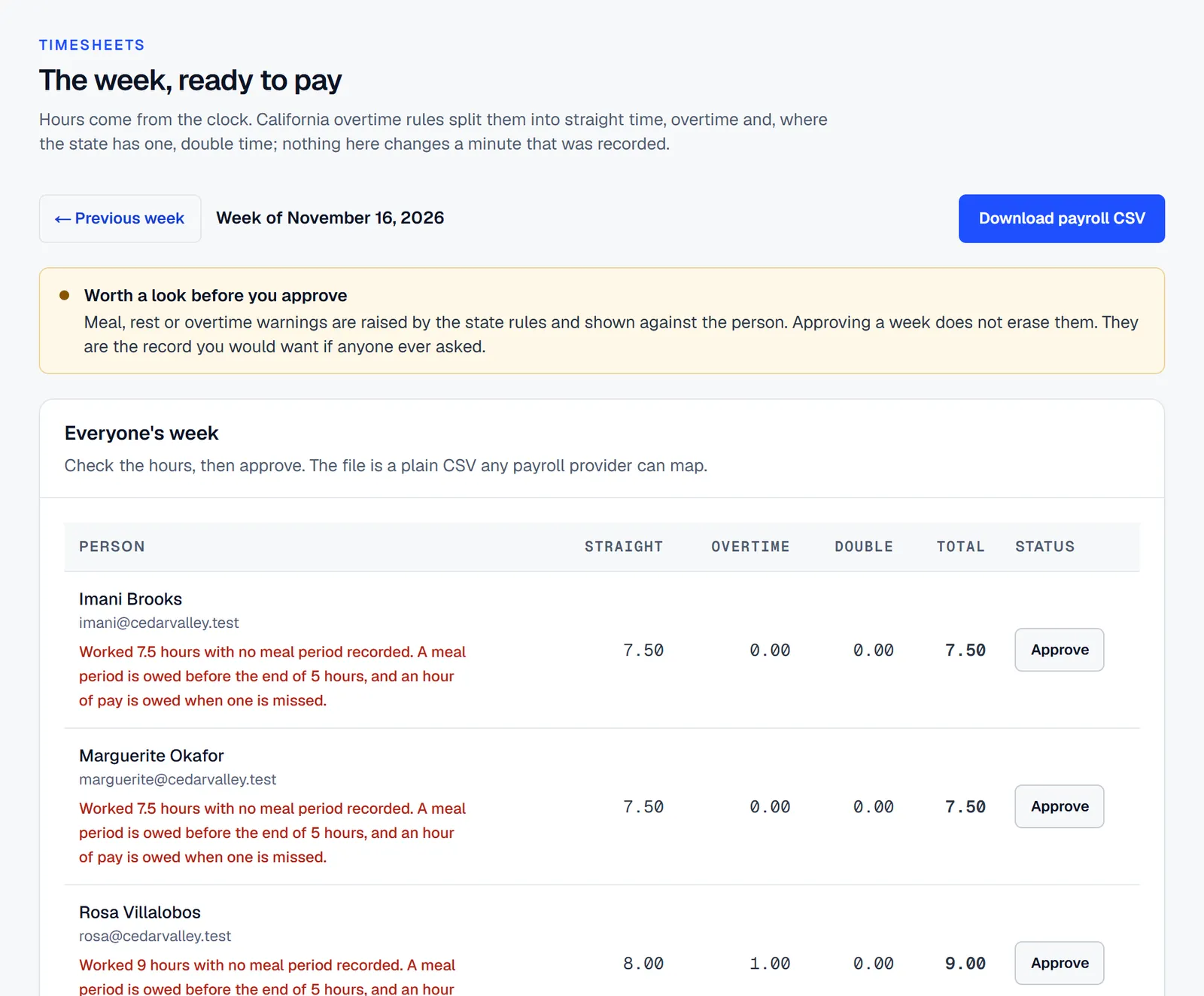
How to approve cleaner timesheets and see what each client earns you
Approve a cleaning crew's hours from the clock, catch overtime and break warnings, export to payroll and see each client's margin. Real Arbon screens.
4 steps
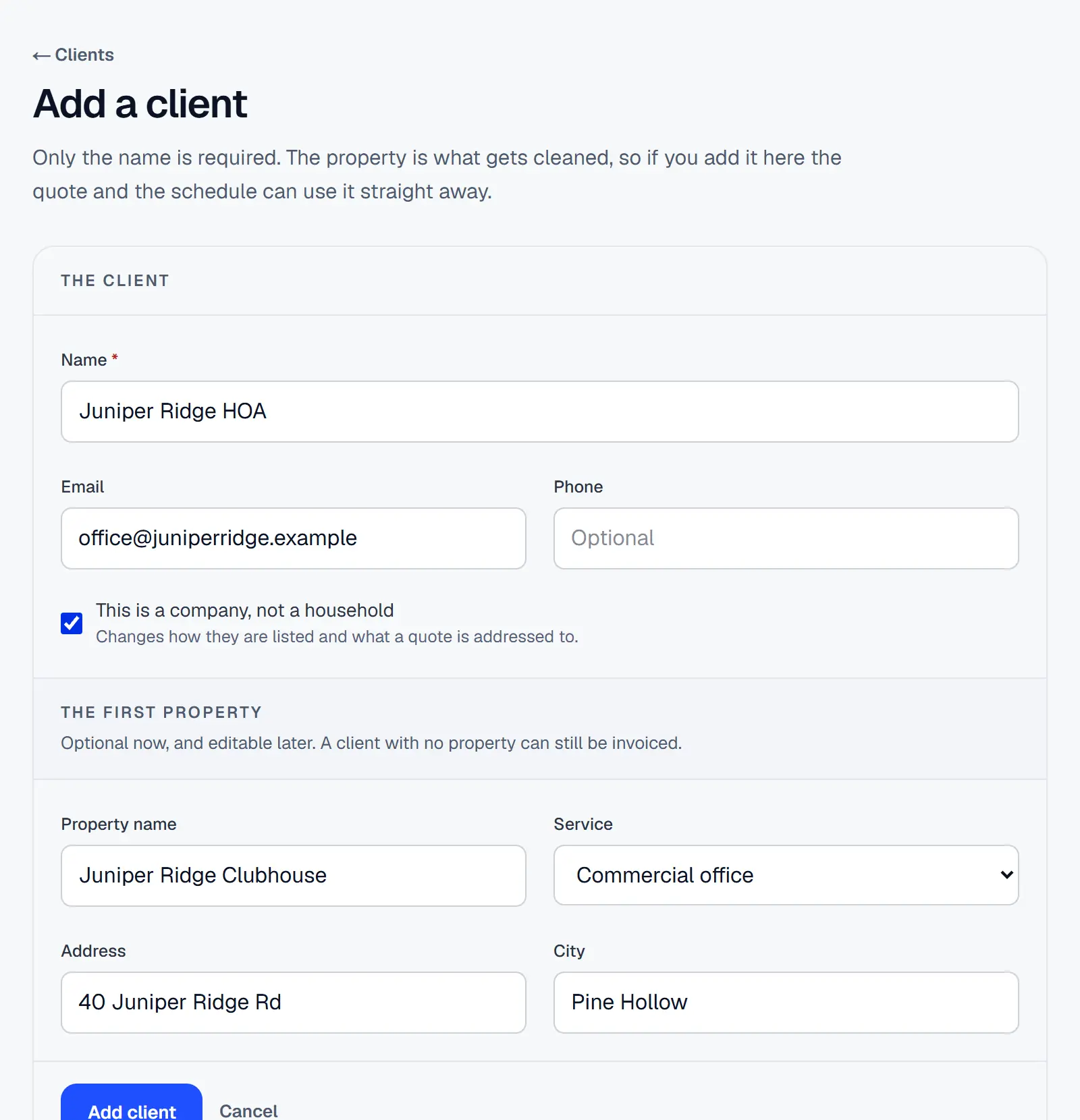
How to add a cleaning client and their property
Add a cleaning client, their first property and the lockbox code in a few minutes. Access notes stay encrypted and only the crew on the job sees them.
4 steps
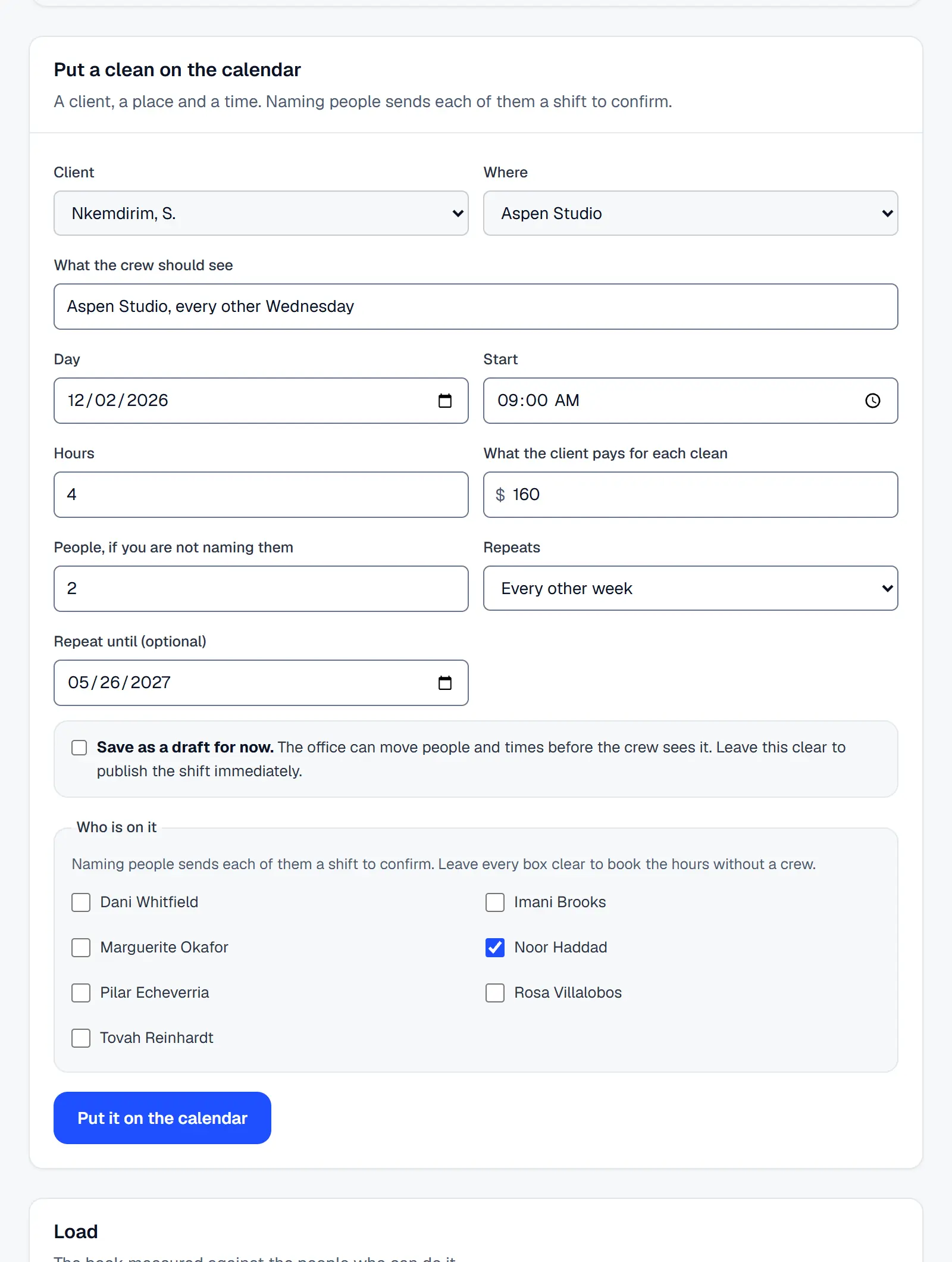
How to set up recurring cleaning appointments
Set up weekly, every other week or monthly cleans, choose the crew once and change a single visit without breaking the series. Real Arbon screens.
4 steps
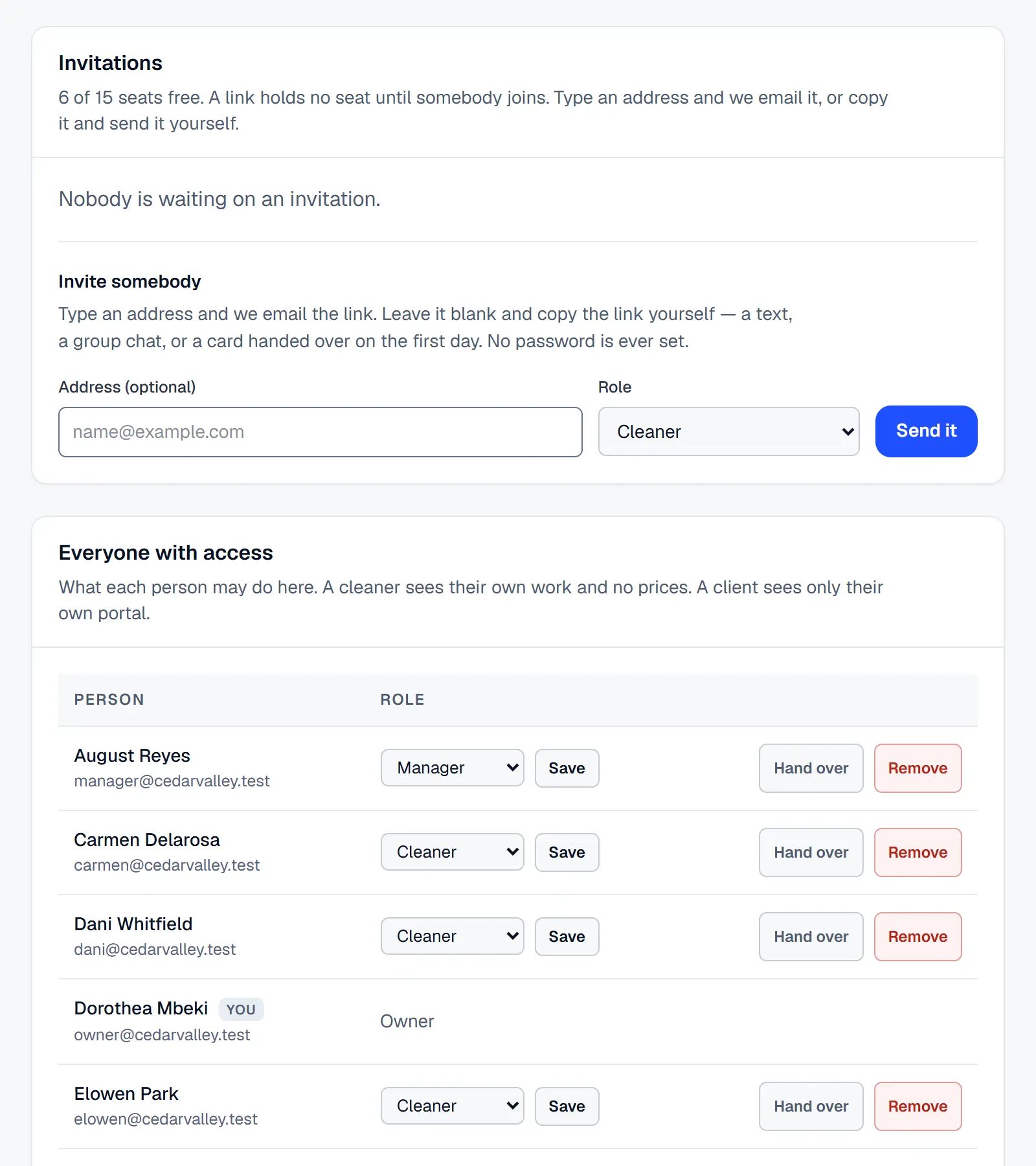
How to invite cleaners and set what they can see
Invite cleaners by email or a link, choose cleaner or manager, and keep prices hidden from the crew. Seasonal staff rest for free. Real Arbon screens.
4 steps
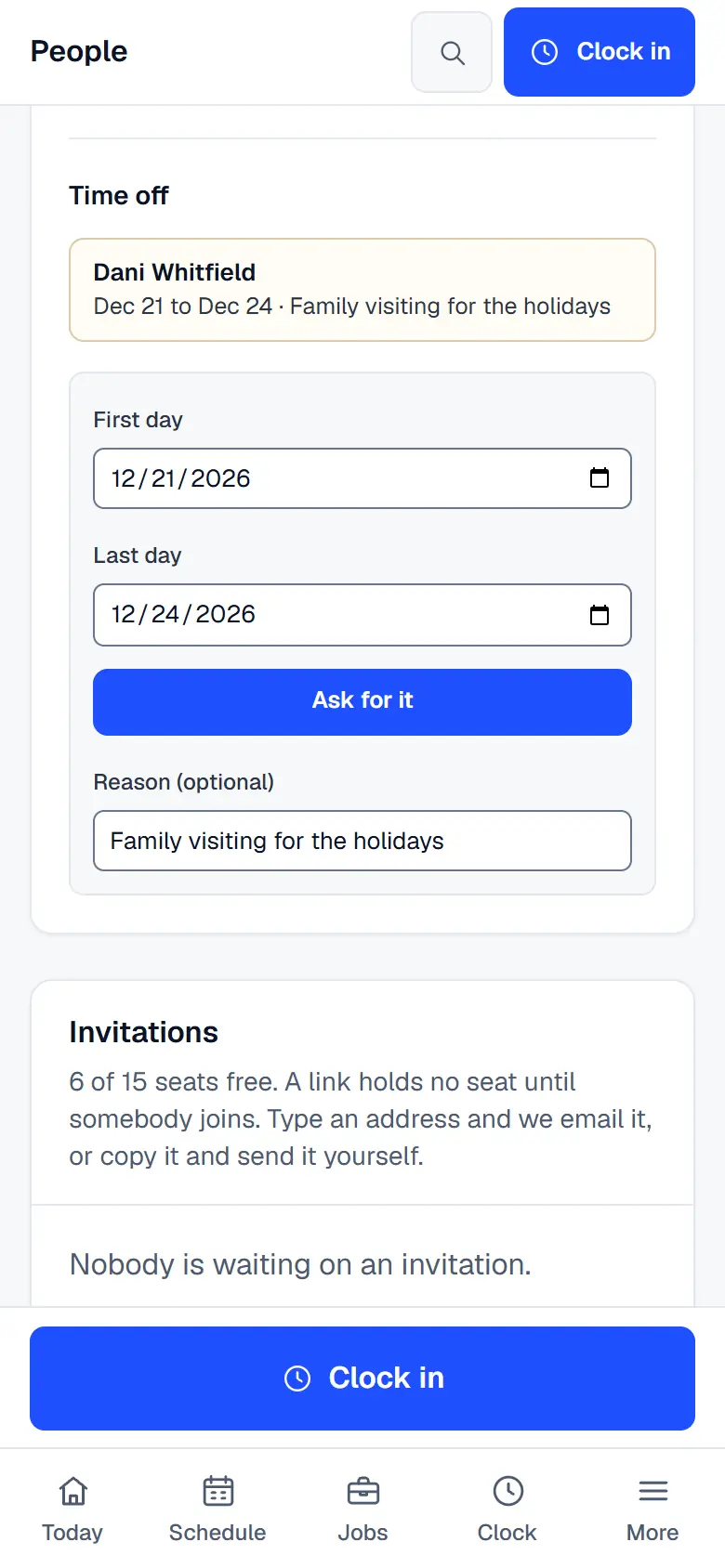
How to manage cleaner time off and working hours
Let cleaners ask for time off from their phone, approve it in one tap and set each person's working week, so nobody is booked while away. Real screens.
4 steps
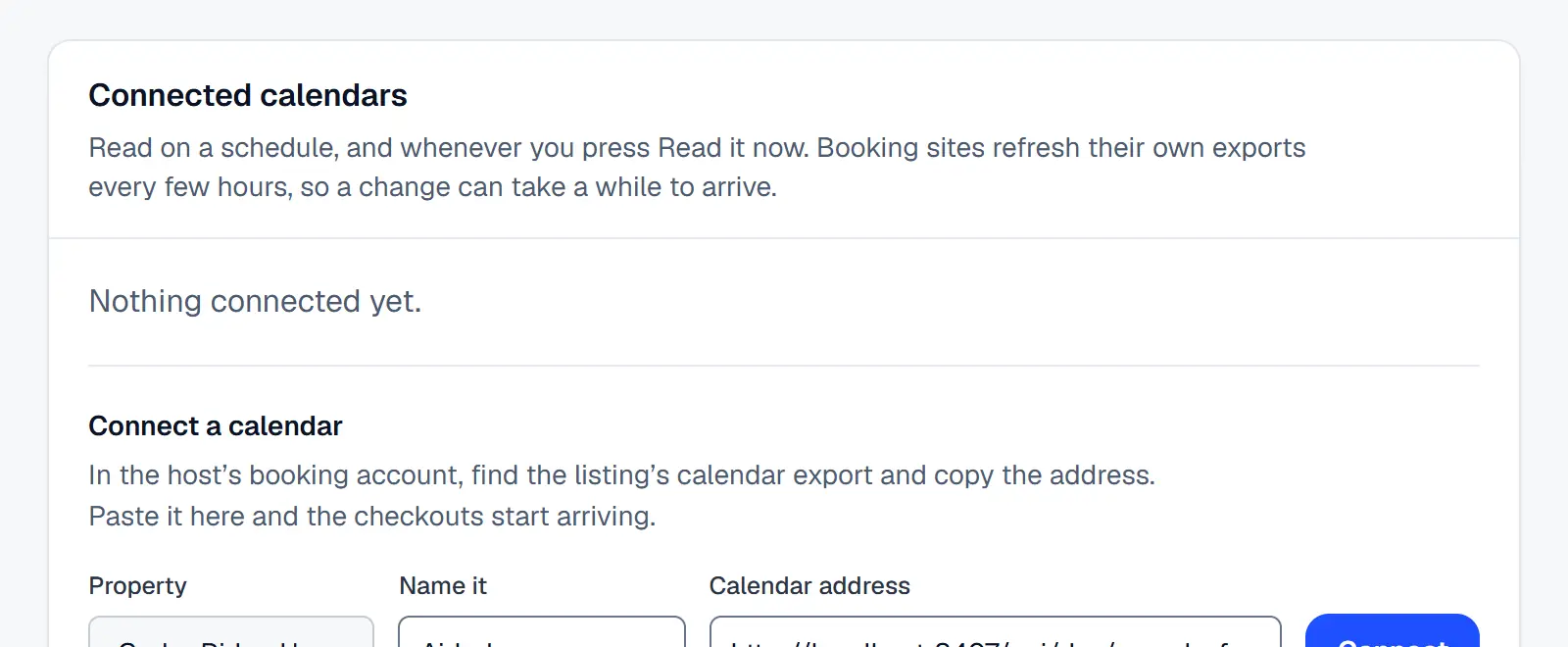
How to turn Airbnb and Vrbo checkouts into cleans
Paste a host's Airbnb or Vrbo calendar link and every checkout becomes a turnover with a deadline. Same-day turns are flagged as urgent. Real screens.
4 steps
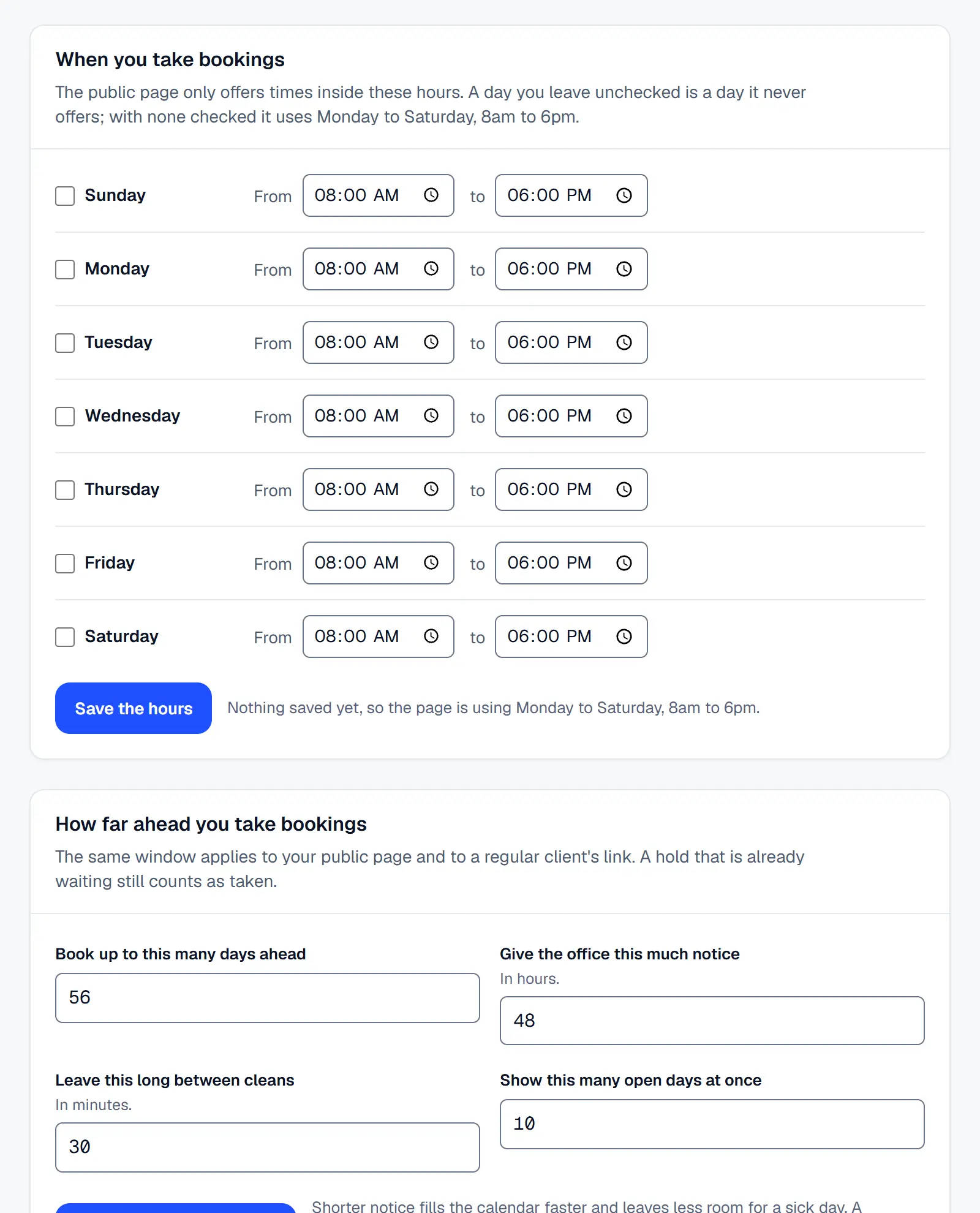
How to let cleaning clients book online
Give regular clients a private link to book another clean at a time your crew is free. Every request waits for the office to confirm. Real screens.
4 steps
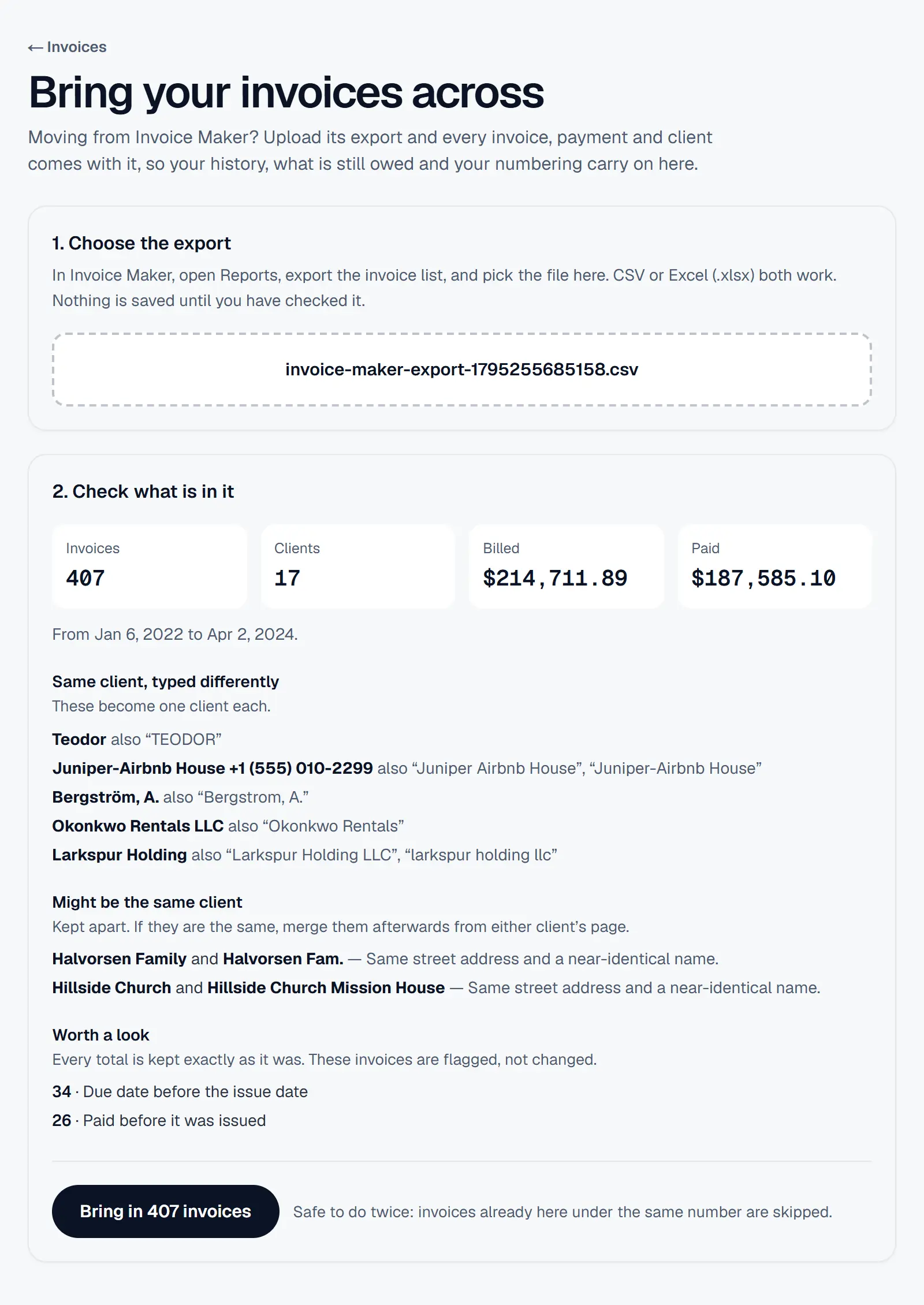
How to move your invoices from Invoice Maker
Bring your invoice history, payments and clients over from Invoice Maker with one file. Check it first, then merge any duplicate clients afterwards.
4 steps
How to send recurring invoices to cleaning clients
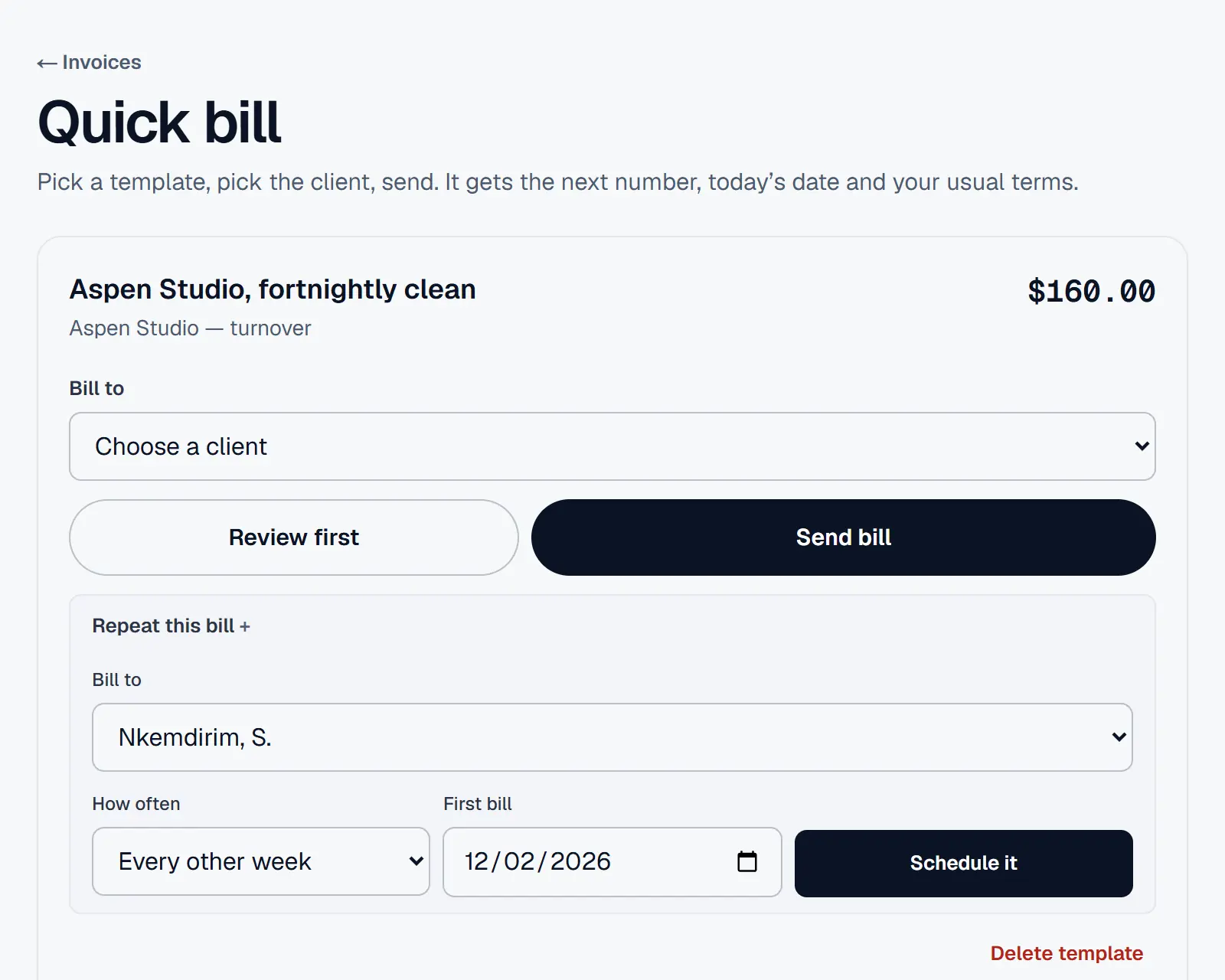
Turn a regular bill into a template, send it in two taps, or repeat it weekly, every other week or monthly as a draft you check before it goes.
4 steps
How to follow up on unpaid cleaning invoices
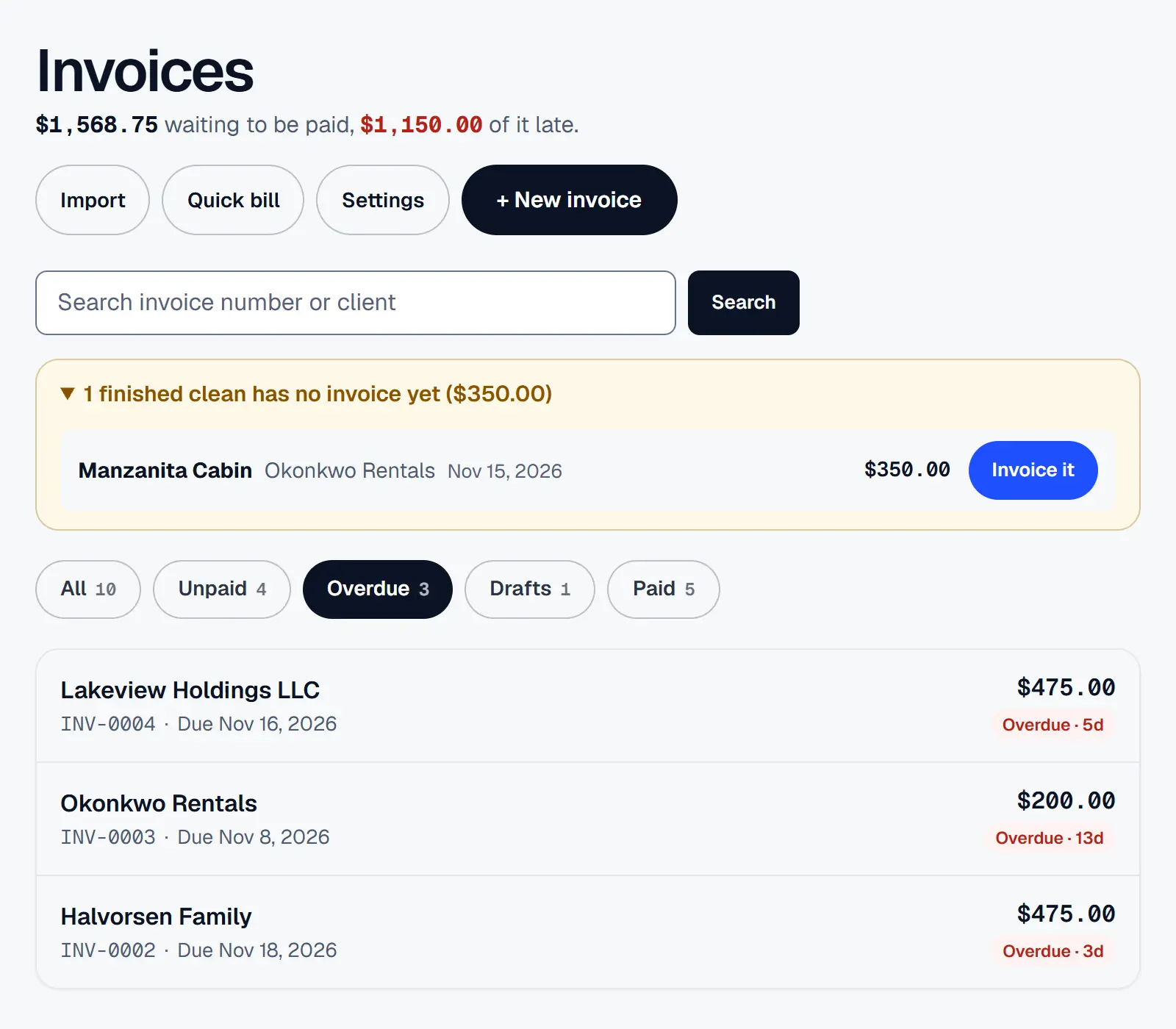
Find every overdue cleaning invoice, send a polite reminder with the link, record checks and transfers, and credit a missed room instead of editing the total.
4 steps
How to raise your cleaning prices with clients
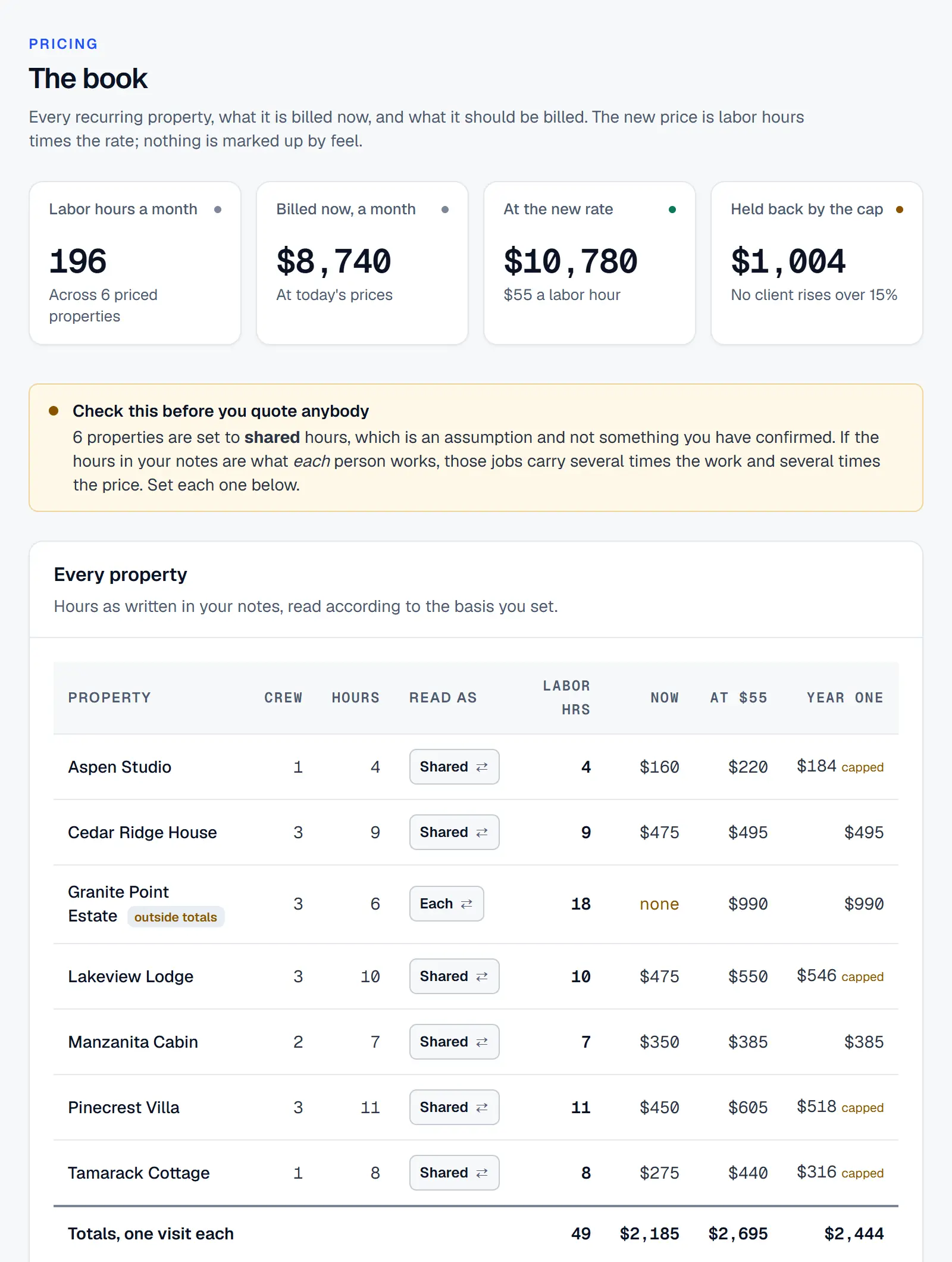
See what each regular client should pay from the true cost of an hour, cap any rise at 15%, then use a script with their real numbers.
4 steps
How to find which cleaning clients lose you money
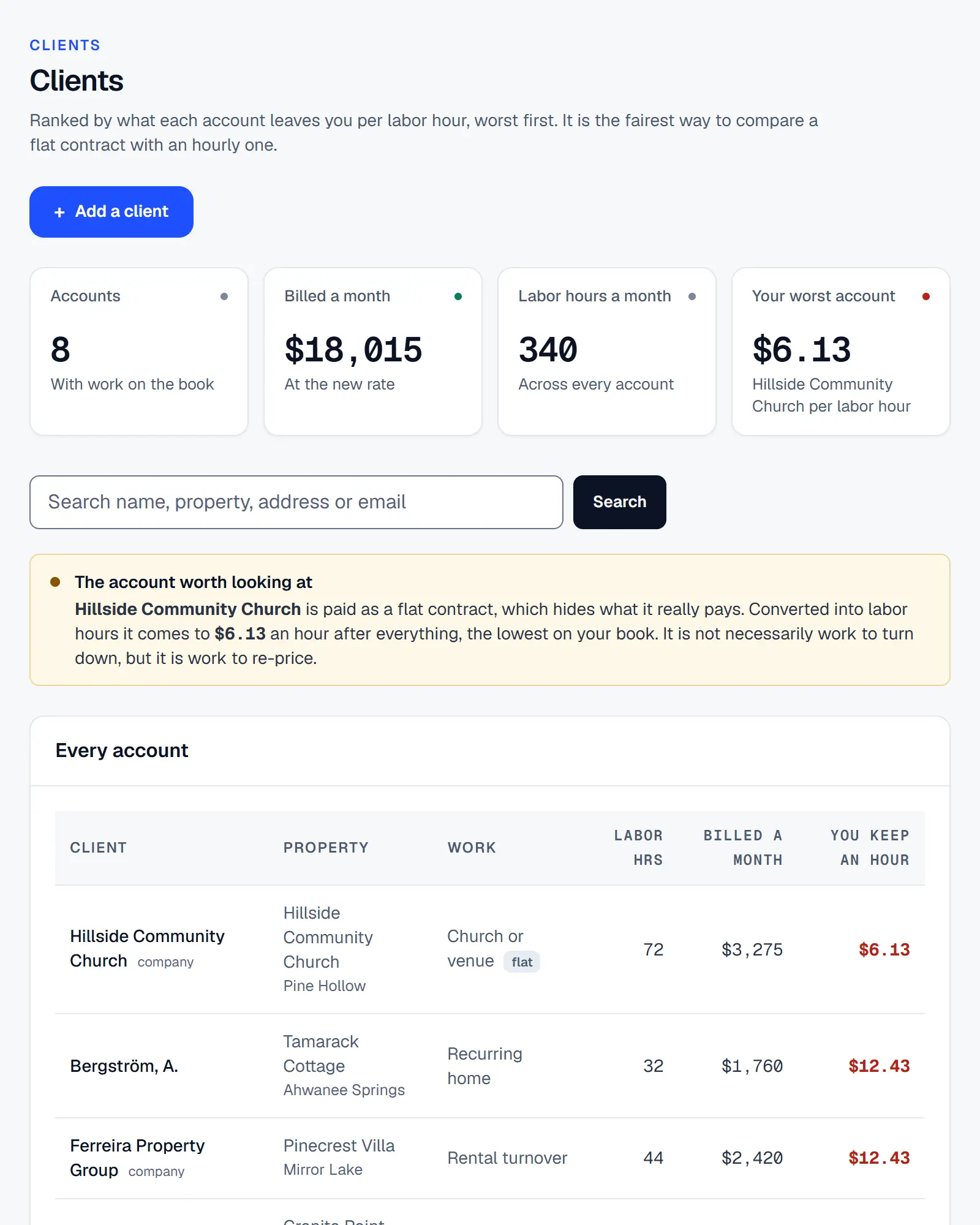
Rank every cleaning client by what they leave you per labor hour, worst first, so flat contracts and hourly houses compare fairly. Real Arbon screens.
4 steps
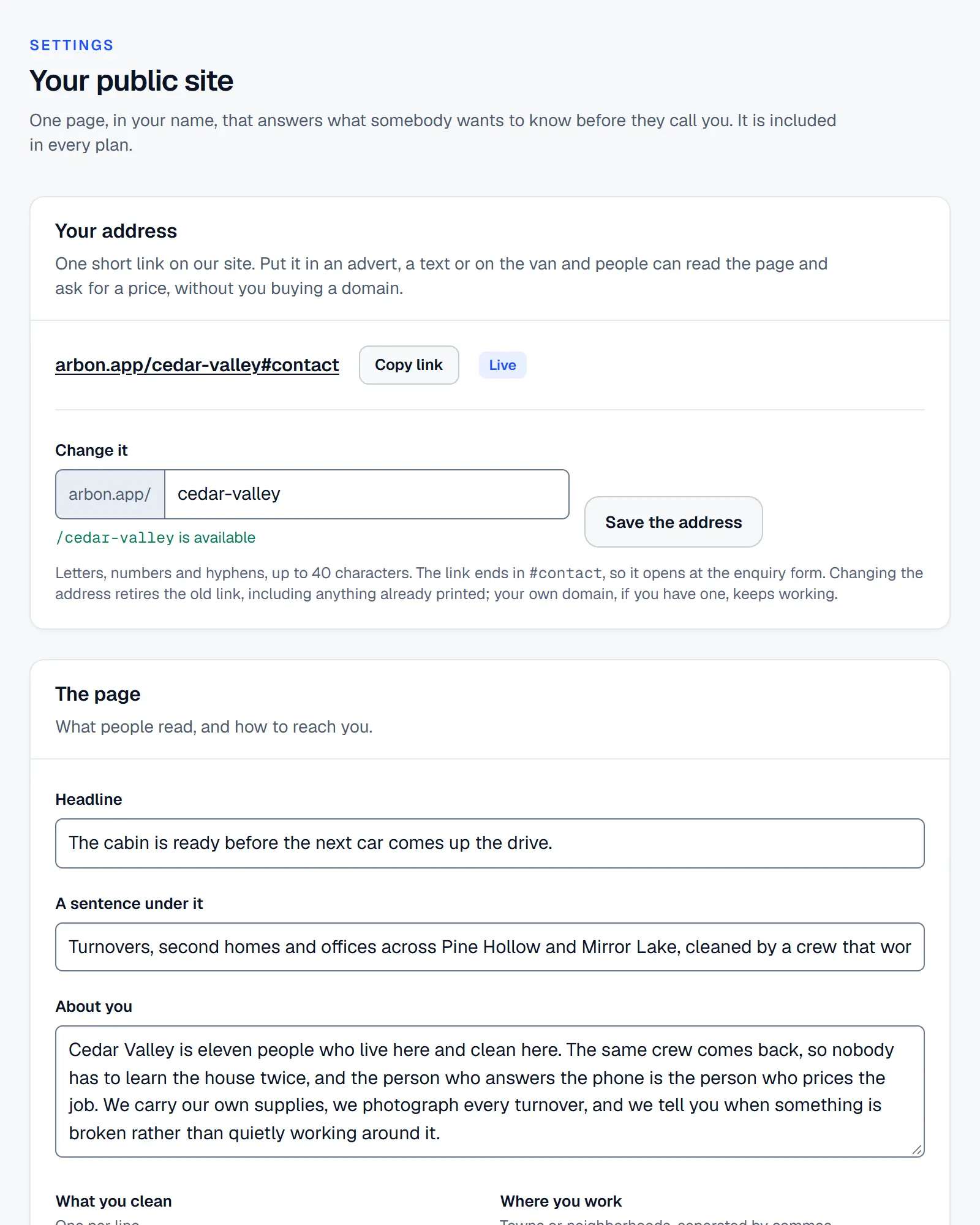
How to make a free cleaning business website
Make a free page for your cleaning business with your services, the towns you cover and how to reach you, at one short link. No domain or designer needed.
4 steps
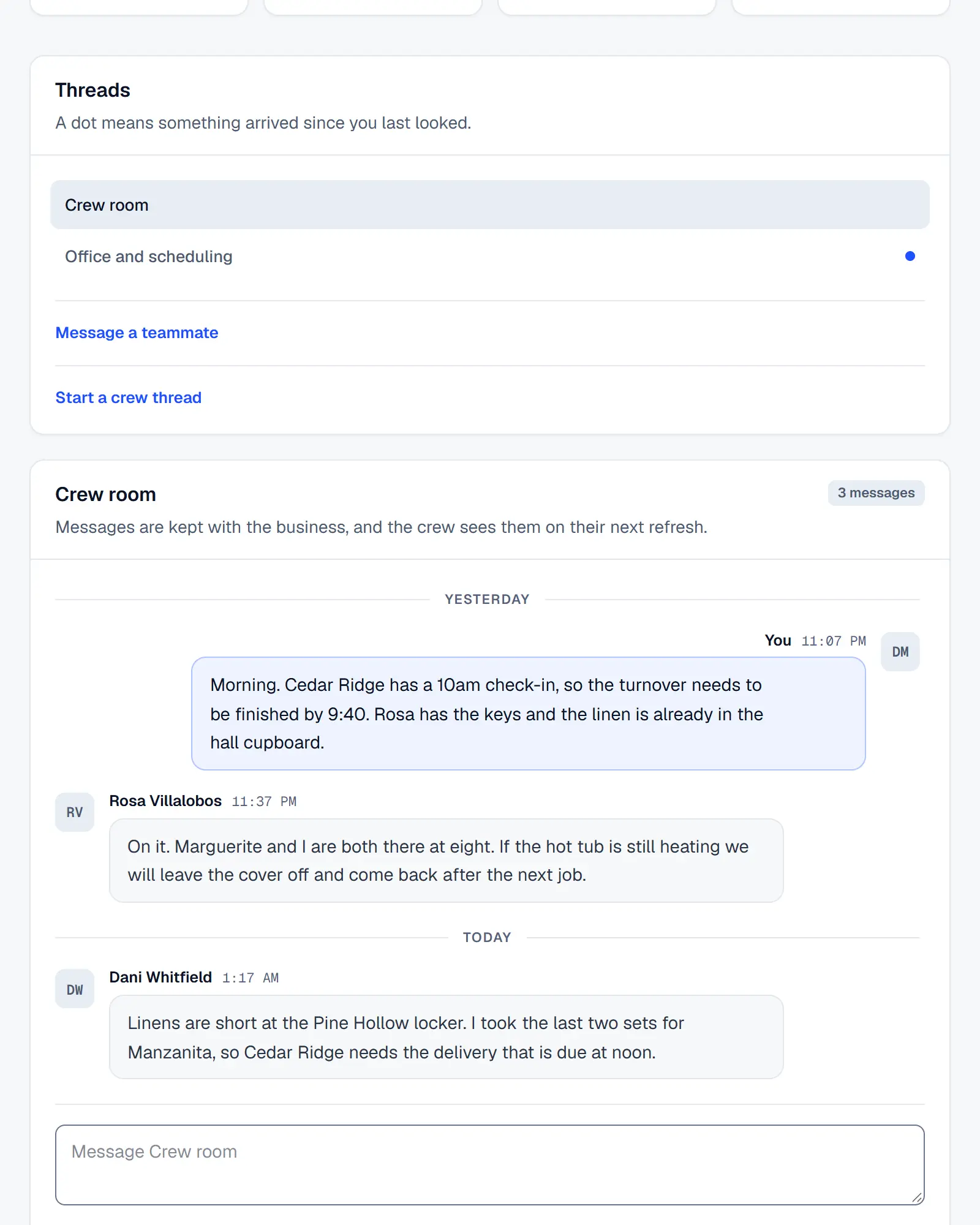
How to message your cleaning crew and post updates
Message the whole cleaning crew or one person, and post announcements with a read receipt for each cleaner. The history stays with the business.
3 steps
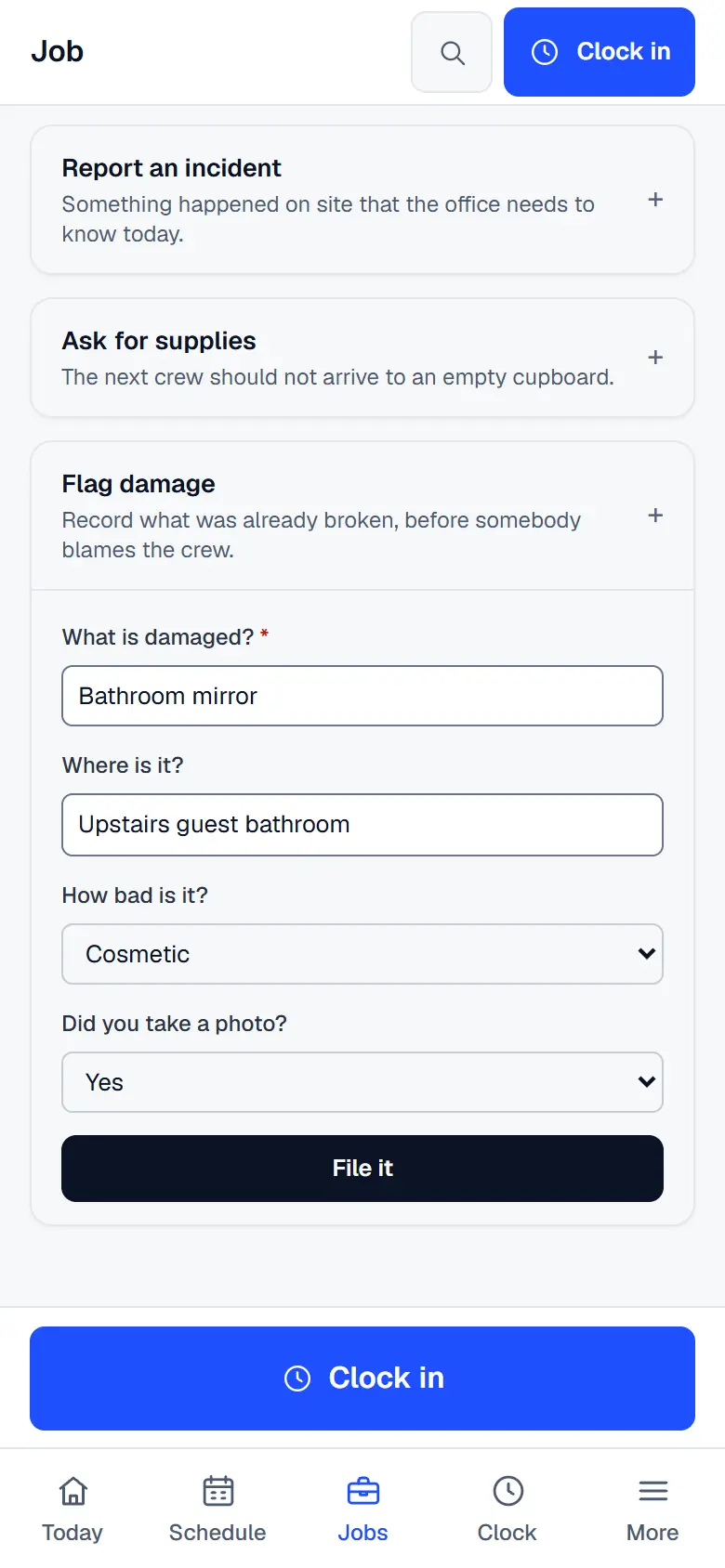
How cleaners report damage, incidents and supplies
Let cleaners report damage they found, an incident on site or a supply run-out from the job, so the record is kept with the work. Real Arbon screens.