Guide
How to turn Airbnb and Vrbo checkouts into cleans
Ask the host for the listing's iCal export link from Airbnb or Vrbo. In Arbon, open Schedule, paste it under Connect a calendar and pick the property. Every checkout then appears as a turnover with the latest safe finish before the next guest, and a same-day turnover with no clean booked raises an urgent alert.
Step 1
Get the calendar link from the host
The host copies the listing's calendar export, an address ending in .ics, from Airbnb or Vrbo and sends it to you. The guide for hosts walks them through where it is. The link only lets you read the bookings; nothing here can change them.
Step 2
Connect it to the property
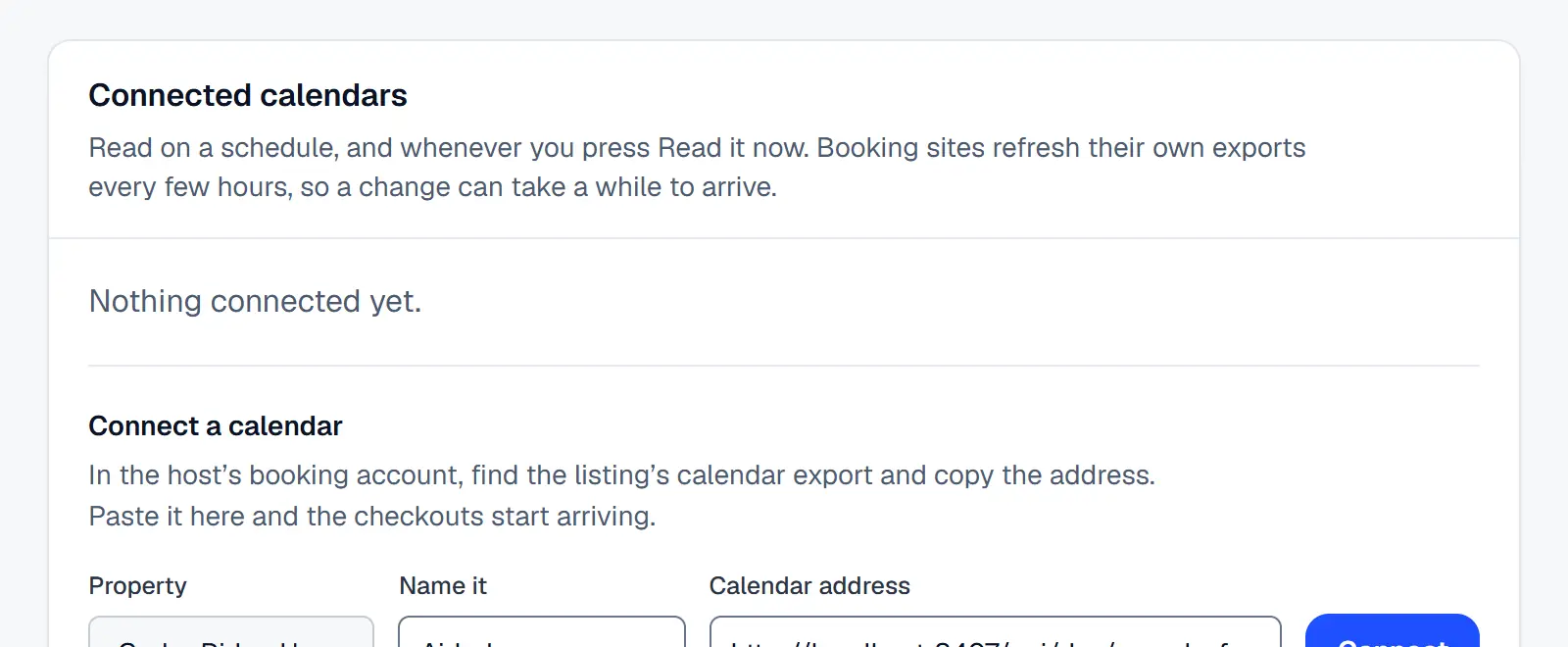
On the Growth plan, open Schedule and find Connected calendars. Choose the property, give the calendar a name such as Airbnb, paste the address and press Connect. It is read on a schedule and whenever you press Read it now.
Step 3
See every turnover and its deadline
Open the property from Property calendars. The guest bookings sit on one calendar, read only, and your cleaning schedule on another. Turnovers lists each checkout, the next check-in, the latest safe finish and whether a clean is booked.
The latest safe finish is the next check-in minus your turnover buffer, one hour here. Change the buffer on the Property calendars page.
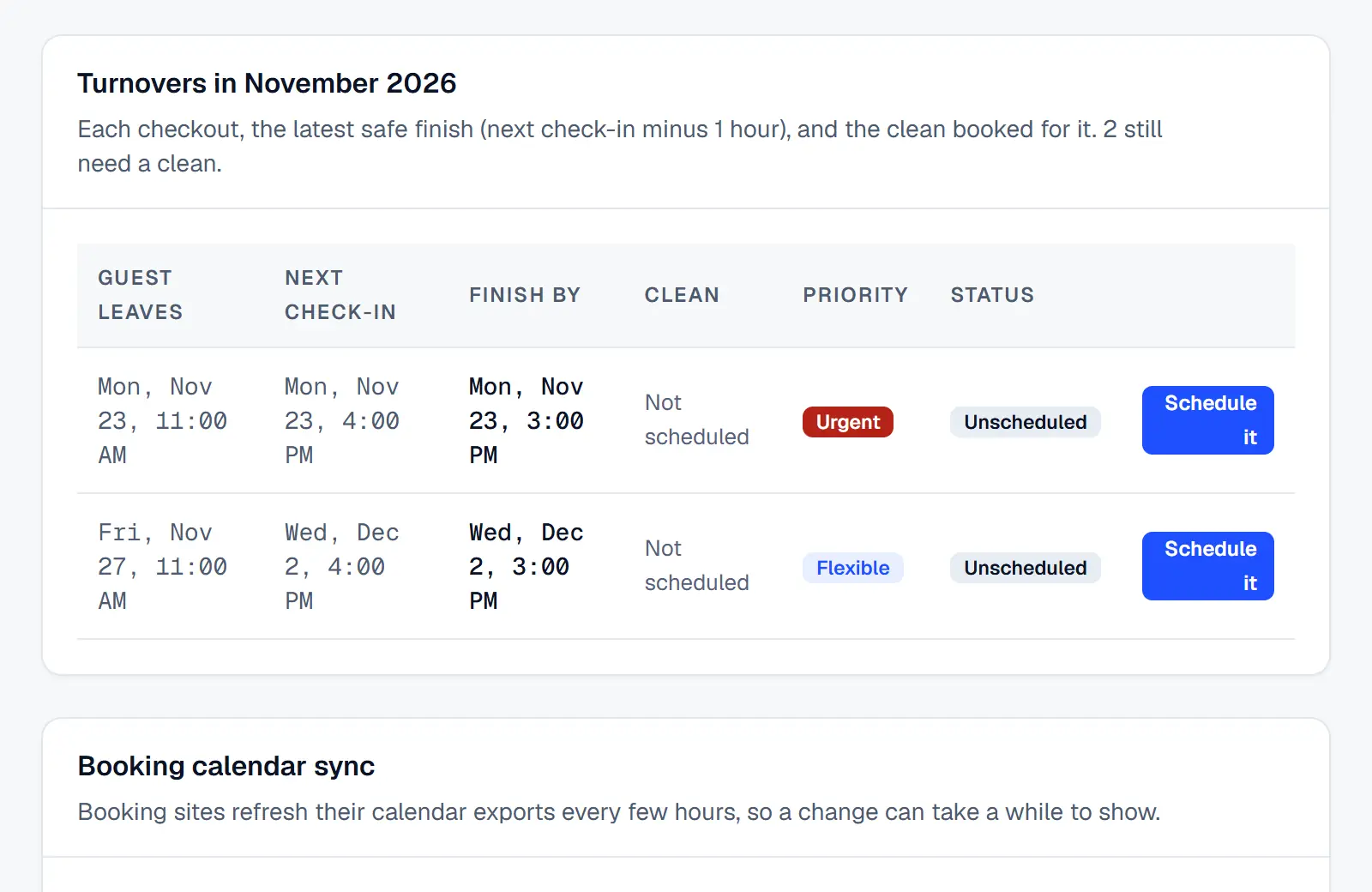
Urgent means the next guest arrives the same day. Step 4
Schedule the clean in the window
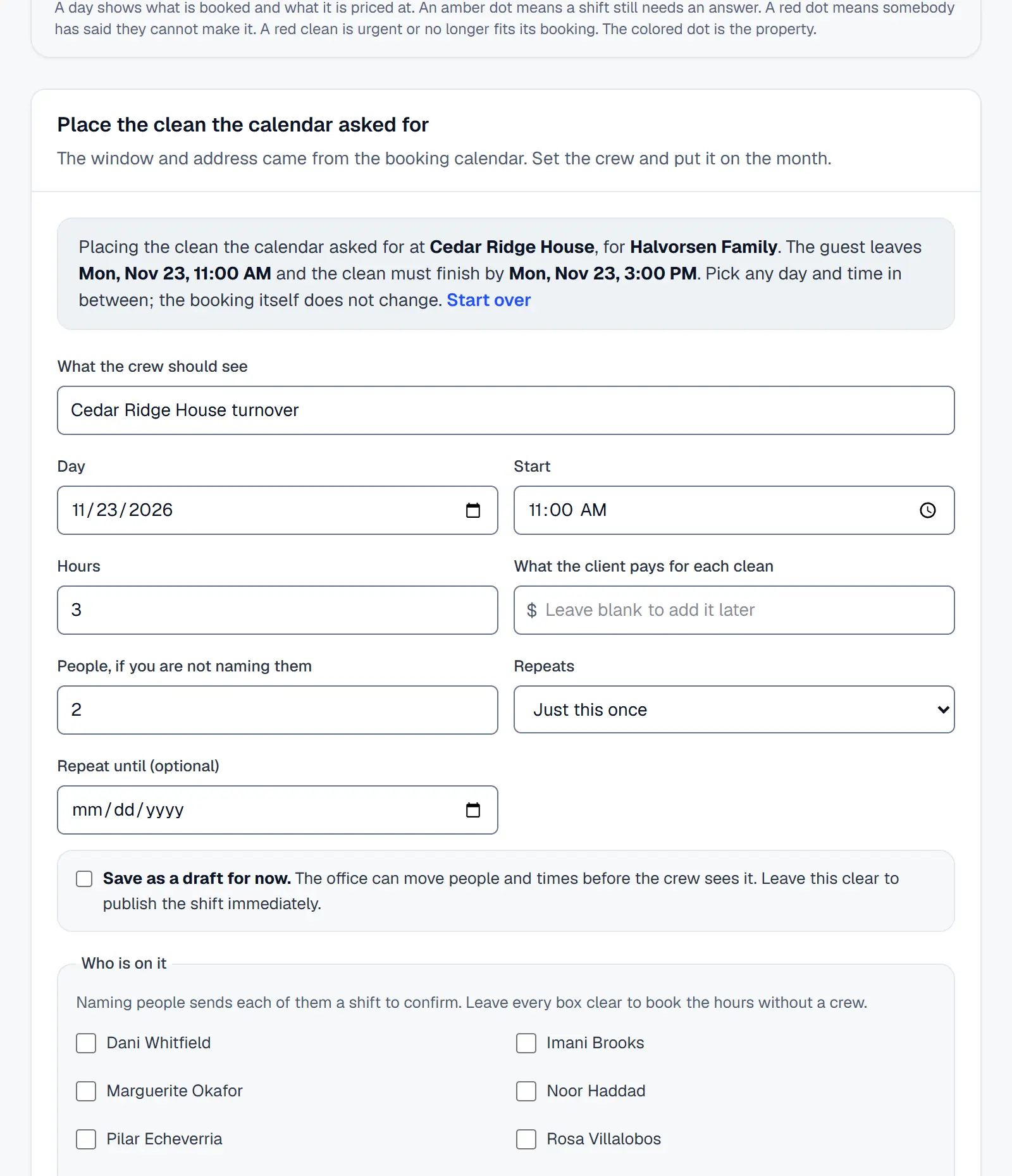
Press Schedule it and the form opens with the property, the client and the window already filled in. Pick a time between checkout and the latest safe finish, tick the crew and put it on the calendar.
Until a clean is booked, a same-day turnover stays as an urgent alert at the top of the schedule. If the guest dates move later, a clean that no longer fits is marked red.
Questions people ask next.
Short answers, with the same limits the guide has already stated.
How quickly do new bookings show up?
What about nights the owner blocks off?
The next step
Try it on one real week.
Put a week of cleans on the calendar, send the crew their shifts and invoice from the visits. 60 days free.
No card. Cancel from settings.