Guide
How to set up recurring cleaning appointments
In Arbon, open Schedule and fill in Put a clean on the calendar for the client's first visit. Set Repeats to every week, every other week or every month, add an end date if there is one, and tick who does it. Each visit is then its own clean, so one can move or change price without touching the rest.
Step 1
Fill in the first visit
Open Schedule and go to Put a clean on the calendar. Choose the client and the property, then the day, the start time, the hours and the price of one visit. What the crew should see is the line on their phone, so write it the way they would say it.
Step 2
Choose how often it repeats
Set Repeats to Every week, Every other week or Every month. Repeat until is optional: leave it blank for a standing client, or give it a date for a contract that ends.
Tick the people who usually do this house. Each of them gets the shifts to confirm. If someone is on leave, already booked at that hour or outside their working hours, the schedule says so and does not book them.
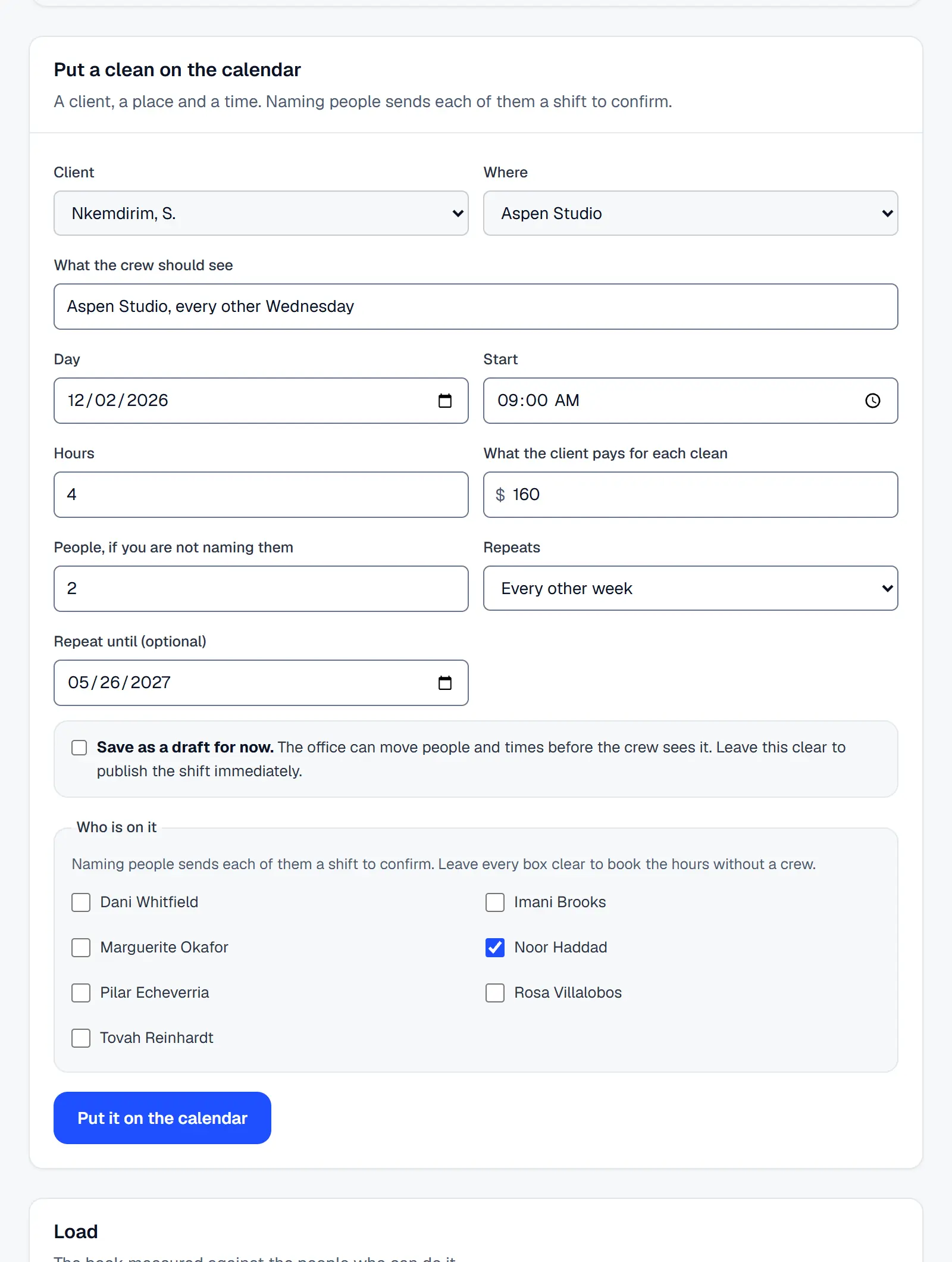
An every-other-week clean for six months, set up once. Step 3
Check the visits on the client's page
Every visit appears under Upcoming cleans on the client's page and on the month. Change the price on one and leave Every later clean in this series too ticked when it is a rate change; clear it when only that one visit is different, like a deep clean before the holidays.
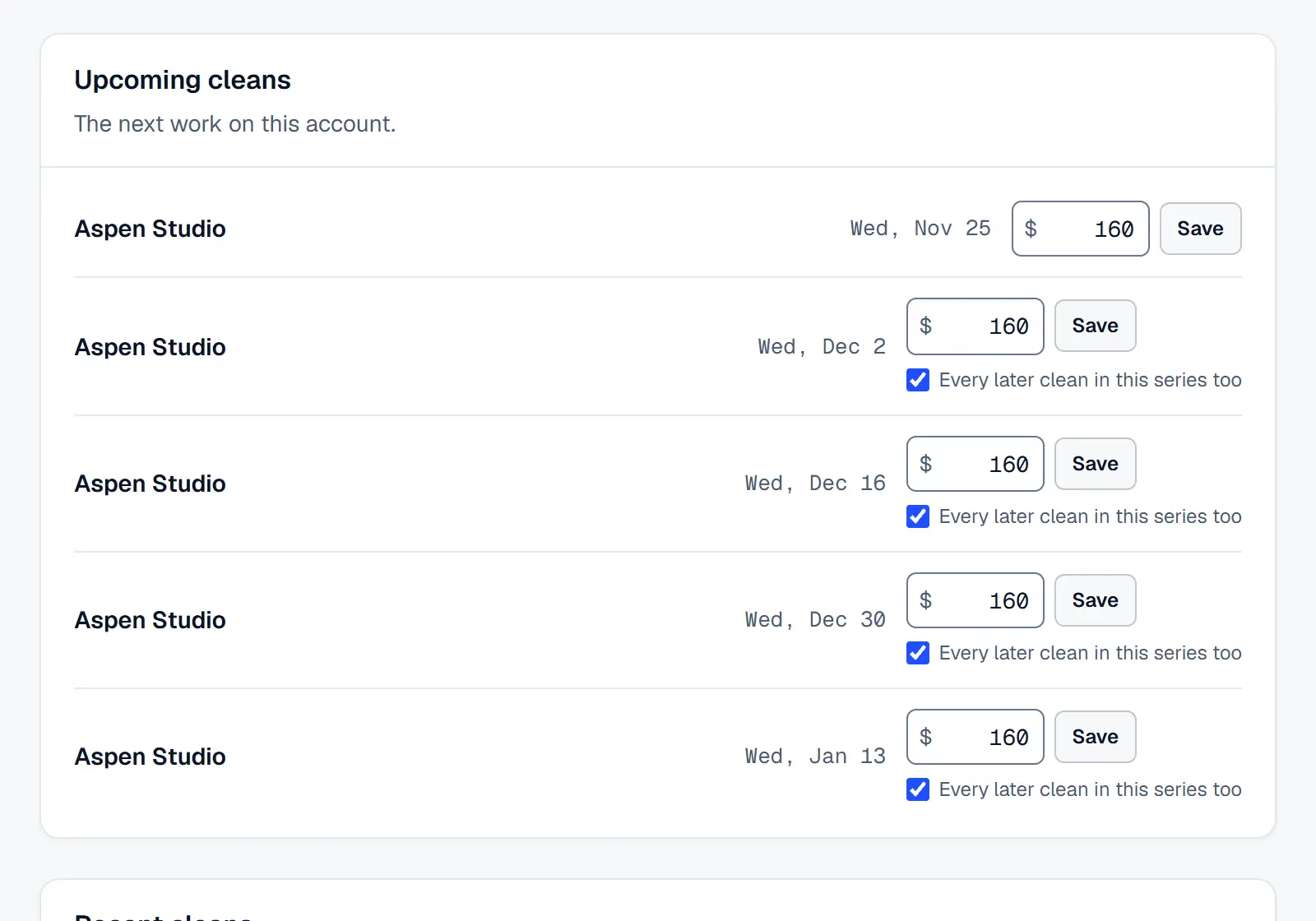
Each visit is its own clean. The tick decides whether a change carries forward. Step 4
Bill it on the same rhythm
If the client pays per visit, invoice from the job when it is finished. If they pay a set amount every month or every other week, set up a repeating bill instead; the guide to recurring invoices covers it.
Questions people ask next.
Short answers, with the same limits the guide has already stated.
Can a client book an extra clean between the regular ones?
What happens on a holiday?
The next step
Try it on one real week.
Put a week of cleans on the calendar, send the crew their shifts and invoice from the visits. 60 days free.
No card. Cancel from settings.