Guide
How to add a cleaning client and their property
In Arbon, open Clients and choose Add a client. Only the name is required, but adding the first property there means the schedule and the quote can use it straight away. Then open Edit property on the client's page to save the lockbox code and parking notes. They are stored encrypted and shown on the job to the crew doing it.
Step 1
Add the client
Open Clients and choose Add a client. Type the name the way you want it on invoices. Add an email if they should get quotes, invoices and the portal by email; a client with no email still works, you just text them the link.
Tick This is a company for a business, a church or an HOA. It changes how they are listed and who a quote is addressed to.
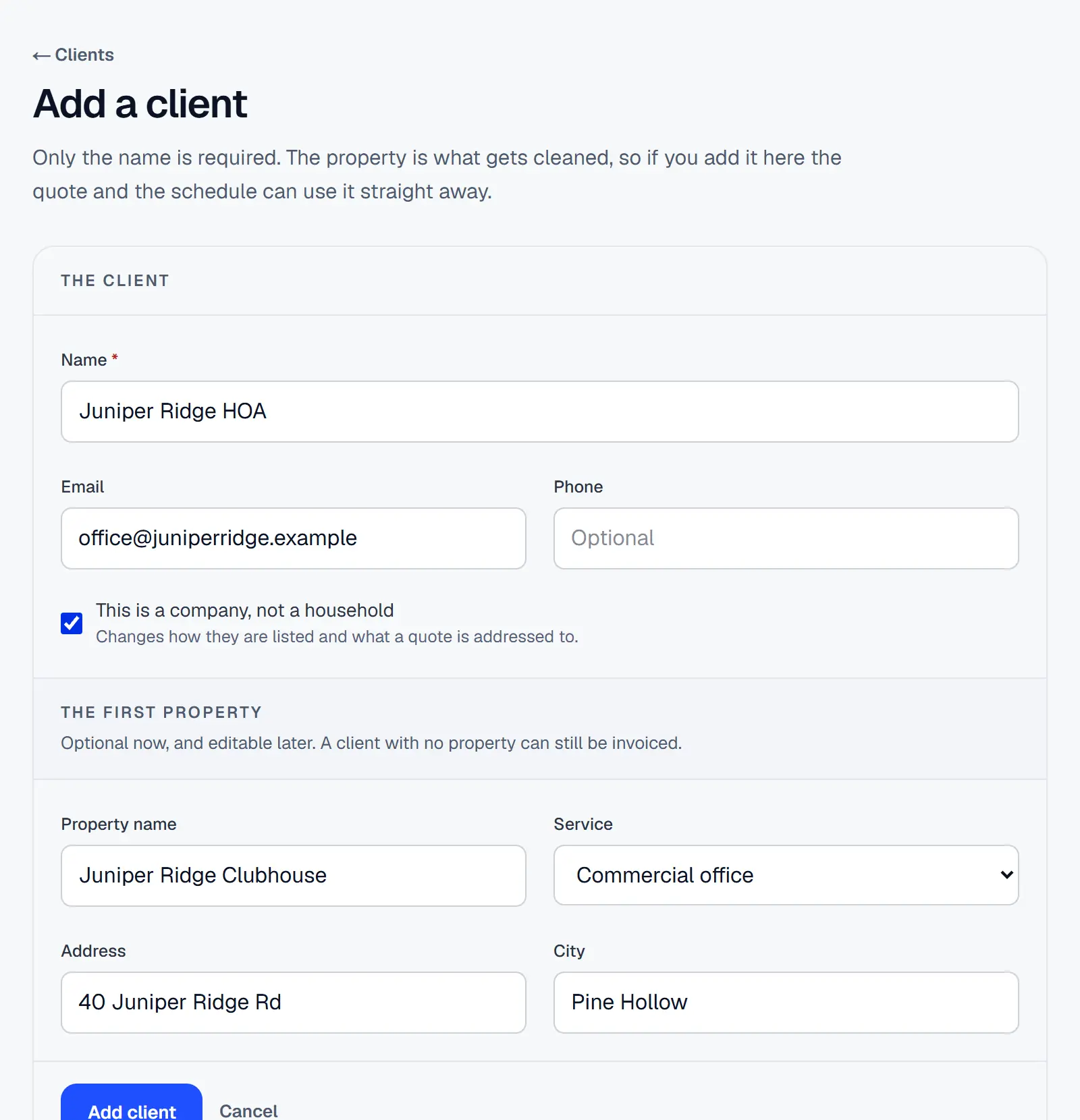
Only the name is required. The first property can wait, but adding it now saves a step later. Step 2
Add the place you clean
A property is the address that gets cleaned, and one client can have several: a family with a lake cabin, or a property manager with eight rentals. Give it a name the crew will recognise, such as Main house or Suite 200, and choose the kind of clean, because that is how the client list and the pricing book group the work.
Step 3
Save the access notes
On the client's page, open Edit property. Put the lockbox code, the alarm, the dog and where the supplies live under the access note. Once saved, the note is hidden on this screen and shows only as Access note set; typing here replaces it rather than reading it back.
The note shows on the job page, for the crew assigned to that clean and for the office. It follows every future clean at that property, so nobody texts the code again.
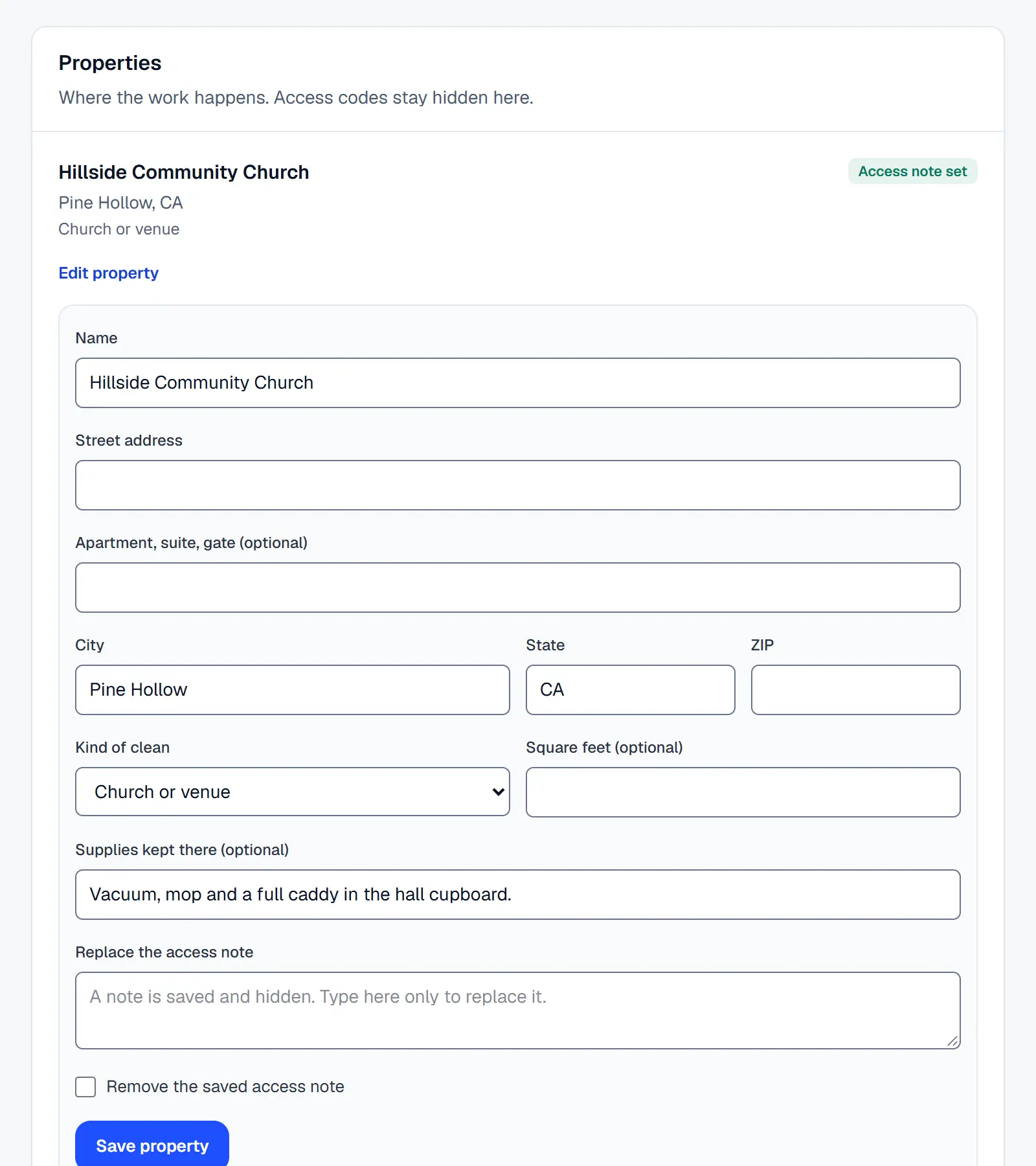
The saved note never shows here. Type a new one to replace it, or tick the box to remove it. Step 4
Use the client's page as the start of everything
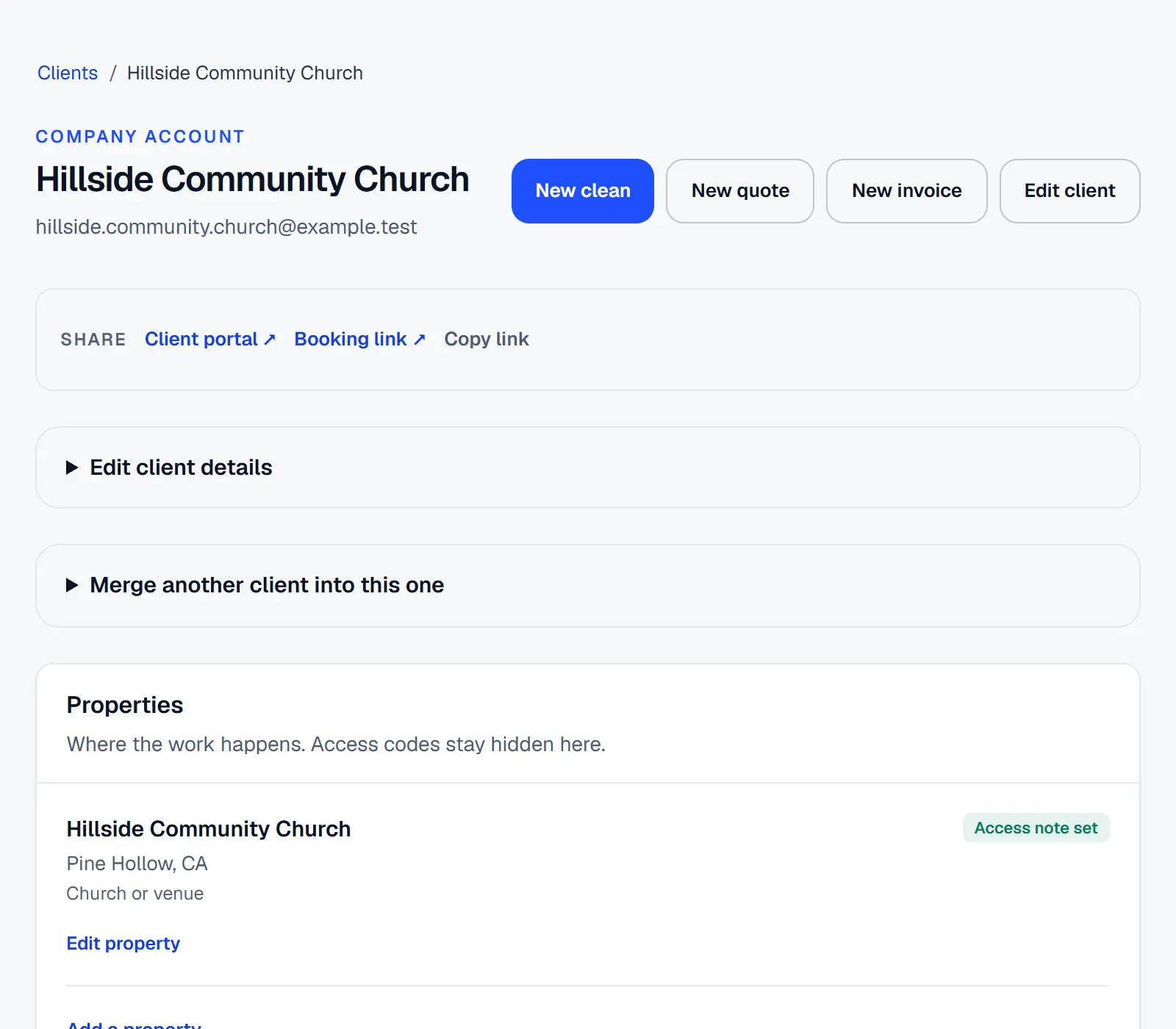
The client's page has New clean, New quote and New invoice at the top, so the next job starts from the right account. Below them are the links to share: the client portal and, on the Growth plan, a booking link for regular clients.
Questions people ask next.
Short answers, with the same limits the guide has already stated.
Can I bring my client list from another app?
Who can see the door codes?
The next step
Try it on one real week.
Put a week of cleans on the calendar, send the crew their shifts and invoice from the visits. 60 days free.
No card. Cancel from settings.