Guide
How to invoice cleaning clients and keep track of who has paid
In Arbon, an invoice starts from a finished job or an accepted quote, so the price is already on it. Send it and the client gets a link to view, download or print it. Record payments as they arrive, send a reminder from the same page, and the client portal shows each client what they owe.
Step 1
Raise the invoice from the work
Open Jobs and filter for Needs invoice. Each finished visit without a bill is there, with the price it was booked at. Raise the invoice from the job, or from an accepted quote, and the client, the address and the amount are filled in.
Add your logo once in invoice settings and it prints on every invoice, including the ones already sent.
Step 2
Send it and record payments
Send the invoice by email, or use Text or share the link when the client prefers a message. When money arrives, choose Add payment and enter what came in. The balance, the status and the dashboard all update together.
Send reminder writes a short, polite note with the amount still owed and the link. Issue a credit when a clean was cut short, rather than editing the total after the fact.
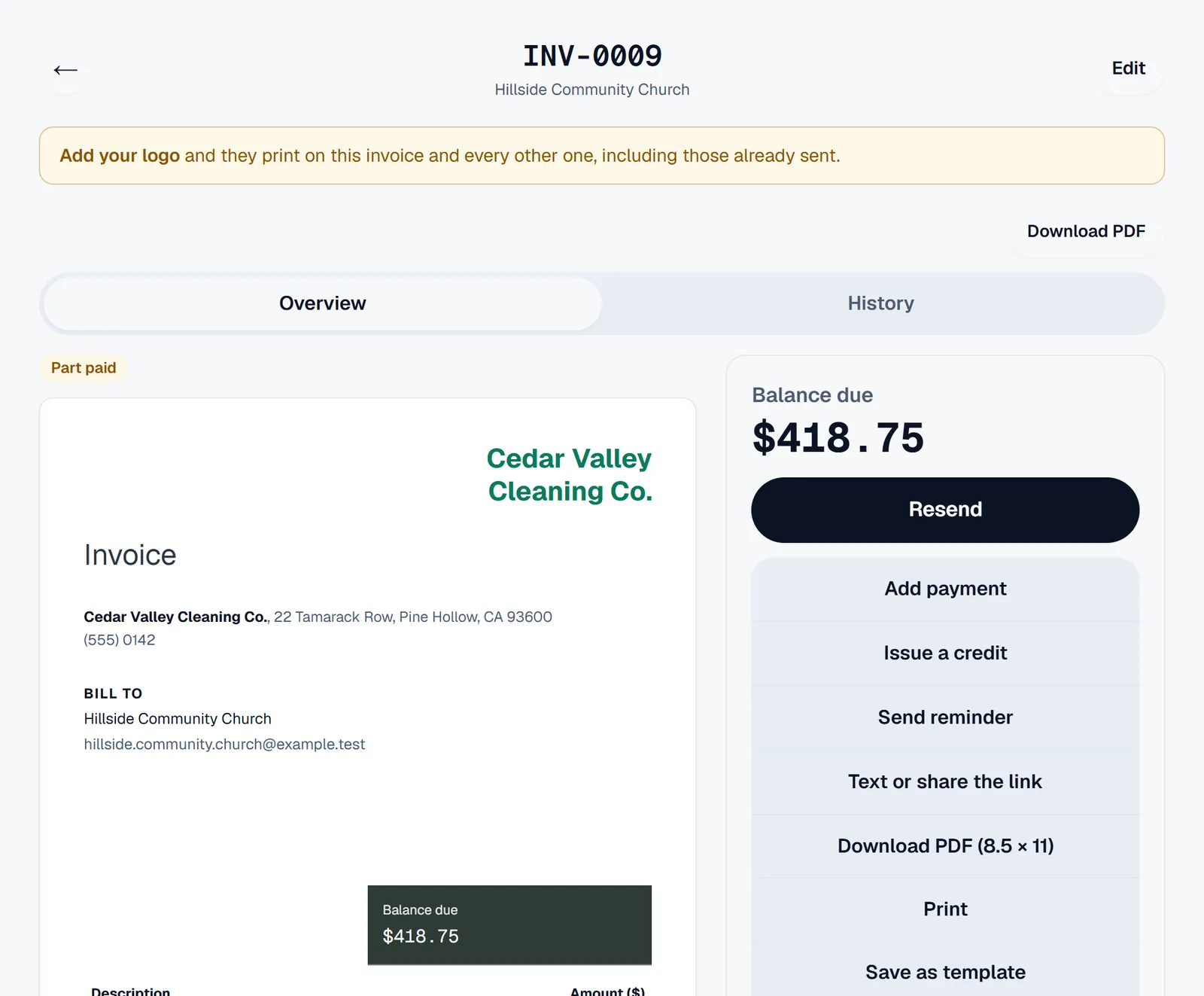
A part-paid invoice: what is left, and everything you can do about it from one place. Step 3
What the client sees
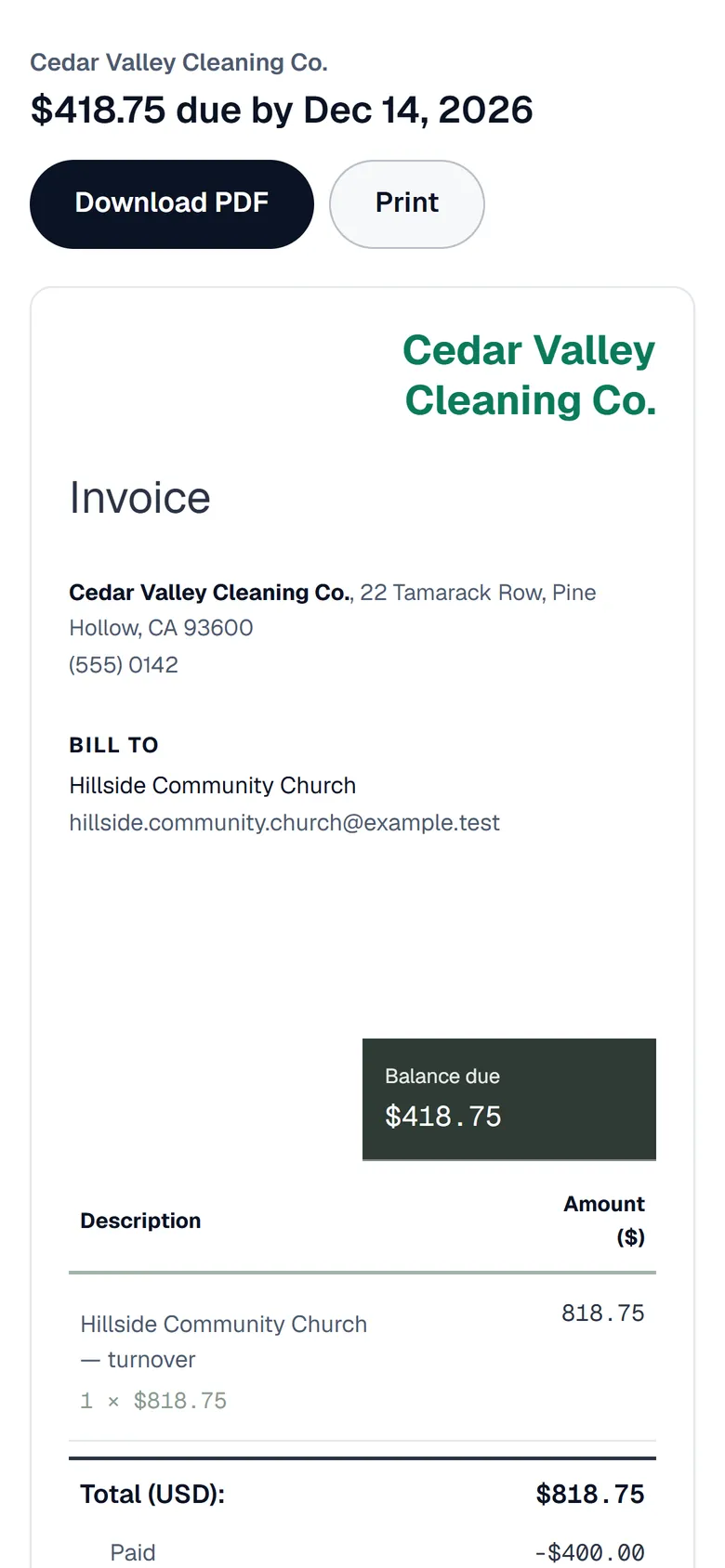
The link opens the invoice on any phone, with the amount due and the date it is due by. The client can download a PDF for their records or print it.
Step 4
Give regular clients a portal
On the Growth plan, each client has a private portal link. It shows their next clean, every bill and what is left to pay, and lets them rate a finished visit or ask for a change. There is no password: the link is theirs alone.
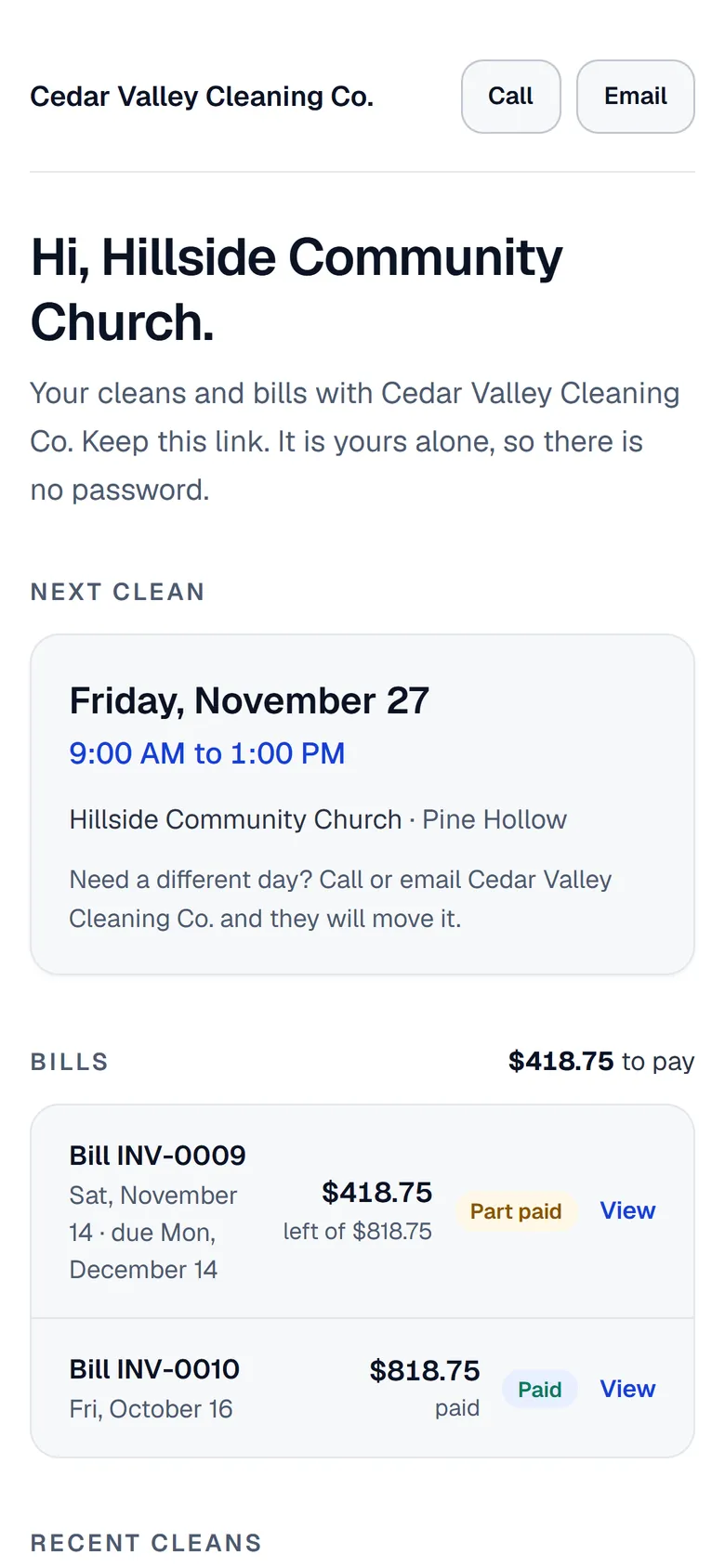
The portal answers most of the calls a client would otherwise make.
Questions people ask next.
Short answers, with the same limits the guide has already stated.
Can clients pay by card from the invoice link?
Can I bring invoices over from another tool?
The next step
Try it on one real week.
Put a week of cleans on the calendar, send the crew their shifts and invoice from the visits. 60 days free.
No card. Cancel from settings.