Guide
How to move your invoices from Invoice Maker
In Invoice Maker, open Reports and export the invoice list as CSV or Excel. In Arbon, open Invoices, choose Import and pick the file. You see what is in it before anything is saved, then bring every invoice, payment and client across. Clients typed two ways are joined, and possible duplicates are left for you to merge.
Step 1
Export from Invoice Maker
In Invoice Maker, open Reports and export the invoice list. A CSV or an Excel (.xlsx) file both work. Keep the file as it comes out; there is no need to tidy it first.
Step 2
Check what is in it
Open Invoices, choose Import and pick the file. Before anything is saved, the page shows how many invoices and clients it found, what was billed and what was paid, and the dates it covers.
Names typed two ways, like Bergström and Bergstrom, become one client. Pairs that might be the same, such as two names at the same street address, are kept apart for you to decide. Invoices with odd dates are flagged and their totals are left exactly as they were.
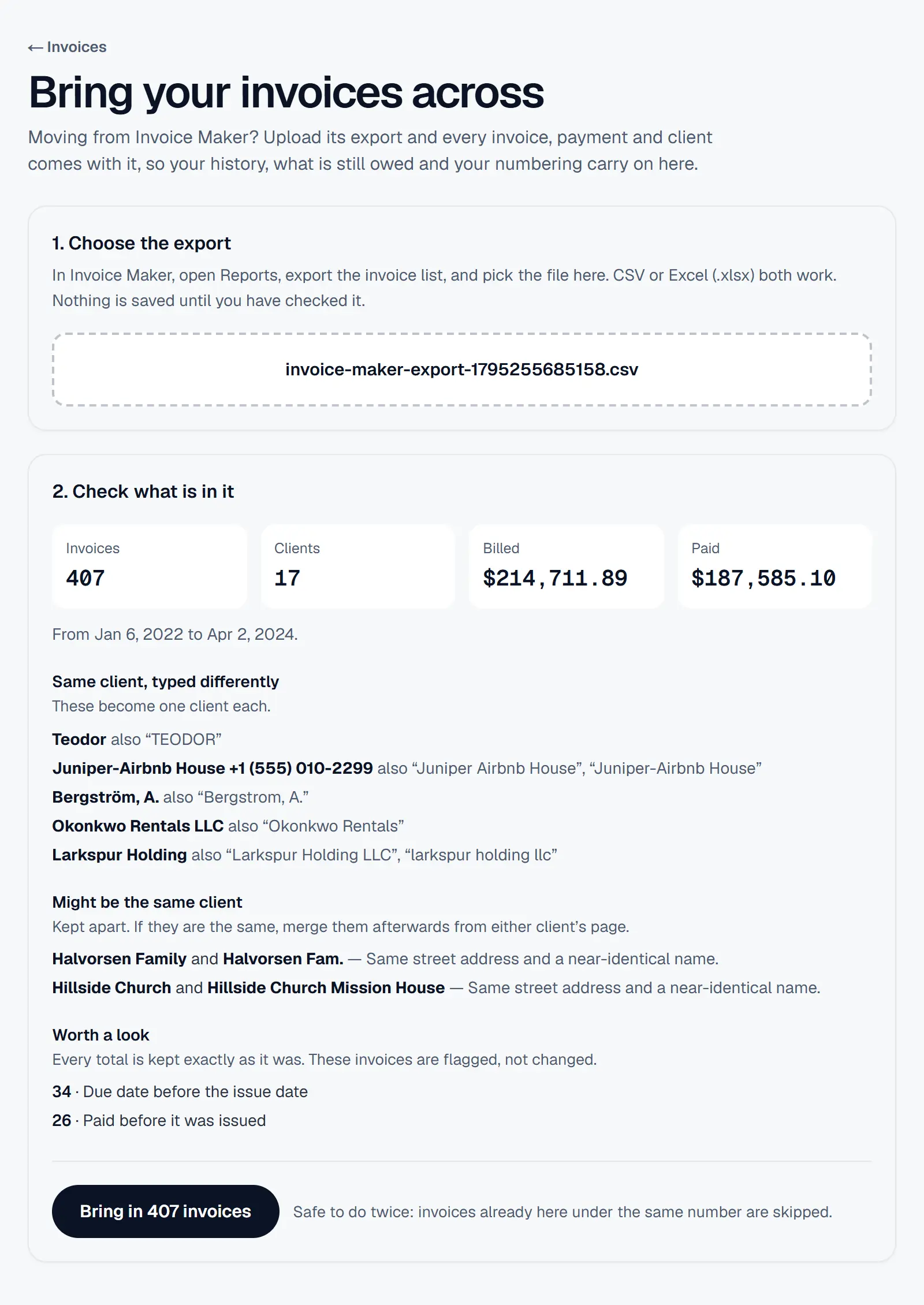
Nothing is saved until you press the button at the bottom. Step 3
Bring it in
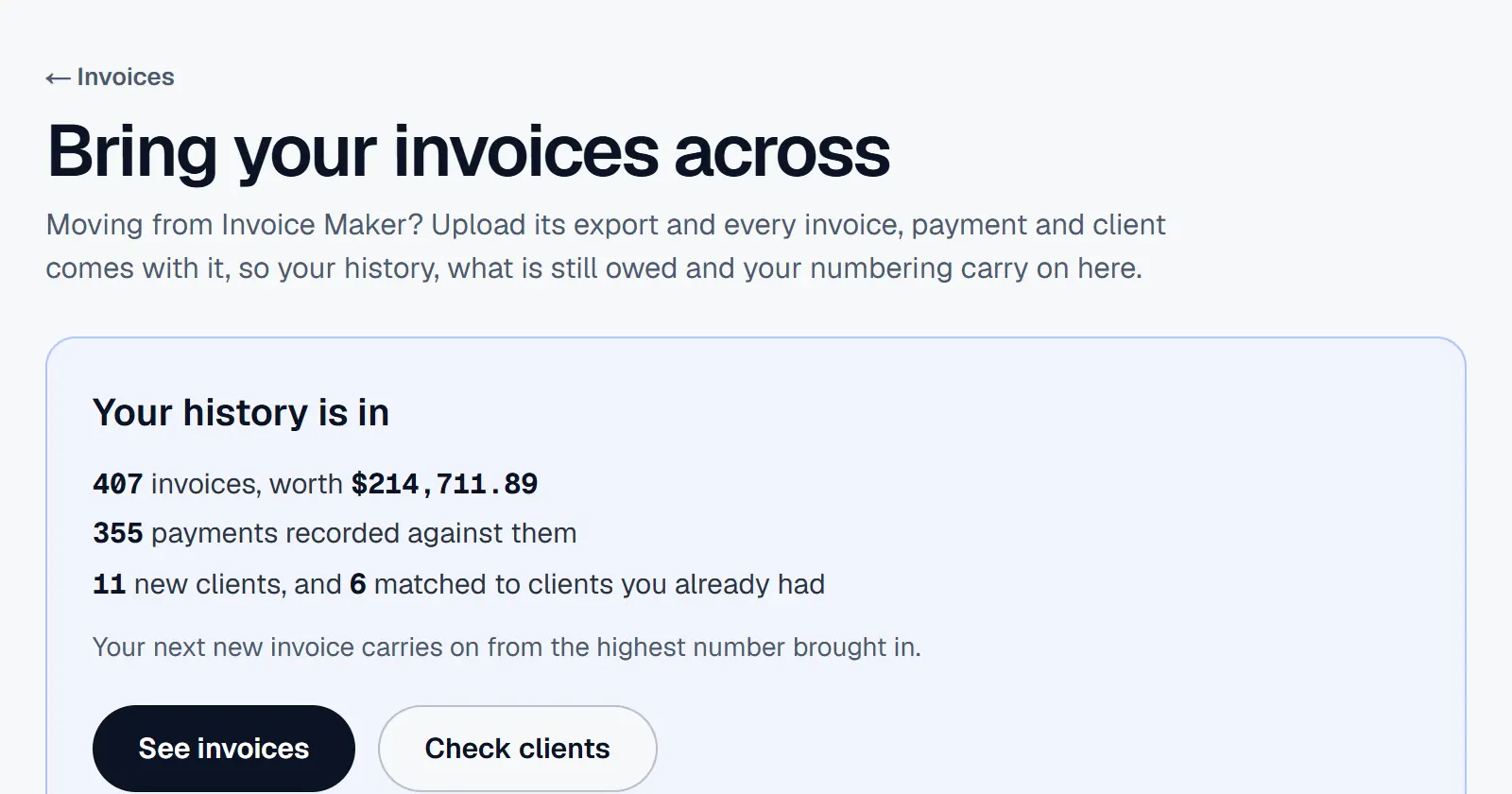
Press Bring in and the history arrives: every invoice, the payments against it and the clients. The next invoice you raise carries on from the highest number you brought in. It is safe to run twice; an invoice already here under the same number is skipped.
Step 4
Merge the duplicates
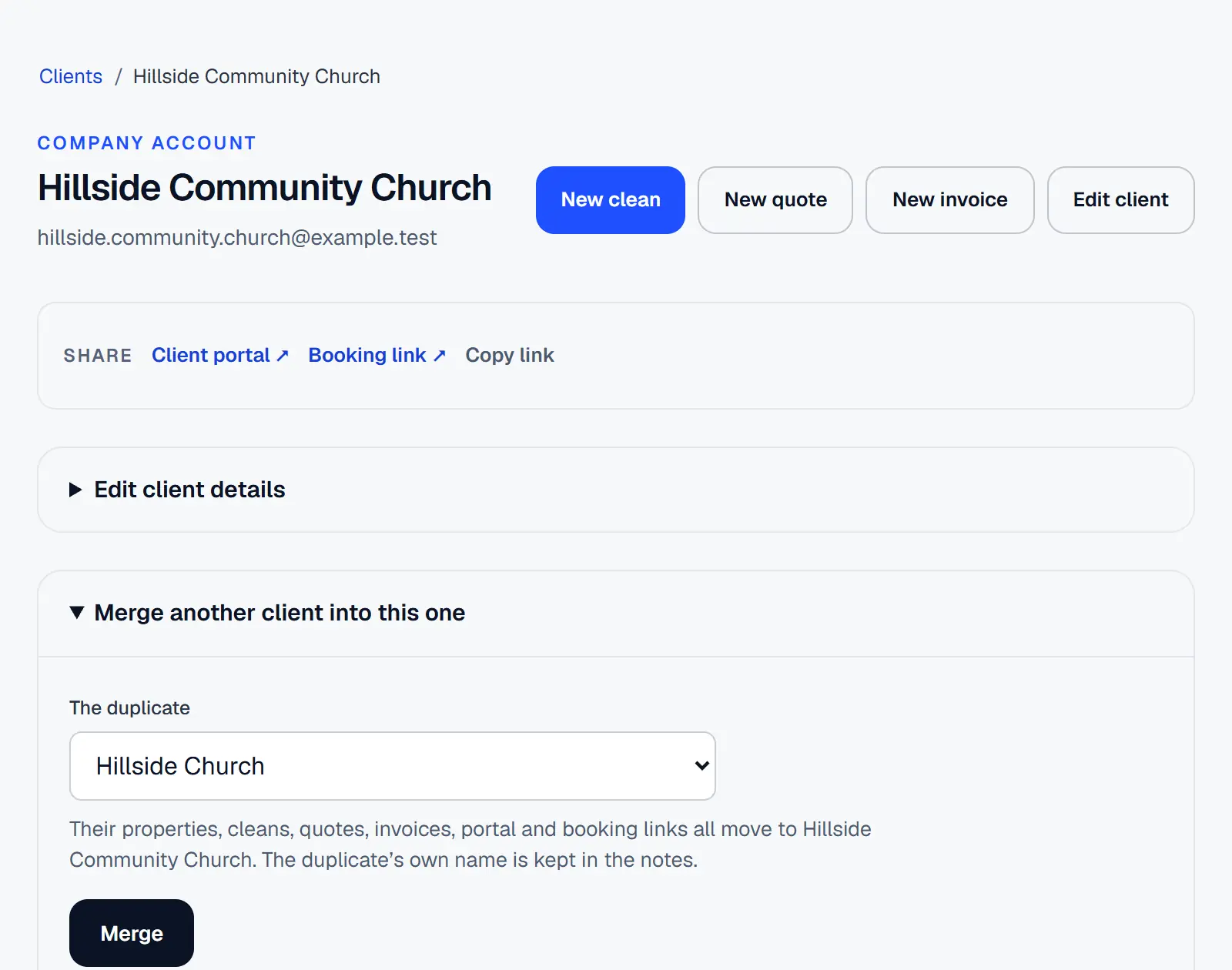
Open the client you want to keep and choose Merge another client into this one. Pick the duplicate and press Merge. Their properties, cleans, quotes, invoices and portal and booking links all move across, and the duplicate's own name is kept in the notes.
A merge cannot be split apart again, so check the two are really the same before you press it.
Questions people ask next.
Short answers, with the same limits the guide has already stated.
What about other invoicing apps?
Are unpaid invoices still unpaid after the import?
The next step
Try it on one real week.
Put a week of cleans on the calendar, send the crew their shifts and invoice from the visits. 60 days free.
No card. Cancel from settings.