Run the day
Cleaning scheduling software that refuses the impossible
One week board for every clean, with crew availability, leave and double bookings checked when you assign. Drafts stay hidden until you publish.
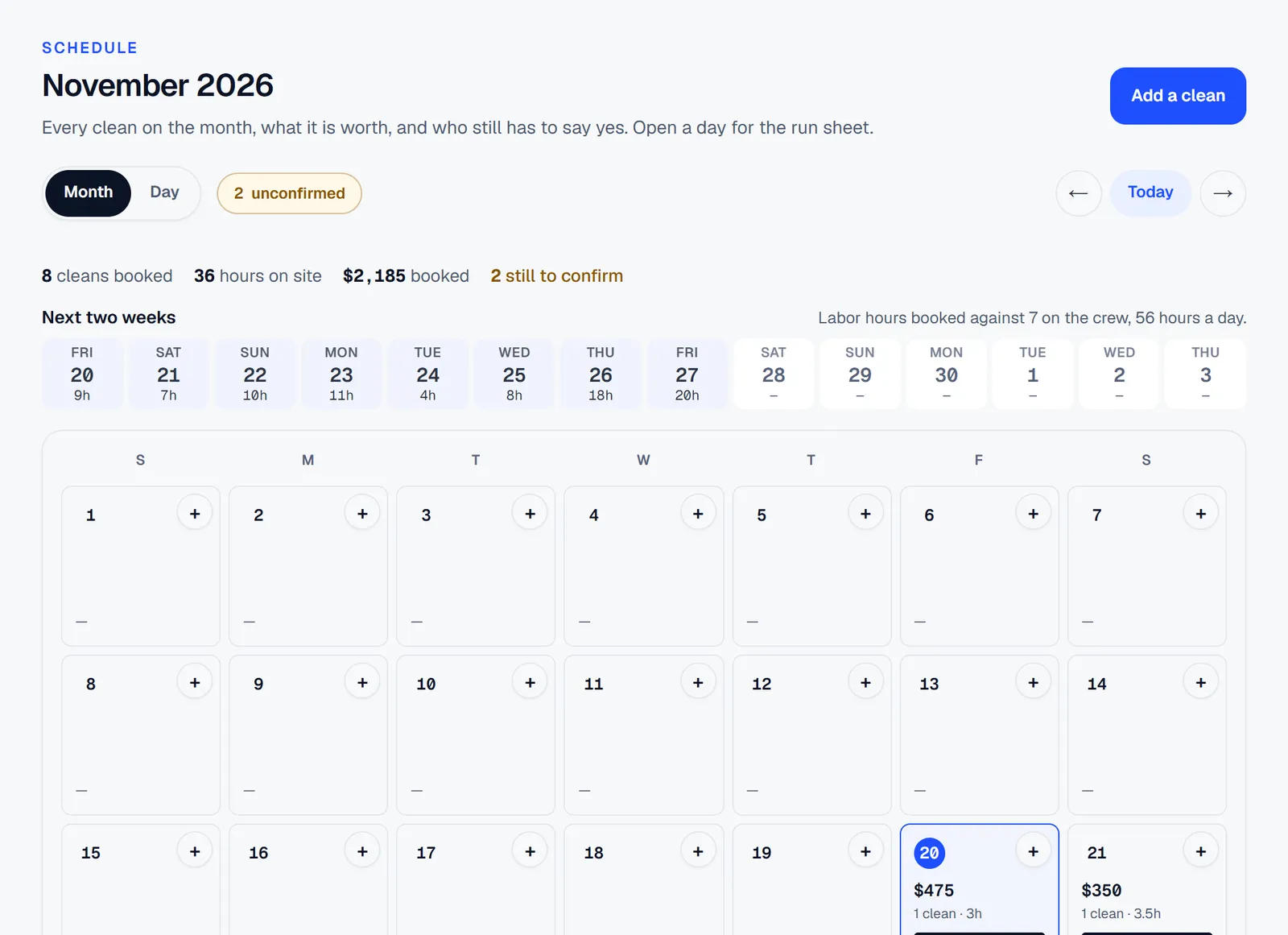
Cleaning scheduling software puts every visit on one week board with the crew, the window and the checklist attached. Arbon refuses a double booking, a cleaner on leave or a shift outside saved availability when you assign it, keeps drafts hidden from the crew until you publish, and turns a recurring series into real jobs you can move, pause and invoice.
Why it matters
The owner is the switchboard.
Every change is a text. Every question about a key is a call. The week lives in three places at once: a calendar, a group chat and the owner's head. Nothing is wrong until two people are sent to the same house, and then it is the client who finds out.
How it works
The mechanism, step by step.
Each step is a rule the product enforces, so nobody has to remember a setting.
- 01
Put the clean on the board
Day and month views show the week with the crew, the property, the window and the checklist template on every job. Add a job by hand or from a calendar need.
- 02
The assignment is checked
A double booking, a cleaner on leave or a shift outside their saved hours is refused at the moment you assign it. You do not find out on the morning.
- 03
Drafts stay yours
A shift you are still working on is a draft. The crew sees nothing until you publish, so a half-built week cannot become somebody's plan.
- 04
Recurring work generates itself
A weekly or every-other-Tuesday series creates real jobs ahead, and can be paused, resumed or left as a draft without breaking the series.
- 05
A change reaches the right phone
When a visit moves, the crew is notified and the job carries the new window. The office sees the week's workload before it says yes to another clean.
The details
Facts you can check.
Each figure is a limit or a rule in the product today. Where a rule is not modeled, the page says so.
- Double bookings, leave and hours outside availability
- Refused
- Checked the moment you assign
- Unpublished shifts are invisible to the crew
- Draft
- Day, month and the week's workload
- 3 views
- Series generate real jobs, pause and resume
- Recurring
Next
The parts that sit beside it.
Every feature shares one record, so a visit that starts on the schedule is the same visit that ends on the invoice and the timesheet.
Free: what an hour really costsQuestions
The questions this page raises.
Can I schedule the same cleaner twice in one morning?
Do the crew see shifts before I publish them?
Does a recurring clean create a new job every week?
60 days free, no card, and every crew member included. The sample business used in the frames is fictional and labelled wherever it appears.
The next step
Put one real week in it.
A schedule, a crew on their phones and one invoice from the visit. That is enough to know whether it fits.
No card. Cancel from settings.