Guide
How to follow up on unpaid cleaning invoices
In Arbon, open Invoices and tap Overdue to see every late bill and how many days late it is. Open one and choose Send reminder: it emails a short note with the amount and the link. When the money arrives, record it with Add payment, and use Issue a credit when part of a clean was missed.
Step 1
See what is late
The top of Invoices says what is waiting to be paid and how much of it is late. Tap Overdue for just the late ones, each with how many days it is past due. A finished clean that has no invoice yet is listed above them, with Invoice it beside it.
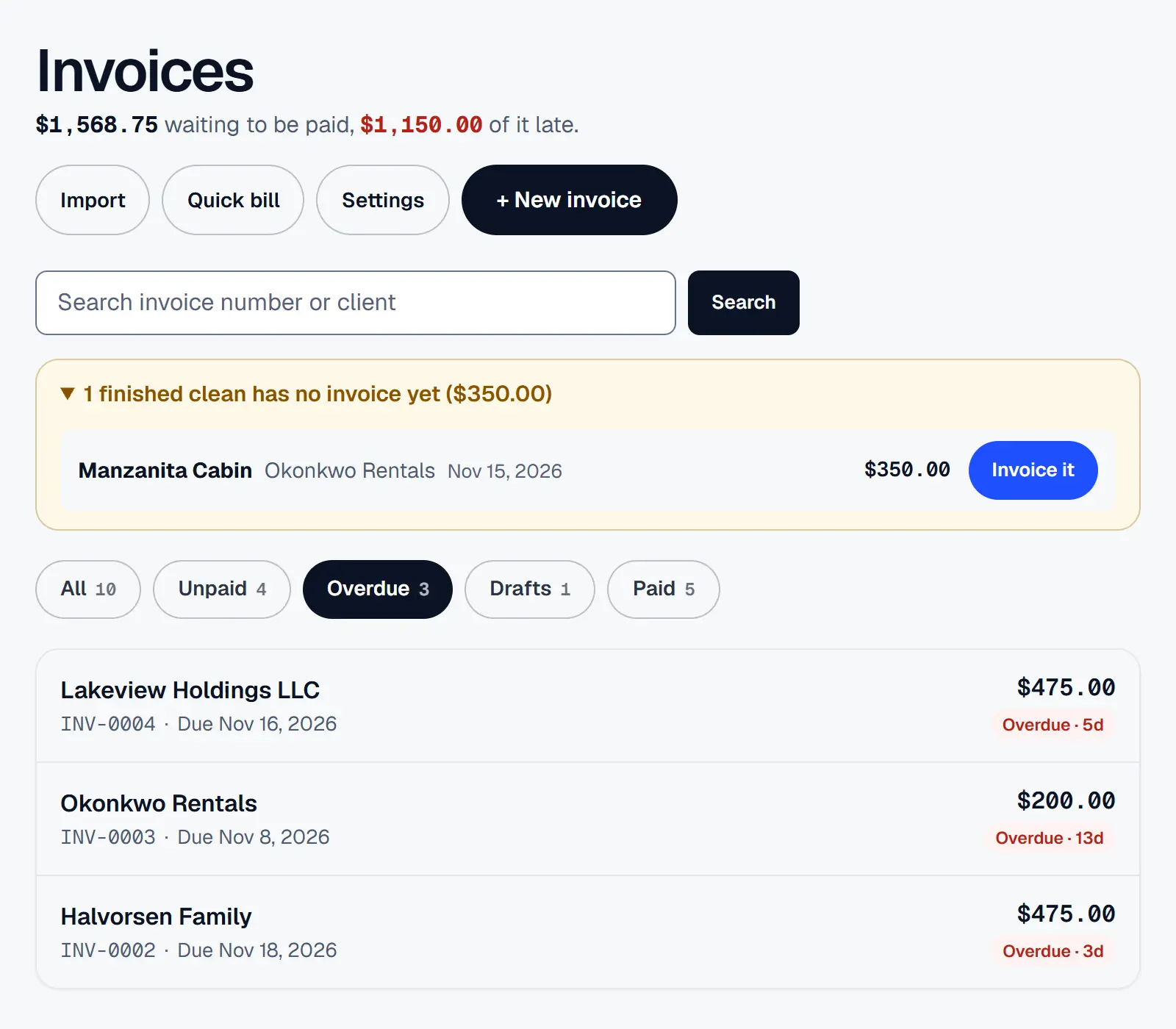
Three late bills, and one finished clean that was never billed. Step 2
Send a reminder
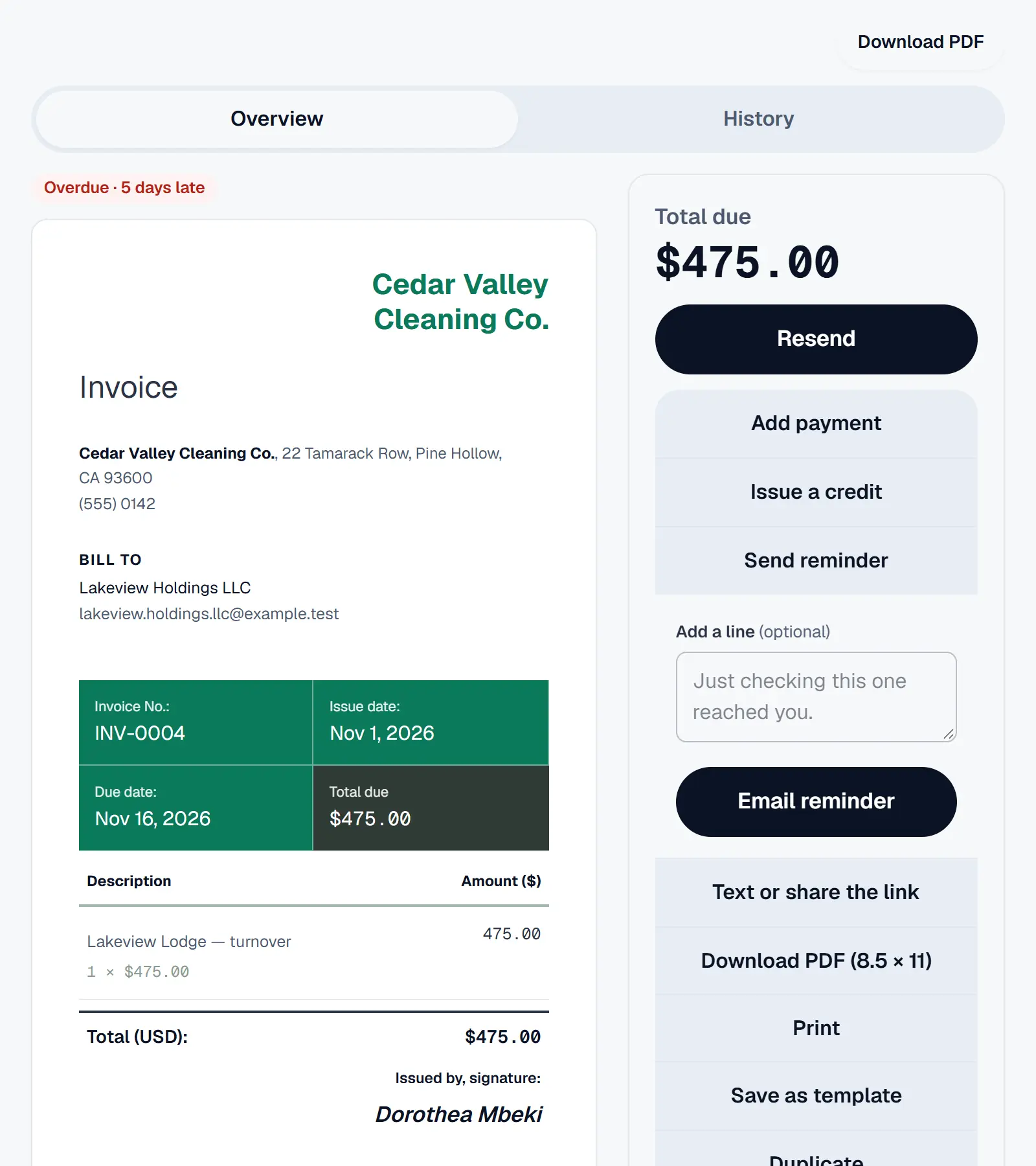
Open the invoice and choose Send reminder. Add a line if you want, such as Just checking this one reached you, then press Email reminder. The client gets the amount still owed and the link to the invoice.
If they prefer texts, Text or share the link gives you the same link to paste into a message.
Step 3
Record the payment
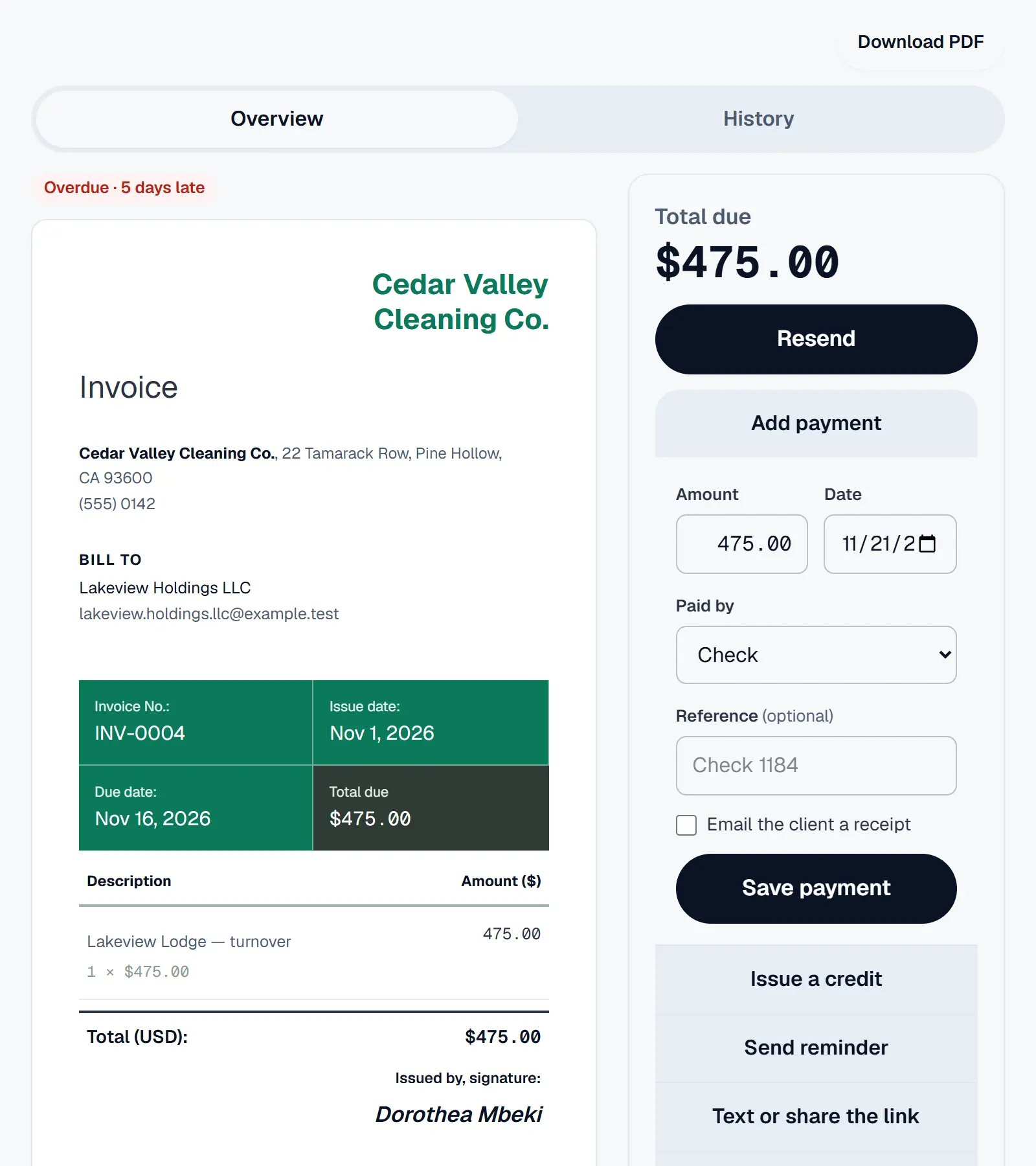
When the check or transfer comes in, choose Add payment. Enter the amount, the date, how it was paid and a reference such as the check number. Tick Email the client a receipt if they want one. The balance, the status and the dashboard all update together, and a part payment leaves the rest showing as owed.
Step 4
Credit a short clean instead of editing the bill
If a room was missed or a visit was cut short, use Issue a credit with the amount and the reason. The credit sits on the invoice with its reason, so the client and your books both see what happened, and the original total is never quietly changed.
Questions people ask next.
Short answers, with the same limits the guide has already stated.
Can the client pay by card from the reminder?
Does it send reminders automatically?
The next step
Try it on one real week.
Put a week of cleans on the calendar, send the crew their shifts and invoice from the visits. 60 days free.
No card. Cancel from settings.