Guide
How cleaners report damage, incidents and supplies
On the job page, a cleaner chooses Report an incident, Ask for supplies or Flag damage, fills in a few short questions and taps File it. The report lands with the office, stays with that job, and shows as open until someone marks it resolved with a note of what was done.
Step 1
Pick the kind of report
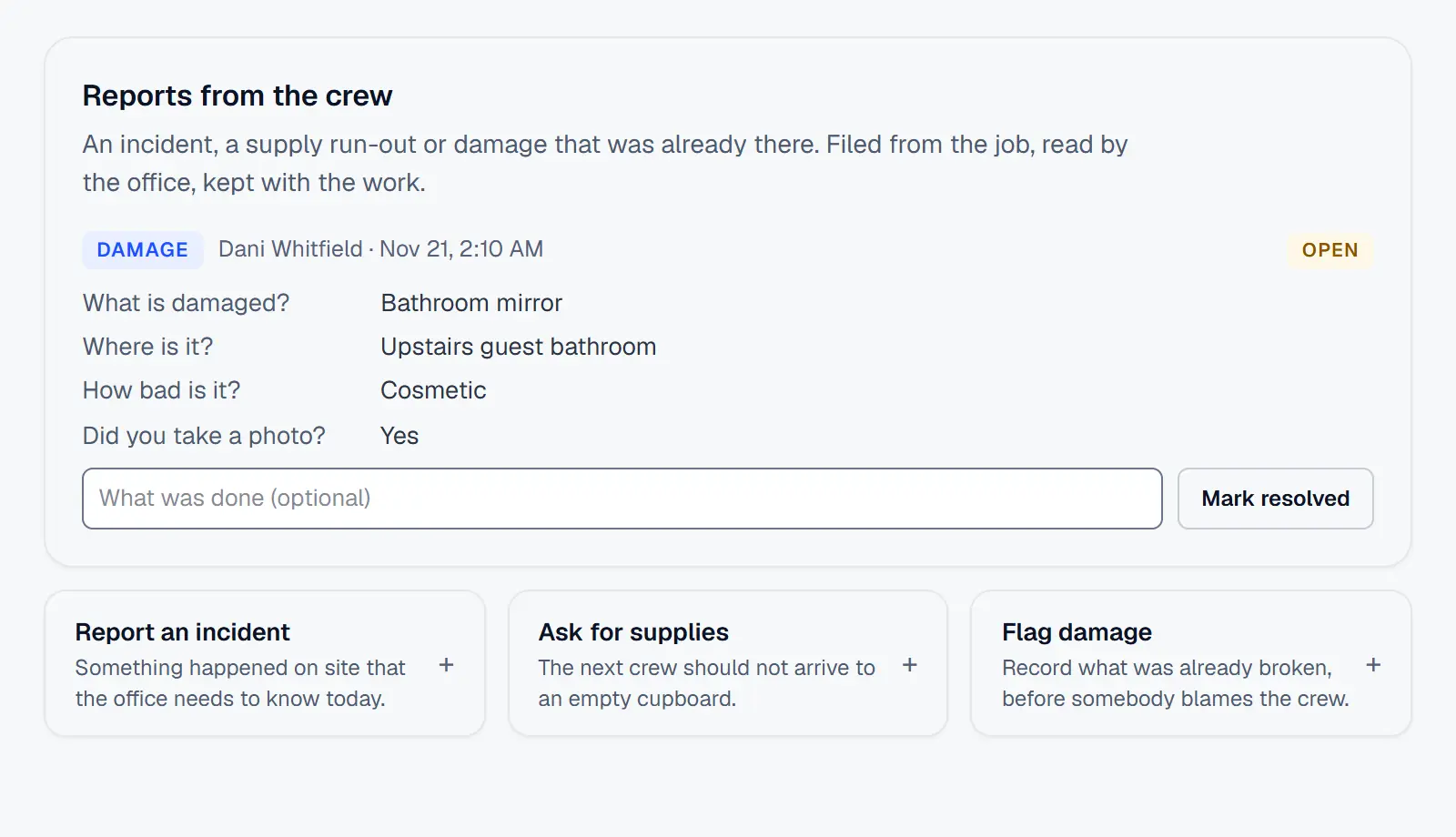
At the bottom of every job, Reports from the crew has three forms. Report an incident is for something the office needs to know today. Ask for supplies is so the next crew does not arrive to an empty cupboard. Flag damage records what was already broken, before anybody blames the crew.
Step 2
Fill it in on site
Each form asks a few plain questions. For damage: what is damaged, where it is, how bad it is (cosmetic, needs a repair or unsafe) and whether a photo was taken. Tap File it. It takes less than a minute, standing in the room.
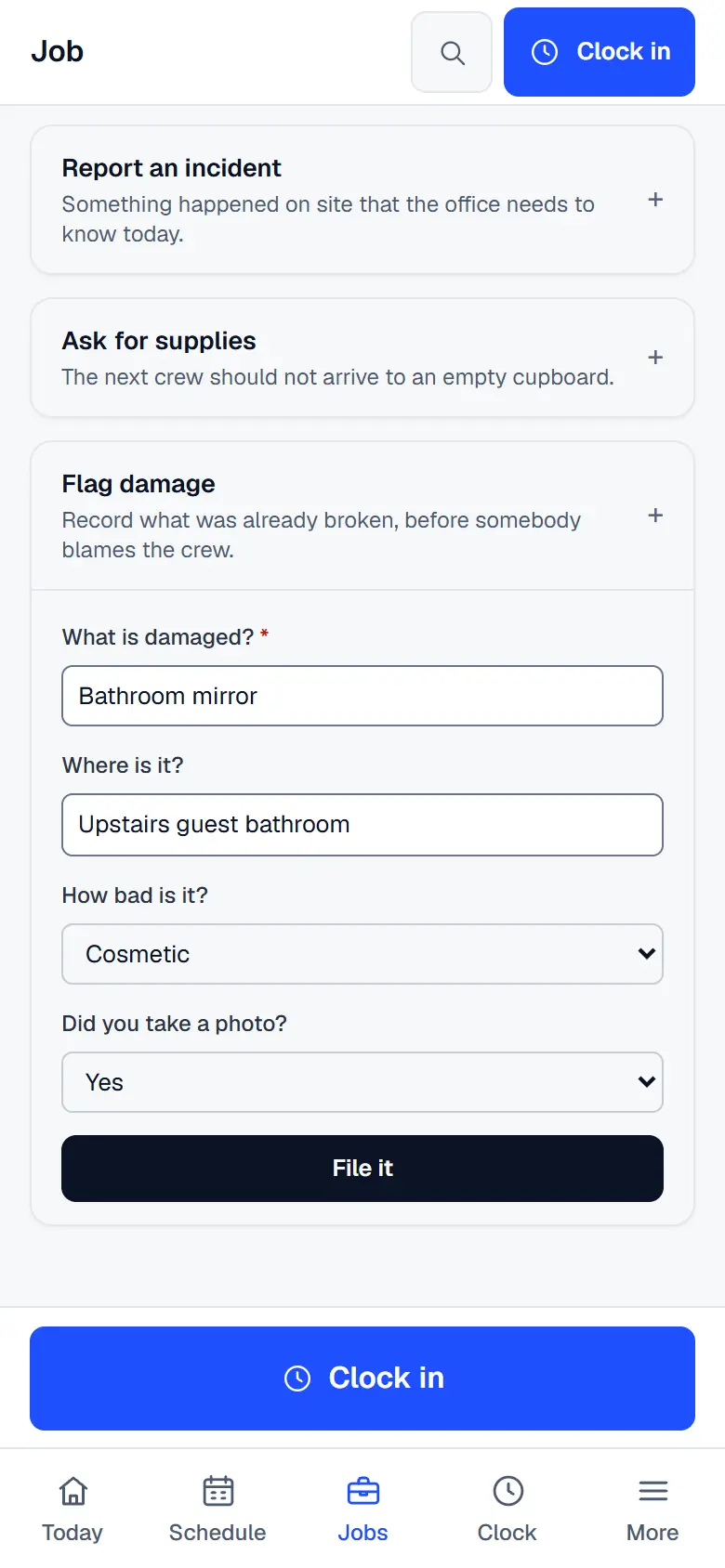
Filed from the job, so the date, the place and the person come with it. Step 3
The office reads it with the job
The report appears on the job for the office, marked with its kind, who filed it and when, and stays open. Once it is handled, add a line about what was done and press Mark resolved.
Because it is kept with the job, the record is there months later if a host or an owner asks what happened.
Questions people ask next.
Short answers, with the same limits the guide has already stated.
Does it work without signal?
Can a client see the reports?
The next step
Try it on one real week.
Put a week of cleans on the calendar, send the crew their shifts and invoice from the visits. 60 days free.
No card. Cancel from settings.