Guide
How to send recurring invoices to cleaning clients
Open an invoice you send often in Arbon and choose Save as template. Under Invoices, Quick bill then bills any client from it in two taps. To repeat it, open Repeat this bill, pick the client, every week, every other week or every month, and the first date. Each one arrives as a draft for the office to send.
Step 1
Save an invoice as a template
Open an invoice you send again and again, such as a fortnightly house clean or a monthly office contract. At the bottom of the actions, choose Save as template and give it a name you will recognise.
Step 2
Bill from it in two taps
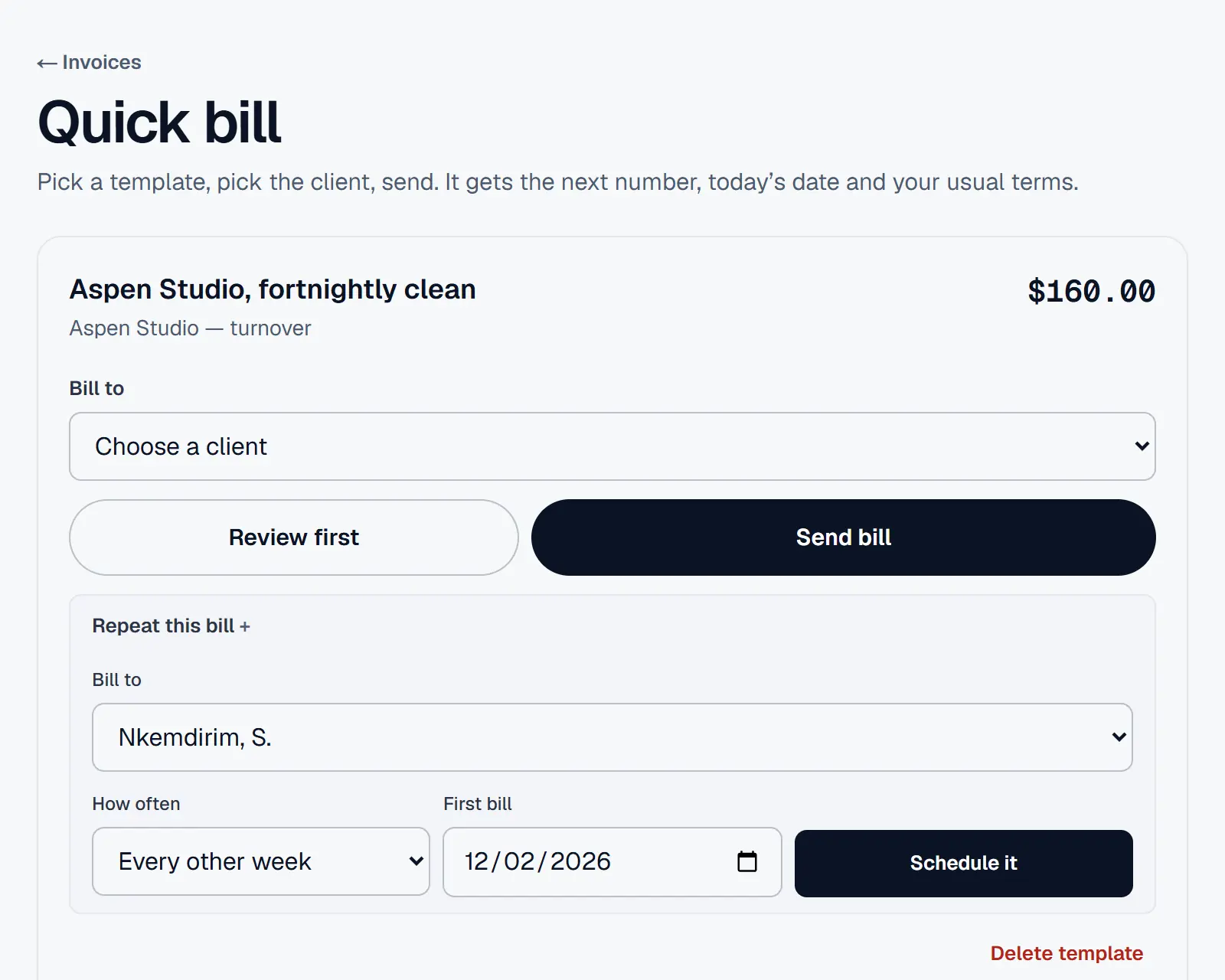
Under Invoices, Quick bill lists your templates. Choose the client and press Send bill, or Review first to check it. The invoice gets the next number, today's date and your usual terms.
Step 3
Set it to repeat
On the template, open Repeat this bill. Choose the client, how often (every week, every other week or every month) and the date of the first bill, then press Schedule it.
A monthly bill keeps its day. A bill set for the 31st goes out on the last day of a shorter month rather than slipping into the next.
Step 4
Check and send each one
Repeating bills appear at the top of Quick bill with the client, how often and the next date. On that date a draft is made. Nothing is emailed until somebody in the office sends it, so a skipped visit never turns into a wrong bill. Pause stops it without deleting it.
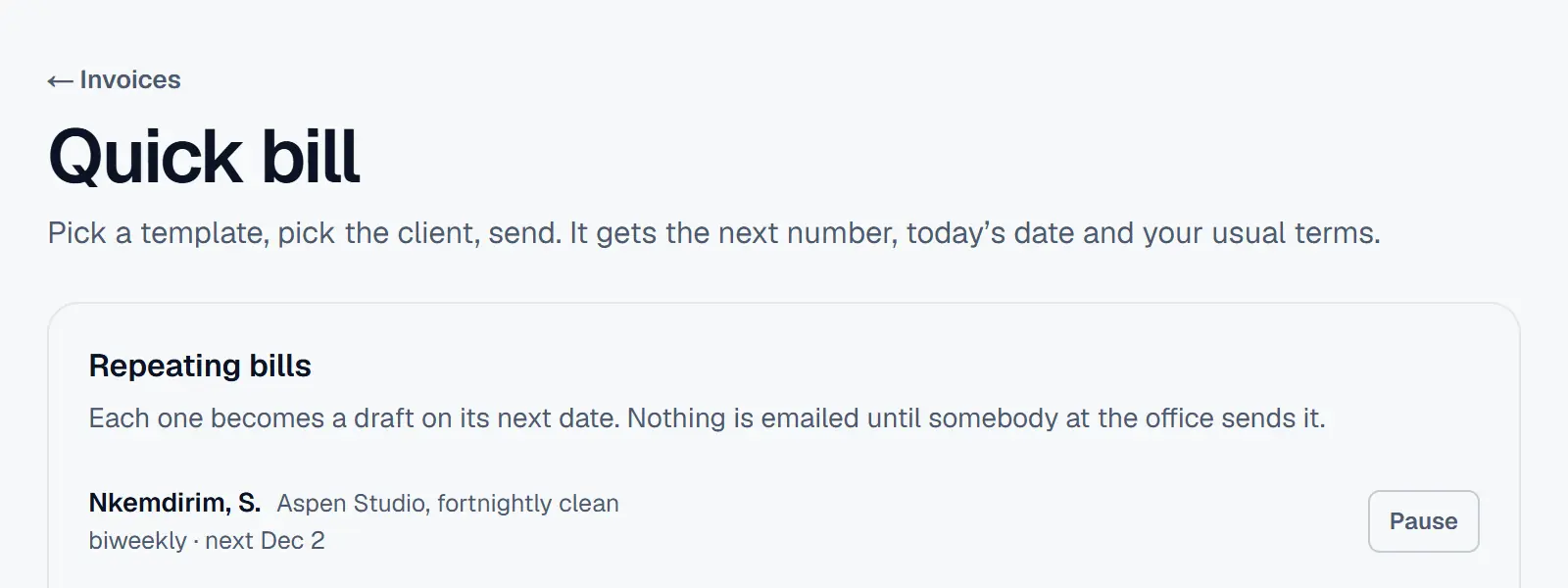
Each repeat becomes a draft, never a surprise email.
Questions people ask next.
Short answers, with the same limits the guide has already stated.
Does changing a template change old invoices?
Should I bill per visit or monthly?
The next step
Try it on one real week.
Put a week of cleans on the calendar, send the crew their shifts and invoice from the visits. 60 days free.
No card. Cancel from settings.