Guide
How to let cleaning clients book online
On the Growth plan, each client has a private booking link on their page in Arbon. It offers only times your crew is free, inside the hours and notice you set. The client picks a day and a start time, the slot is held, and nothing goes on the crew's calendar until the office confirms it.
Step 1
Set when you take bookings
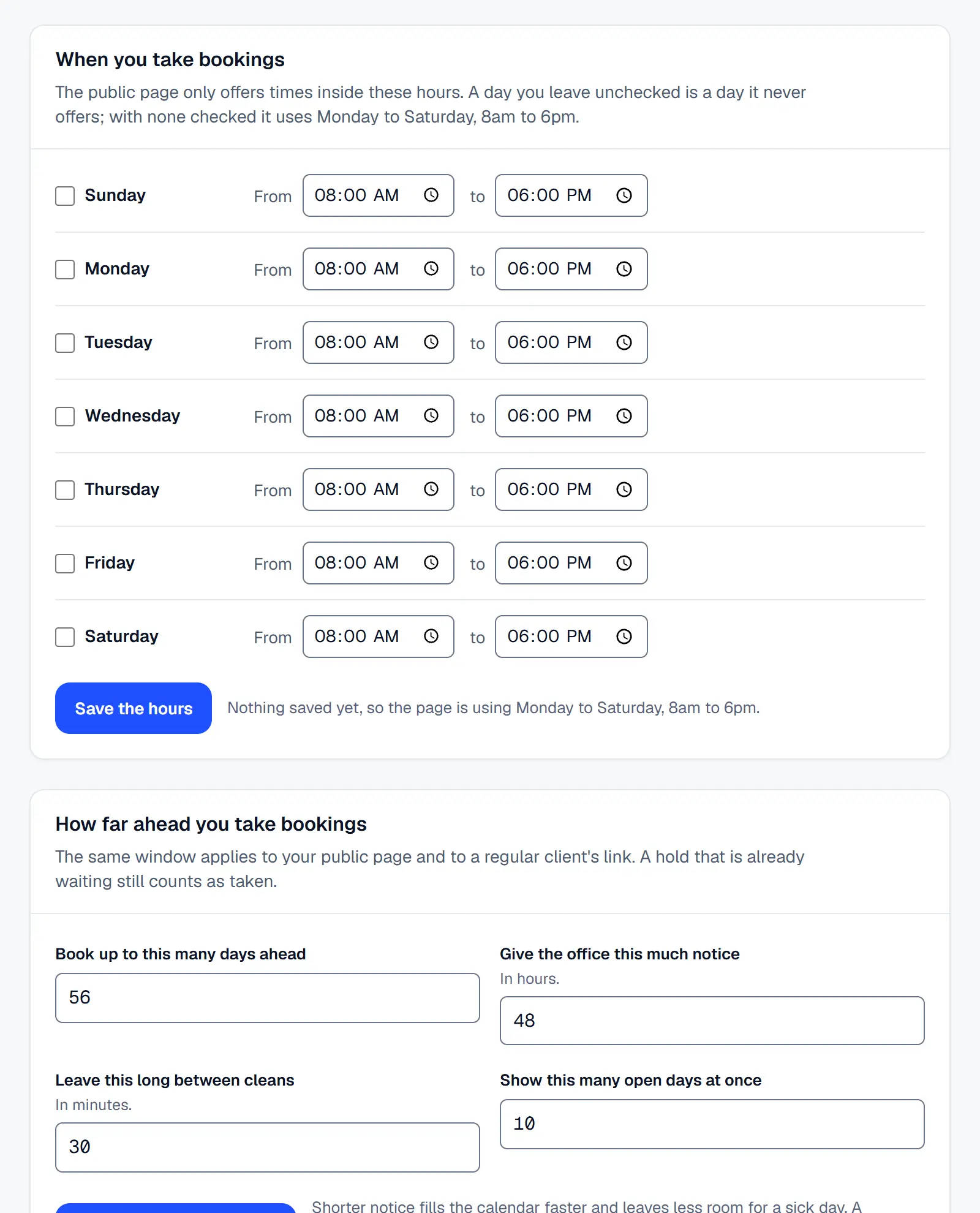
Open Settings, then Your public site. Under When you take bookings, tick the days you work and the hours for each. Under How far ahead, set how many days ahead people can book, how much notice the office needs and how long to leave between cleans.
Shorter notice fills the calendar faster and leaves less room for a sick day. The gap between cleans is what stops two jobs at different addresses from overlapping.
Step 2
Send the client their link
Open the client's page. Under Share, Booking link opens the client's view and Copy link puts it on your clipboard to text or email. The link is theirs alone, so there is no account and no password.
Step 3
The client picks a time
The page knows the property, how long the clean usually takes and who usually does it. The client picks a day, then a start time, adds a note for the crew if they like, and taps Request this time. Nothing is charged, and the page says the price is confirmed by the office.
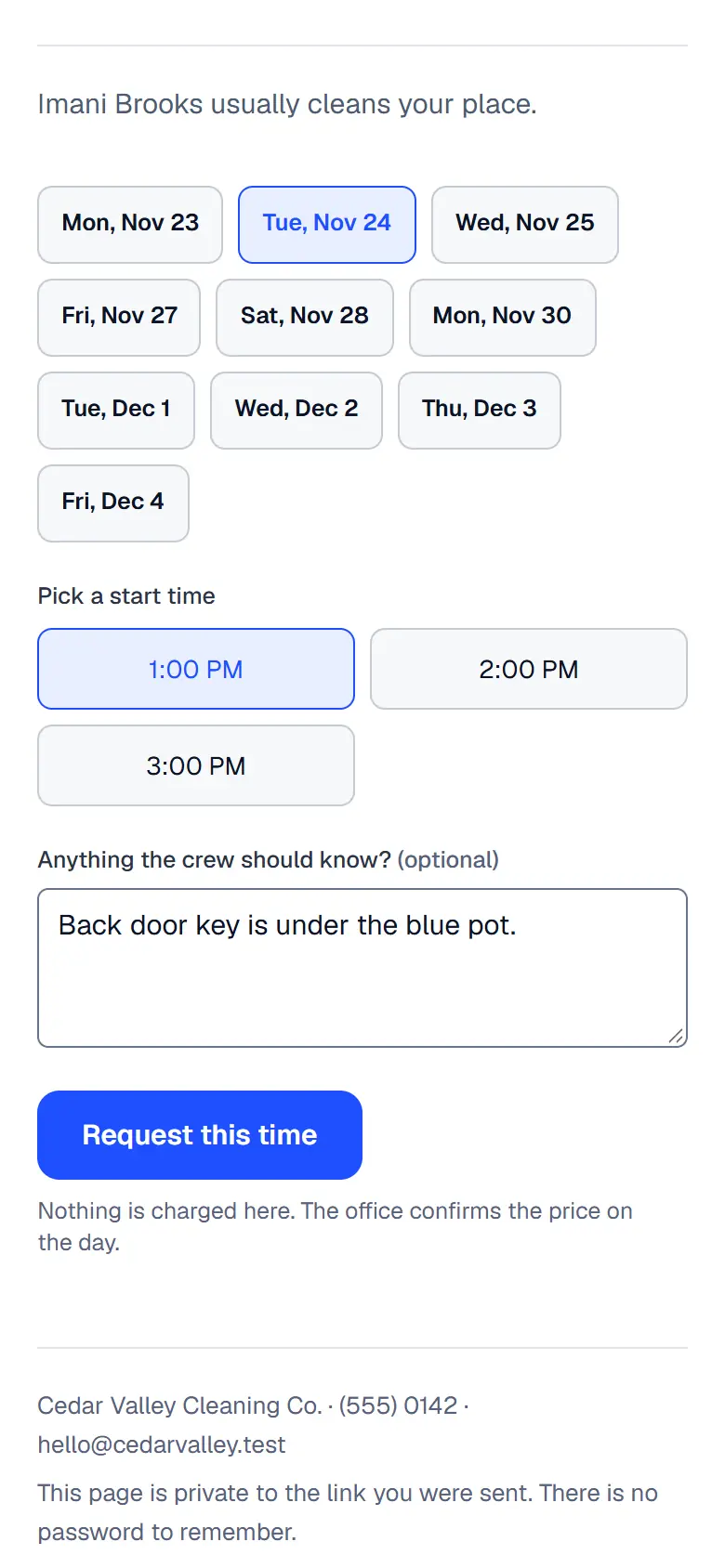
Only the times the crew can actually work are offered. Step 4
Confirm it in the office
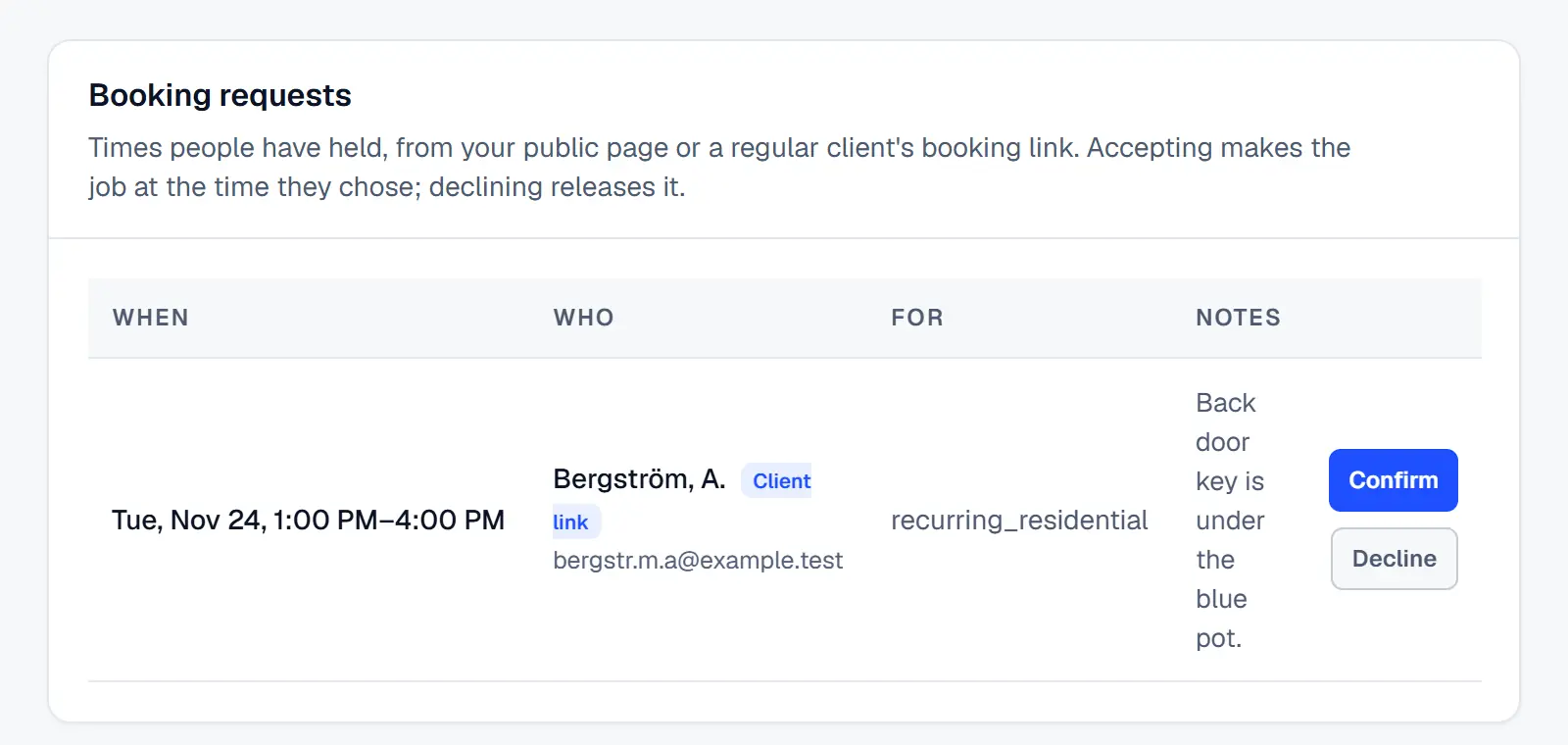
The request waits under Booking requests on the schedule, with the time, the client and the note. Confirm makes the job at the time they chose. Decline releases the slot and tells the client it cannot go ahead.
Questions people ask next.
Short answers, with the same limits the guide has already stated.
Can new customers book from my website?
Can the same client book twice for the same slot?
The next step
Try it on one real week.
Put a week of cleans on the calendar, send the crew their shifts and invoice from the visits. 60 days free.
No card. Cancel from settings.