Guide
How to find which cleaning clients lose you money
Open Clients in Arbon. Every account is ranked by what it leaves you per labor hour, worst first, so a flat monthly contract and an hourly house can be compared on the same unit. The worst account is named at the top. Open it to see the margin by property, and Financials for clients billed under labor cost.
Step 1
Open the client list
Clients is sorted by You keep an hour, lowest first. The figure is what an account pays you per labor hour after the cost of that hour, so a church paying $3,275 a month on a flat contract sits next to a house paying $160 a visit on the same scale.
The card at the top names your worst account. Here it is Hillside Community Church at $6.13 an hour, against $12.43 for every other client.
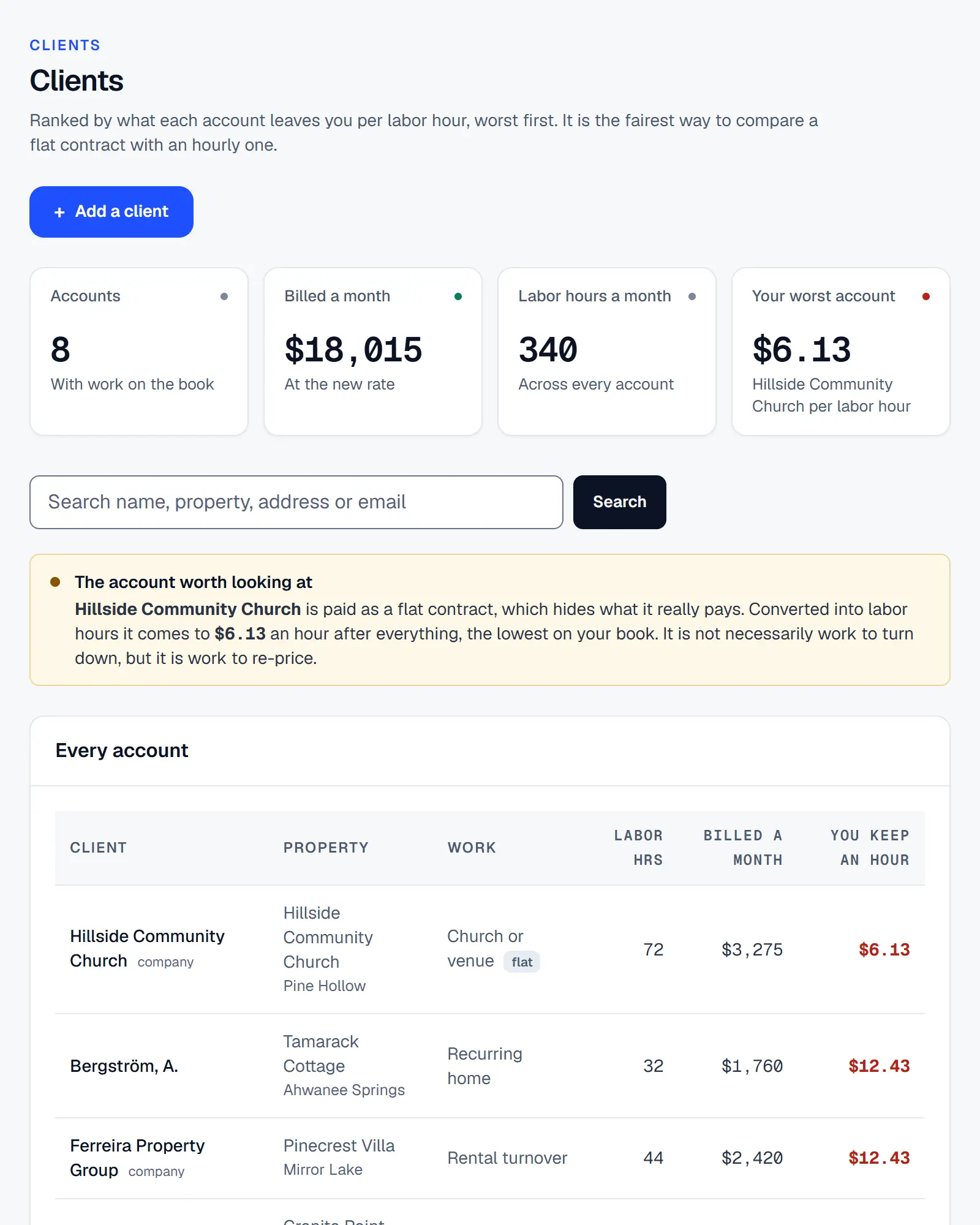
A flat contract hides what it pays until it is put into hours. Step 2
Look at the account
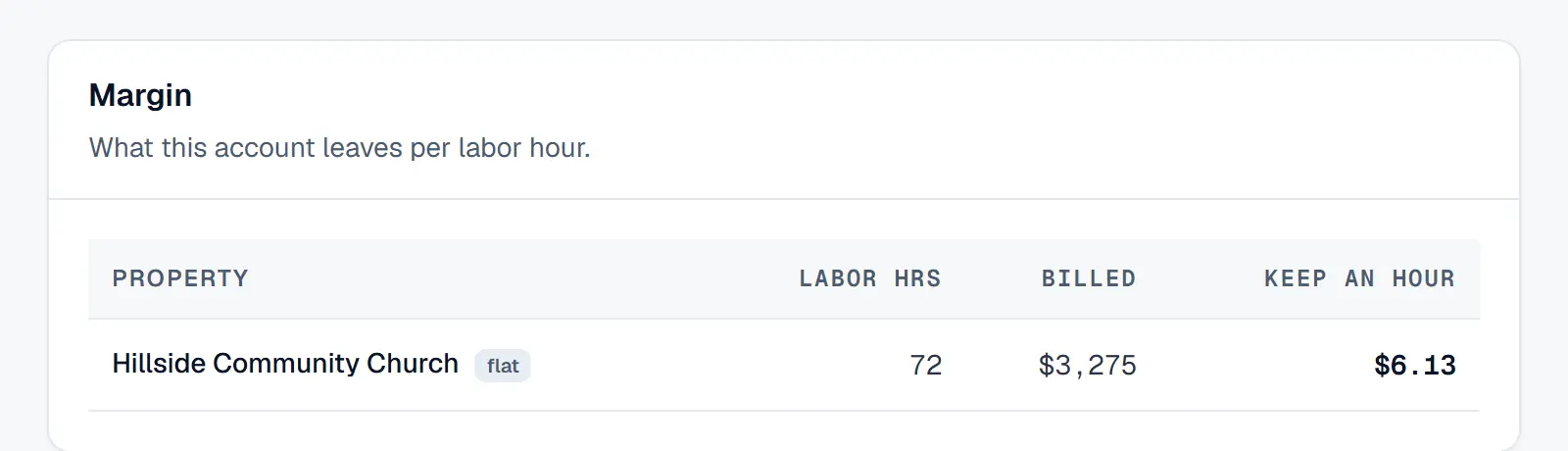
Open the client. The Margin section shows each property's labor hours a month, what it is billed and what you keep an hour, along with the upcoming cleans, quotes and invoices on the account.
Step 3
Check it against what you were paid
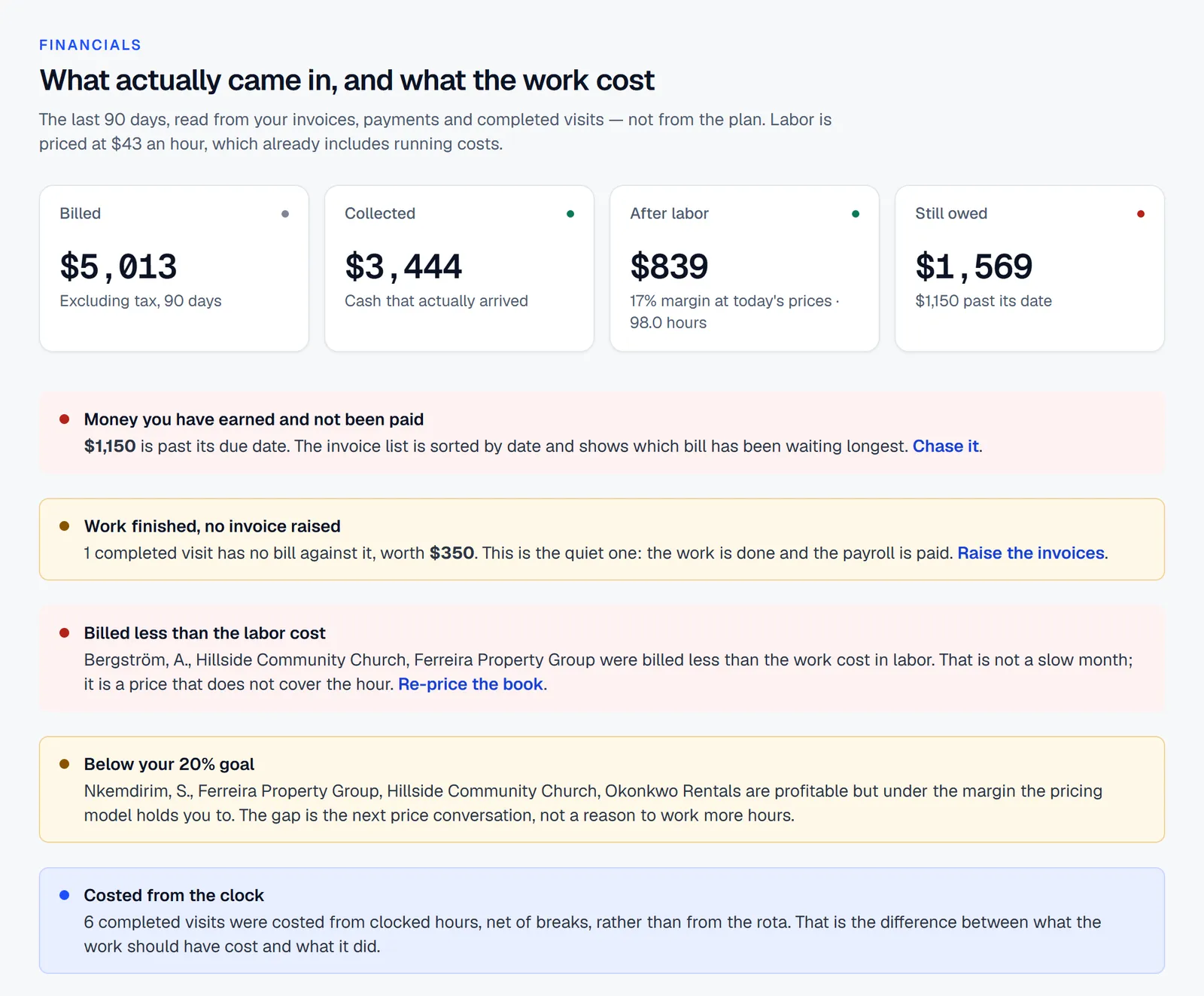
Financials sets the money billed and collected against the labor the work actually cost, from clocked hours rather than the rota. It names clients billed less than their labor cost and finished visits that never got an invoice.
Step 4
Decide what to do about it
A low figure is not always work to turn down; a church that fills a quiet Tuesday may be worth keeping. It is work to re-price. The pricing book shows what the account should pay, and the scripts help you ask for it.
Questions people ask next.
Short answers, with the same limits the guide has already stated.
Why per labor hour and not per visit?
Where do the hours come from?
The next step
Try it on one real week.
Put a week of cleans on the calendar, send the crew their shifts and invoice from the visits. 60 days free.
No card. Cancel from settings.