Guide
How to approve cleaner timesheets and see what each client earns you
Open Timesheets in Arbon at the end of the week. Hours come straight from the crew's clock and are split into straight time, overtime and double time for your state. Check any warnings, approve each person and download a CSV for your payroll provider. Financials then shows what each client earned after labor.
Step 1
Open the week
Timesheets shows everyone's week from the clock. Hours are split into straight time, overtime and double time by your state's rules, and nothing on the page changes a minute that was recorded.
Meal and rest warnings appear against the person and the day, in plain words, for the states that have those rules. A punch that reached the office long after it was recorded, or a shift that ran unusually long, is flagged here too.
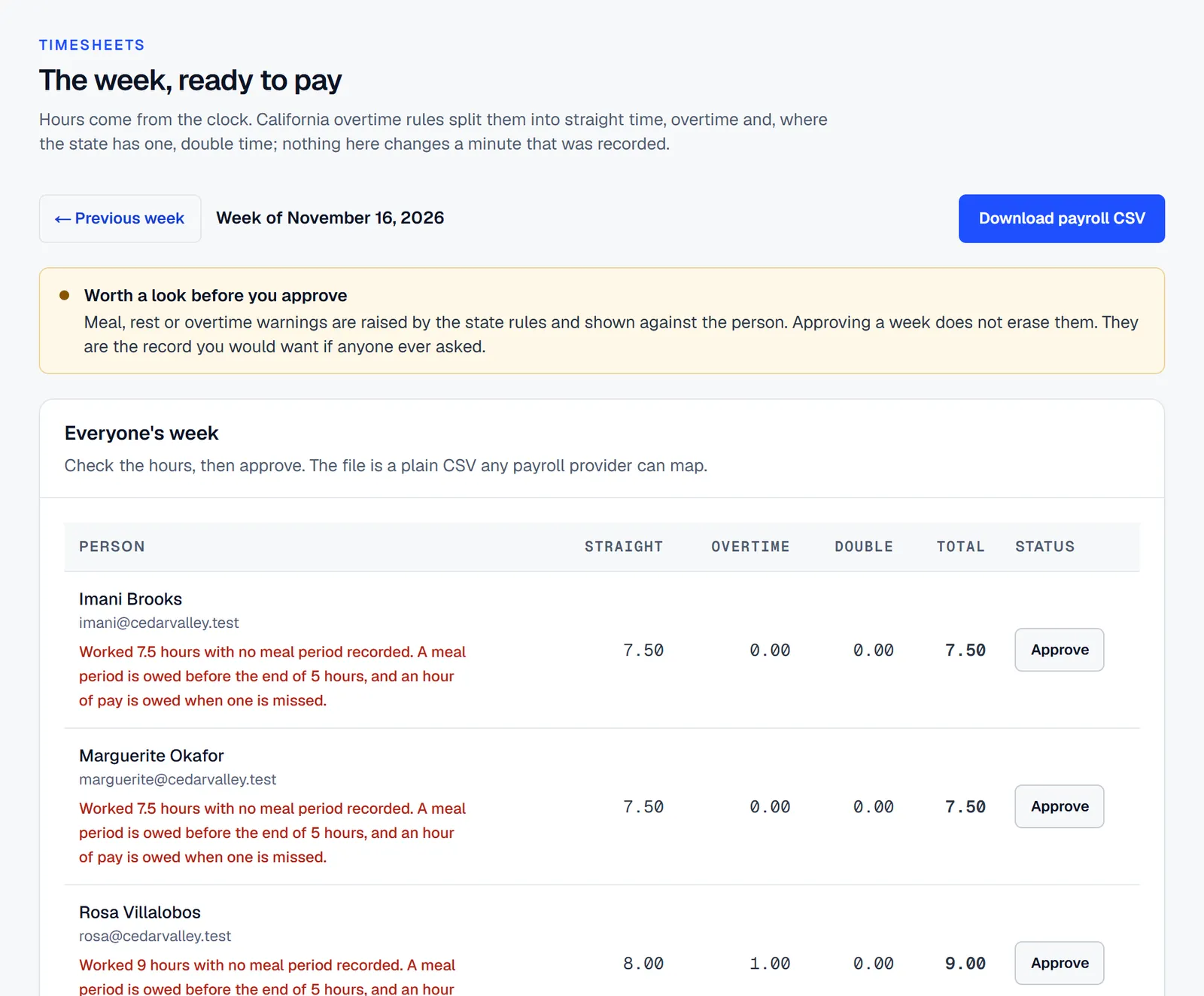
Warnings are worth a look before approving. Approving does not erase them. Step 2
Approve and export
Approve each person once the week looks right, then choose Download payroll CSV. The file is plain columns any payroll provider can map. Arbon does not run payroll or file taxes itself.
Step 3
See what the work earned
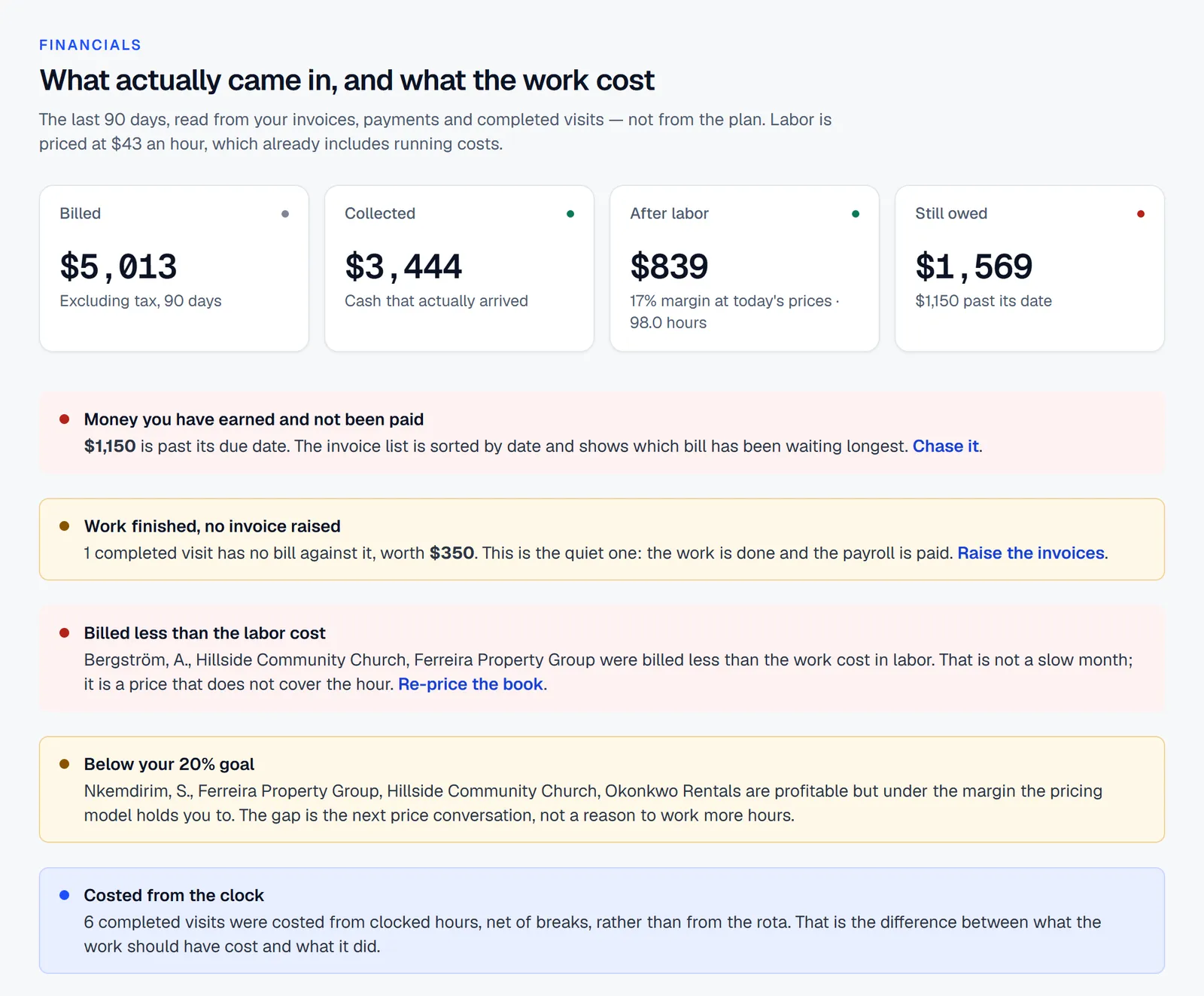
Financials sets what you billed and collected against what the work cost in labor, from clocked hours rather than the rota. It names the clients who were billed less than their labor cost and the finished visits that never got an invoice.
Step 4
Check it from anywhere
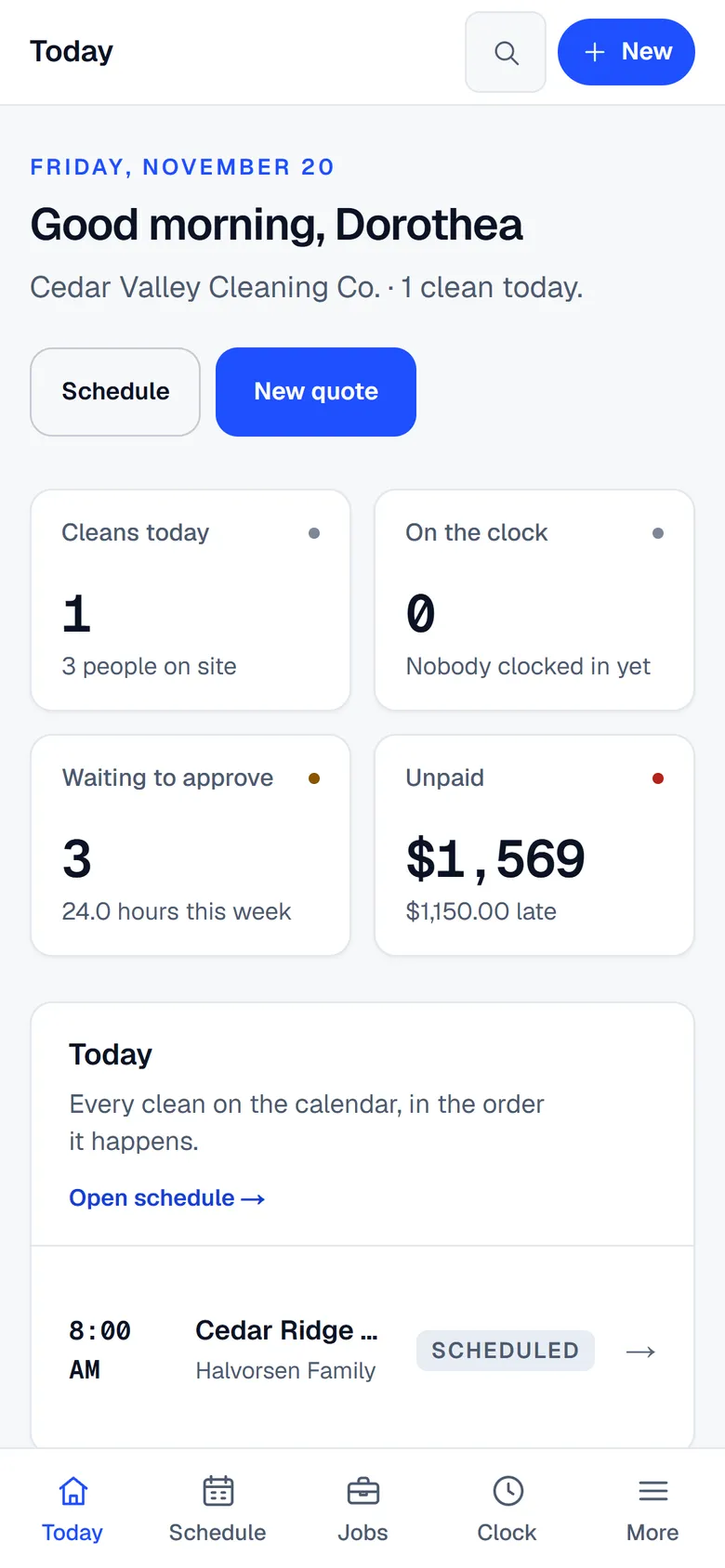
Today, on a computer or the owner's phone, shows who is on the clock, what is waiting for approval and what is unpaid. The phone version is the same app, so it is with you between jobs.
Questions people ask next.
Short answers, with the same limits the guide has already stated.
Which states do the break warnings cover?
The next step
Try it on one real week.
Put a week of cleans on the calendar, send the crew their shifts and invoice from the visits. 60 days free.
No card. Cancel from settings.