Get paid for every visit
Cleaning quotes and invoices, built from the visit
Three-tier quotes a client signs from a link, then scheduled work at the quoted price. Invoices from the visit, payment records, and finished work with no bill.
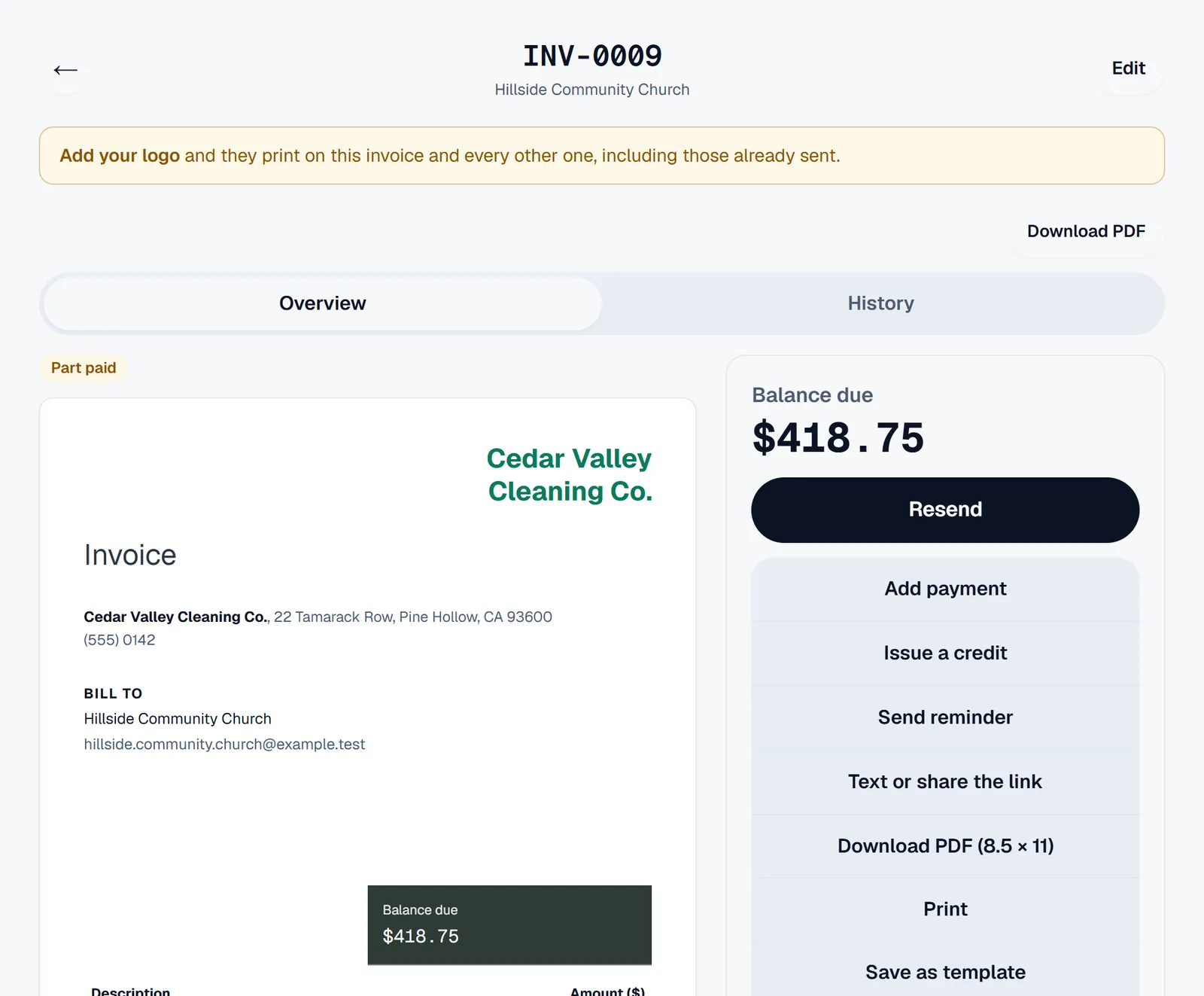
Quotes with three tiers, signed from a link, become scheduled jobs at the quoted price. Invoices are built from the visit, numbered per business, sent by email with a PDF, and payments by check, cash or transfer are recorded against them. The financial review lists every completed visit with no invoice, so finished work does not go unbilled.
Why it matters
Finished work that never got an invoice.
A quote goes out as a text and lives in a camera roll. A client says yes on the phone and the price is remembered differently by each person. The clean happens, the invoice waits for a quiet afternoon, and the month closes with work that was finished and never billed.
How it works
The mechanism, step by step.
Each step is a rule the product enforces, so nobody has to remember a setting.
- 01
Send a quote the client can sign
Three tiers, an expiry date and a line for each service. The client opens a link, chooses a tier and signs. No account and no PDF to print.
- 02
The accepted quote becomes the job
Acceptance schedules the clean at the quoted price, with the property, the crew and the checklist attached. The price on the job is the price the client agreed to.
- 03
The invoice comes from the visit
One invoice per job or a recurring schedule that drafts on the daily run. Each business has its own numbering, and the PDF is attached to the email the client receives.
- 04
Record how it was paid
Check, cash, transfer or card taken elsewhere. The invoice shows what is still owed, and a credit note is issued against the invoice it corrects.
- 05
Find the work that has no bill
The financial review lists completed visits with no invoice and puts a value on them. That list is the simplest money in the product.
The details
Facts you can check.
Each figure is a limit or a rule in the product today. Where a rule is not modeled, the page says so.
- Every quote offers a choice, with an expiry
- 3 tiers
- The client accepts from a link
- Signed
- The invoice is built from the work that happened
- Visit
- Completed visits with no invoice are listed and valued
- Unbilled
Next
The parts that sit beside it.
Every feature shares one record, so a visit that starts on the schedule is the same visit that ends on the invoice and the timesheet.
Free: what an hour really costsQuestions
The questions this page raises.
Can a client pay an invoice by card online?
What happens when a quote expires?
Is there a PDF?
60 days free, no card, and every crew member included. The sample business used in the frames is fictional and labelled wherever it appears.
The next step
Put one real week in it.
A schedule, a crew on their phones and one invoice from the visit. That is enough to know whether it fits.
No card. Cancel from settings.