Guide
How to make a free cleaning business website
Every Arbon plan includes a public page at arbon.app/your-name. Open Settings, then Your public site, pick the address and write a headline, a line about you, what you clean and where you work. Add your phone and email and save. Put the link on the van, in adverts or in your Google profile.
Step 1
Choose your address
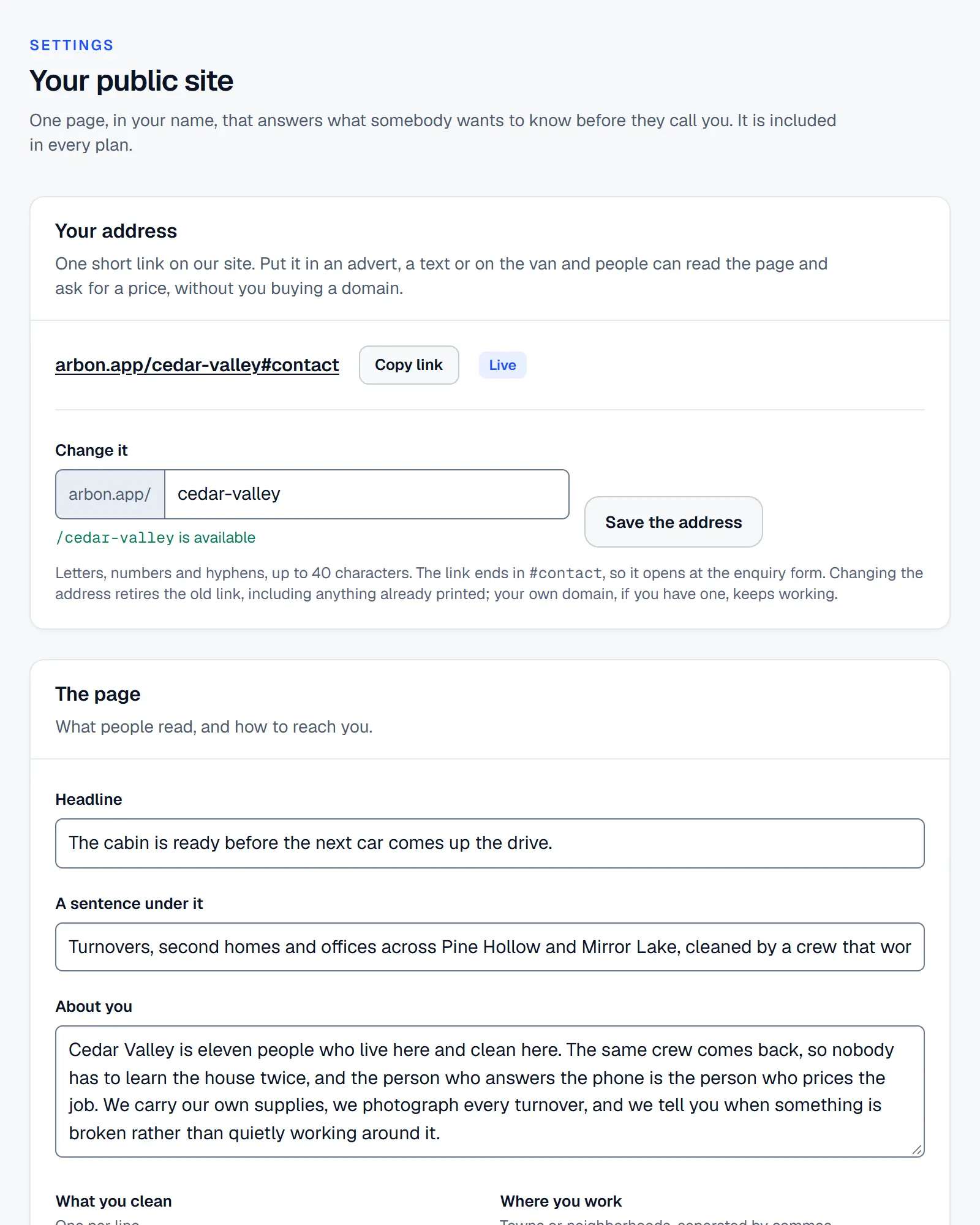
Open Settings, then Your public site. Type the short name you want after arbon.app/, using letters, numbers and hyphens, and check it is available. Save the address and the page is live.
Changing the address later retires the old link, including anything already printed, so pick one you can live with.
Step 2
Write what people need to know
Fill in a headline, a sentence under it and a short About you. List what you clean, one service per line, and the towns or neighborhoods you work in. Write it the way you would say it on the phone: who you are, what you do and where.
Add the phone number and email people should use, then press Save the page.
Step 3
See it the way a customer does
The page leads with your headline, an Ask for a price button and your phone number, then the services and the towns you cover. It works on any phone, and nothing on it shows a price, a client's name or a door code.
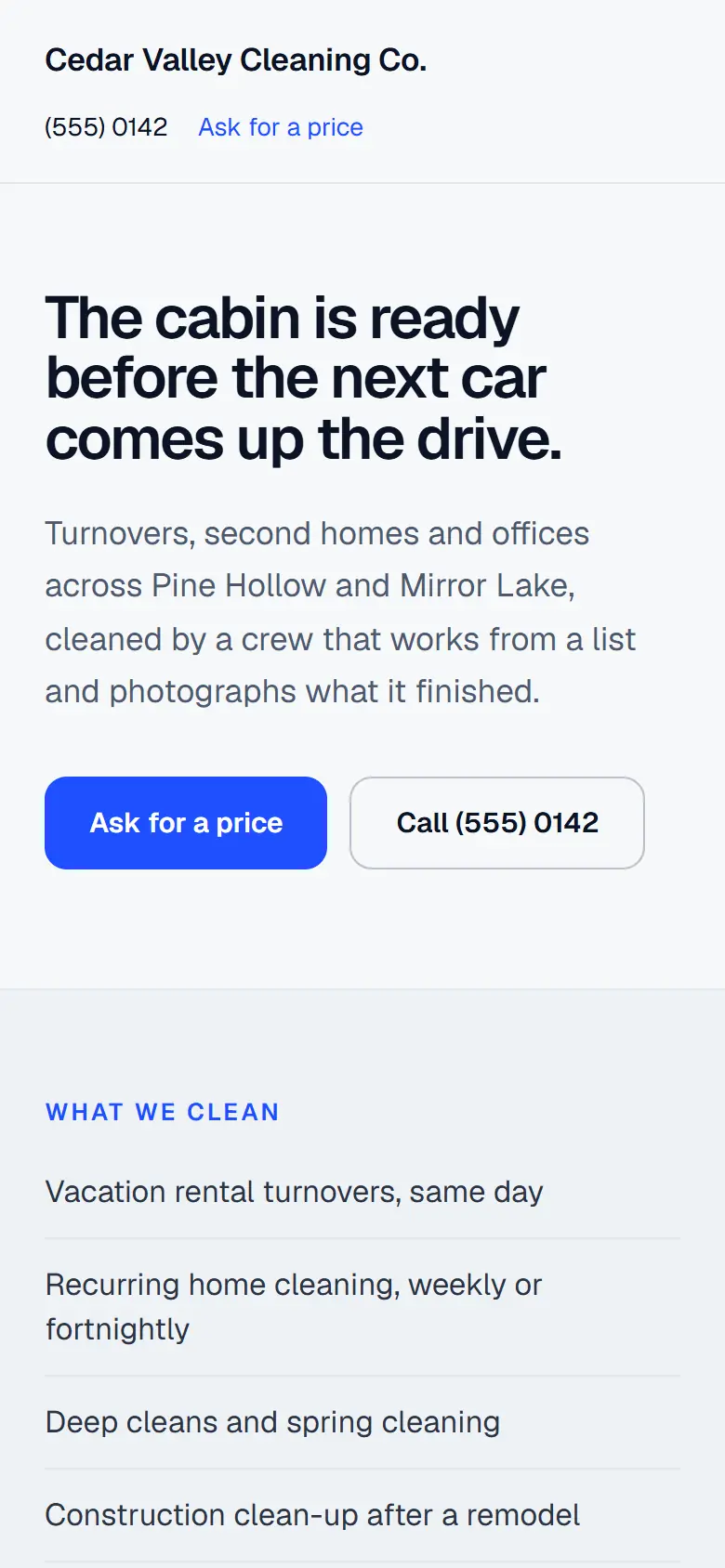
What someone sees when they tap the link on the van. Step 4
Share the link
Copy link gives you the address to put in a text signature, a Facebook post, a flyer or your Google Business Profile. If you need a break, Take the page down shows a 404 until you put it back, and nothing you wrote is lost.
On Enterprise, the page can also take enquiries through a form and live on your own domain. On the other plans people call or email you, the way they already do.
Questions people ask next.
Short answers, with the same limits the guide has already stated.
Does it cost extra?
Will it show up on Google?
The next step
Try it on one real week.
Put a week of cleans on the calendar, send the crew their shifts and invoice from the visits. 60 days free.
No card. Cancel from settings.