Win and keep work
A client portal and a booking link that only offers real times
Clients see their next cleans and their bills, rate the clean, and request a time your crew can actually work. Every request waits for the office to accept.
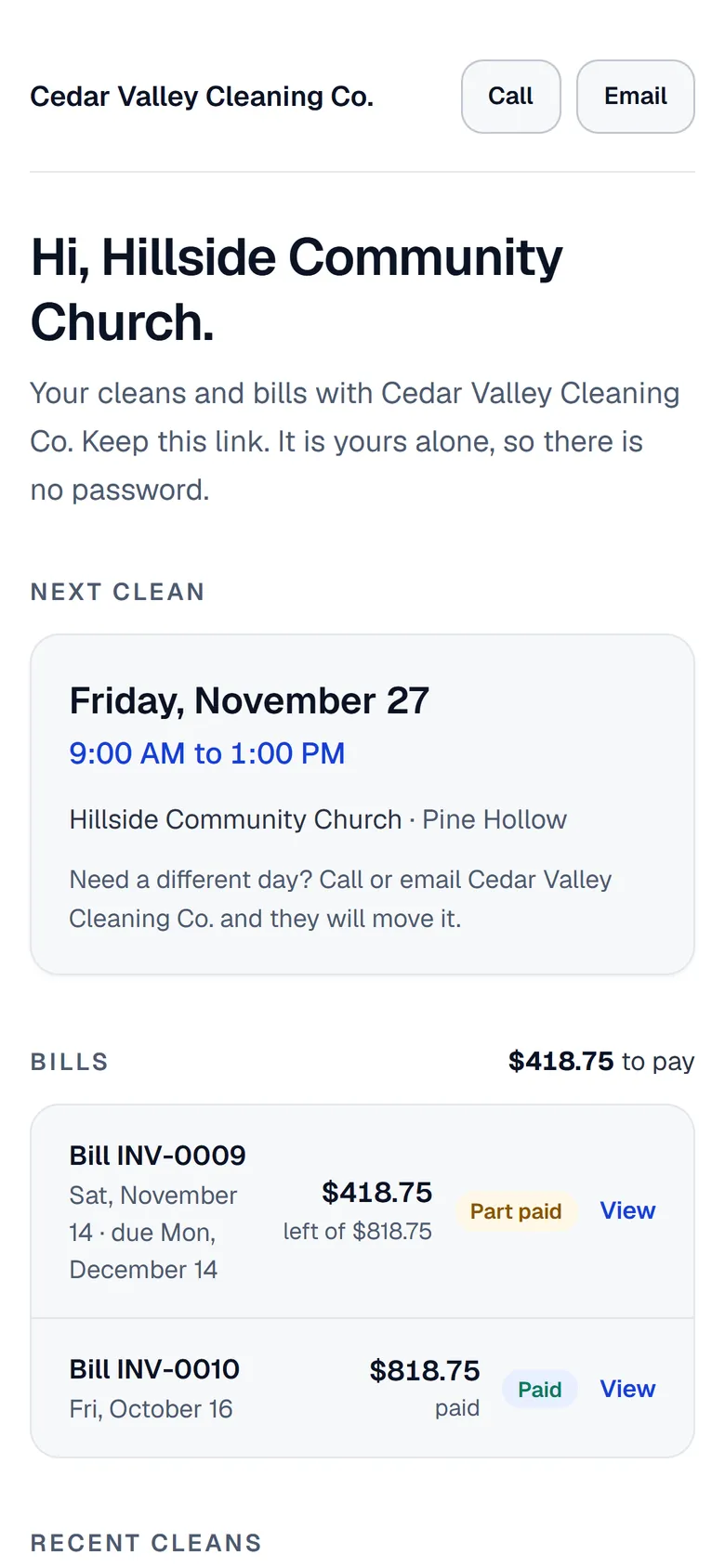
The client portal shows a client their next cleans, every bill and a way to rate the clean. A booking link offers only times your crew can work, and every request waits in the office queue for one tap. A regular client moves their next visit instead of creating a duplicate.
Why it matters
Every regular texts to ask when you are coming.
The answer is already on the schedule, but the client cannot see it, so they ask. A new client wants a Saturday morning and the booking form accepts it, then the office has to call back and move it. The admin is not the clean. It is the conversation around the clean.
How it works
The mechanism, step by step.
Each step is a rule the product enforces, so nobody has to remember a setting.
- 01
The client sees the record
The next clean with its day, time and address, and every bill with what is still owed, in one link. A call and email button for anything that needs a person. No app to install and no password to remember.
- 02
A rating after the visit
A client can rate the clean from the portal. The rating is attached to the visit, so a problem has a date and a job rather than a vague memory.
- 03
The booking link offers staffable times
It reads your booking policy (horizon, notice, turnaround and open days) and only shows times your crew can work. A request is not a promise of a job.
- 04
The office accepts in one tap
Requests land in a queue. Acceptance runs the same crew-aware check again and writes the job with the usual crew, price and property.
- 05
A regular moves the next visit
For a client with a recurring visit, the link moves the next one instead of adding a second clean in the same week. The series keeps its original weekday for future visits.
The details
Facts you can check.
Each figure is a limit or a rule in the product today. Where a rule is not modeled, the page says so.
- The office accepts a request into a job
- 1 tap
- The link only offers times the crew can work
- Staffable
- The client sees what is owed and opens each bill
- Bills
- A regular moves the next visit, it does not add one
- No duplicate
Next
The parts that sit beside it.
Every feature shares one record, so a visit that starts on the schedule is the same visit that ends on the invoice and the timesheet.
Free: what an hour really costsQuestions
The questions this page raises.
Does a booking request create a job immediately?
Can a client see what they owe?
Is the client portal a separate login?
60 days free, no card, and every crew member included. The sample business used in the frames is fictional and labelled wherever it appears.
The next step
Put one real week in it.
A schedule, a crew on their phones and one invoice from the visit. That is enough to know whether it fits.
No card. Cancel from settings.