Guide
How to price a cleaning job and send a quote clients can accept online
Open Quotes and choose New quote. Enter the client, the people and the hours, and Arbon lays out four prices from what an hour of your crew actually costs. Pick one, send it, and the client opens a link, types their name to accept, and the quote becomes a job at the price they agreed.
Step 1
Describe the job
Choose the client, or type a new name to add one. Say what the job is, how many people go, how many of them are on 1099 and how many hours each person works. Add anything you pass on, such as travel, parking or linens, under Extras.
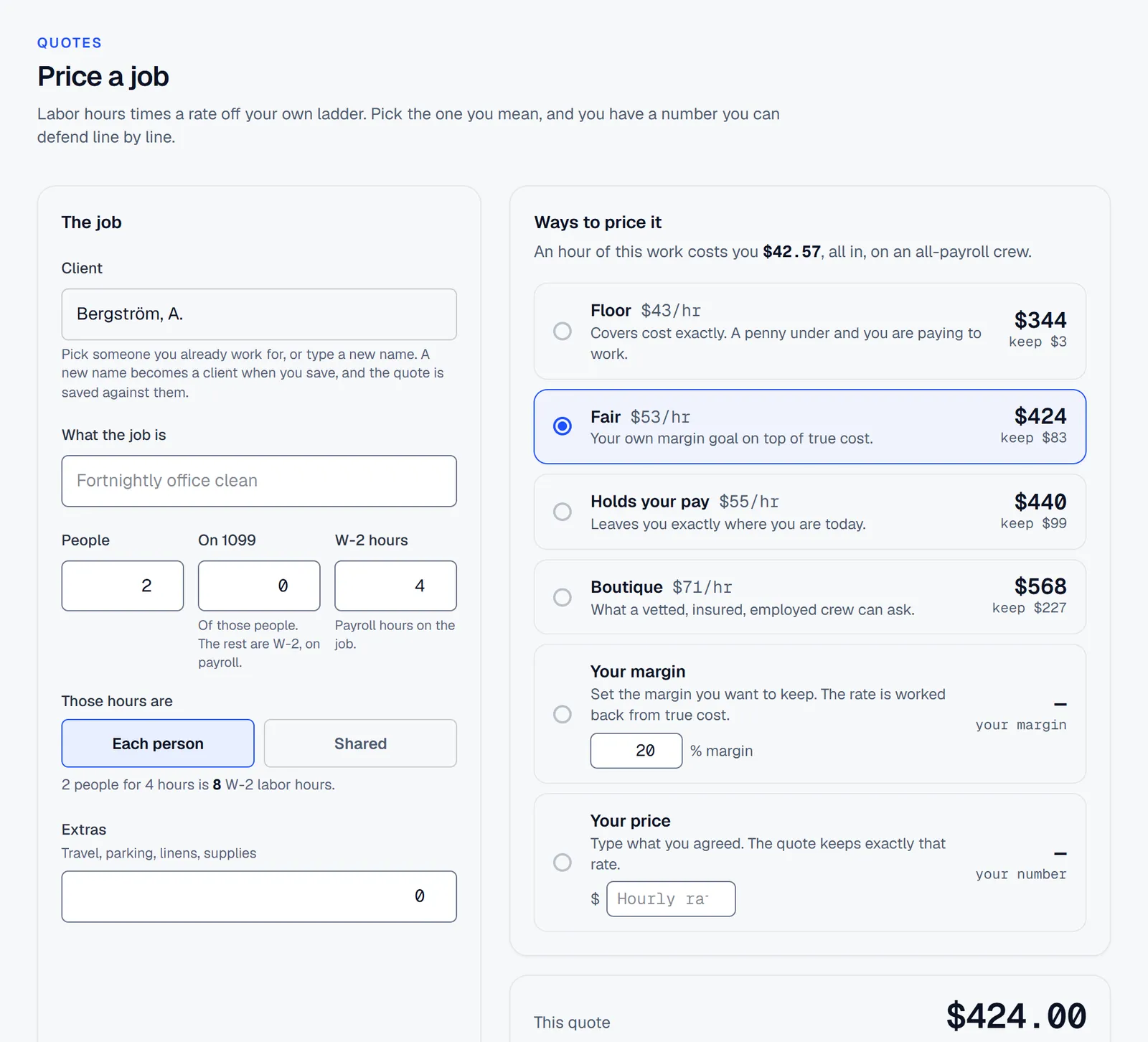
Four prices for the same job, each with what you keep after labor. Step 2
Pick the price you mean
The right side shows the job at four rates. Floor covers the cost of the labor and nothing more. Fair adds your own margin goal. Holds your pay keeps you where you are today, and Boutique is what a vetted, insured, employed crew can ask. Each one shows what you keep.
If you already know the number, choose Your margin or Your price and type it. The quote keeps exactly what you chose.
Step 3
Send it
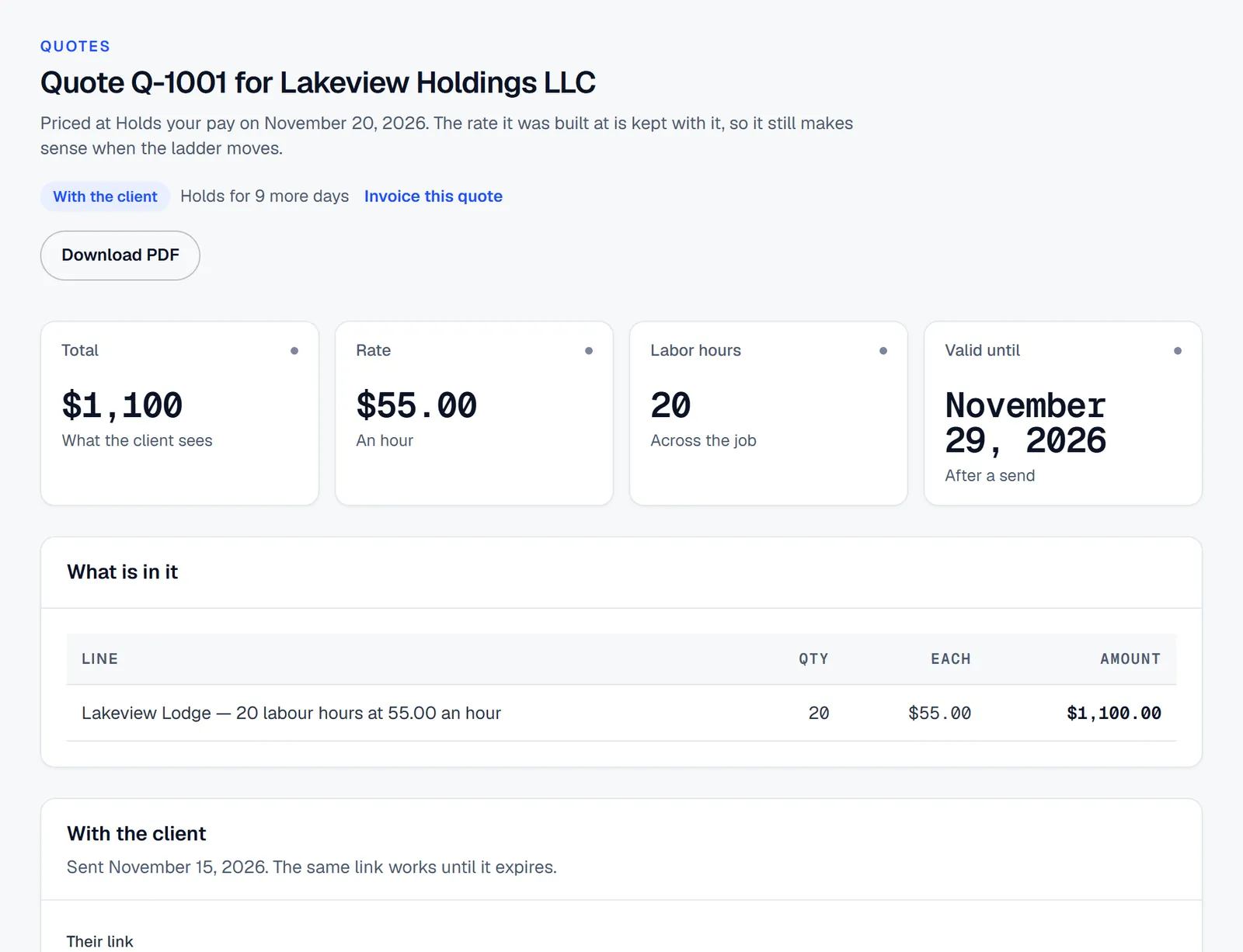
Save the quote and send it. The client gets an email with a link, and you can download a PDF for anyone who wants paper. The quote page shows the total, the rate, the hours and how long the price holds.
Step 4
The client accepts from their phone
The link opens a page with the work, the total and how long the price holds. To accept, the client types their name as a signature. Nothing is booked until the office confirms a date with them, and you get a notification the moment they say yes.
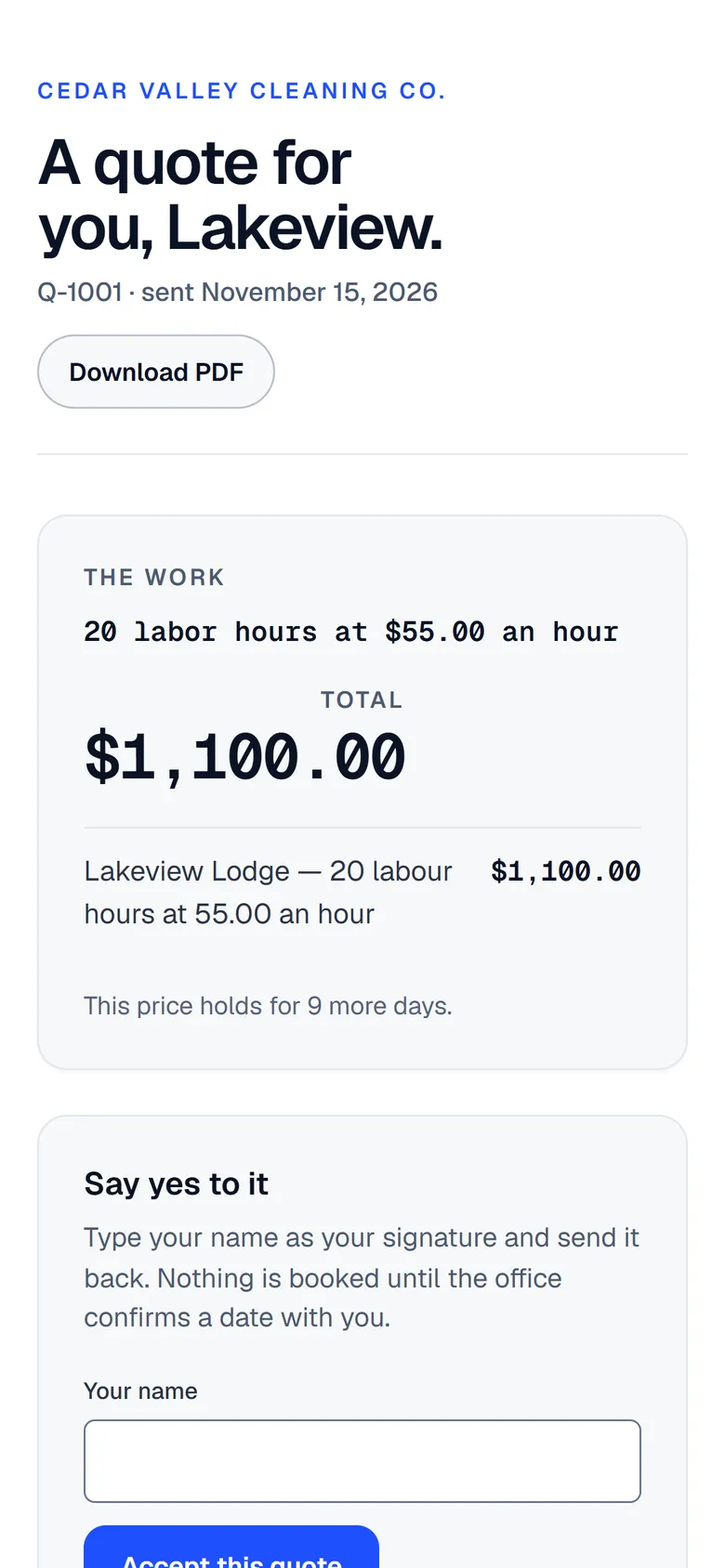
What the client sees. No account and no password. Step 5
Turn it into a job
From an accepted quote, schedule it and it becomes a job at the quoted price and hours. Invoice this quote skips straight to a bill for one-off work. Nothing is typed twice.
Questions people ask next.
Short answers, with the same limits the guide has already stated.
Where does the cost of an hour come from?
Can I send a quote without email?
The next step
Try it on one real week.
Put a week of cleans on the calendar, send the crew their shifts and invoice from the visits. 60 days free.
No card. Cancel from settings.