Guide
How to invite cleaners and set what they can see
Open Team in Arbon and go to Invite somebody. Type a cleaner's email and choose Cleaner or Manager, or leave the address blank and copy the link to text it. They join without a password. A cleaner sees only their own jobs and never a price; a manager runs the office with you.
Step 1
Send the invitation
Open Team and scroll to Invitations. Type the person's email and press Send it, and the link goes by email. Or leave the address blank and copy the link yourself, for a text, the crew group chat or a card on their first day.
A link holds no seat until somebody joins, so an unanswered invitation costs nothing. No password is set at any point: people sign in with a code or a passkey.
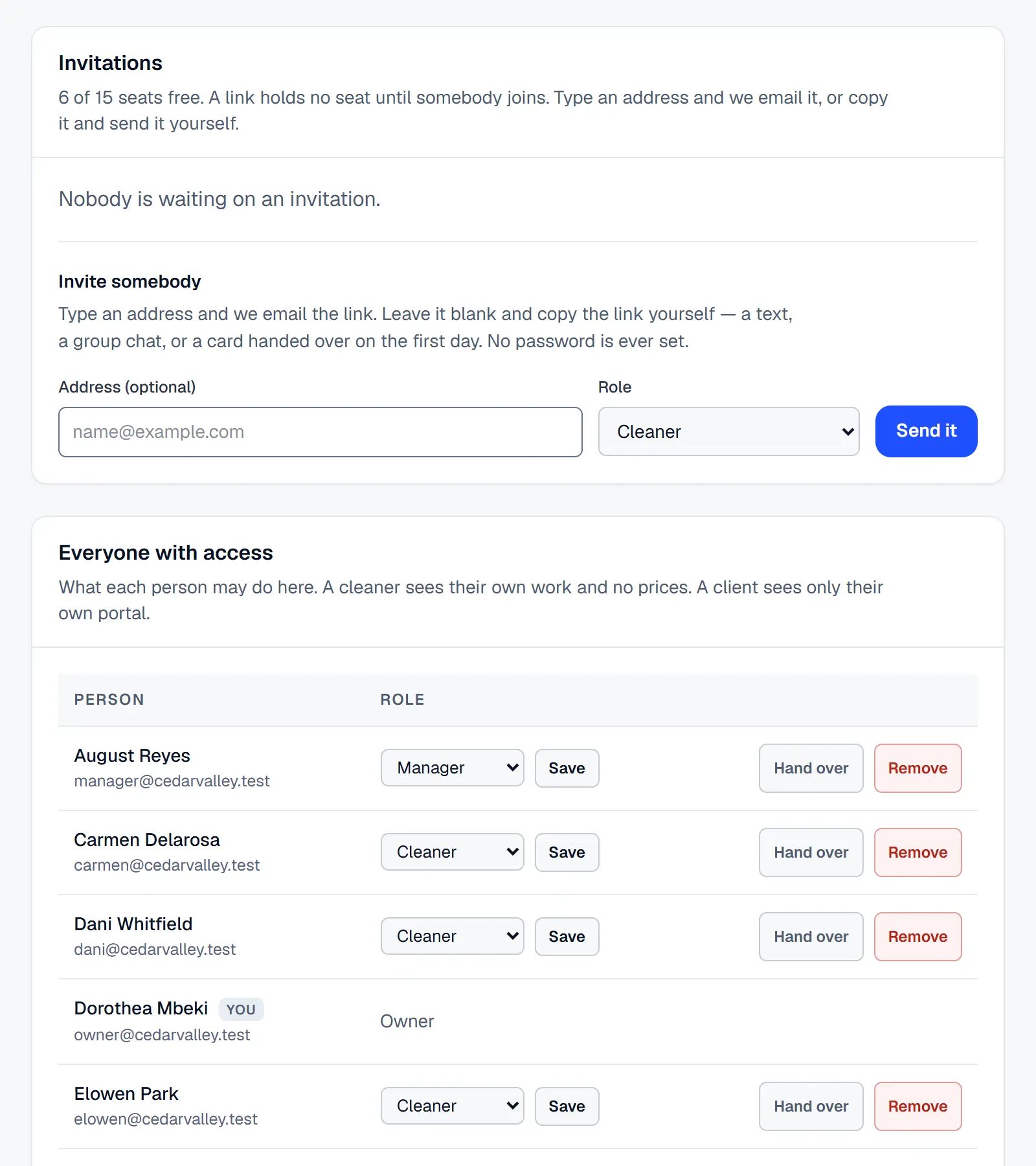
Email the link or copy it. The role is chosen before it goes. Step 2
Choose the role
Cleaner is for the crew. They see their own cleans, the address and the access notes for those jobs, the clock and the messages. They do not see other clients, prices, margins or invoices.
Manager is for the office: scheduling, clients, quotes, invoices and approving hours. Client portal is for a client who signs in to see their own bills. You can change anyone's role later under Everyone with access.
Step 3
Fill in each person's details
Once someone joins, they appear under The crew. Open Edit to set their pay rate, mark a crew lead or note that they work in Spanish. The pay rate is what the cost of an hour and the payroll export use.
A seasonal cleaner can be rested at the end of summer. They keep their history, stop taking a seat and come back with everything in place.
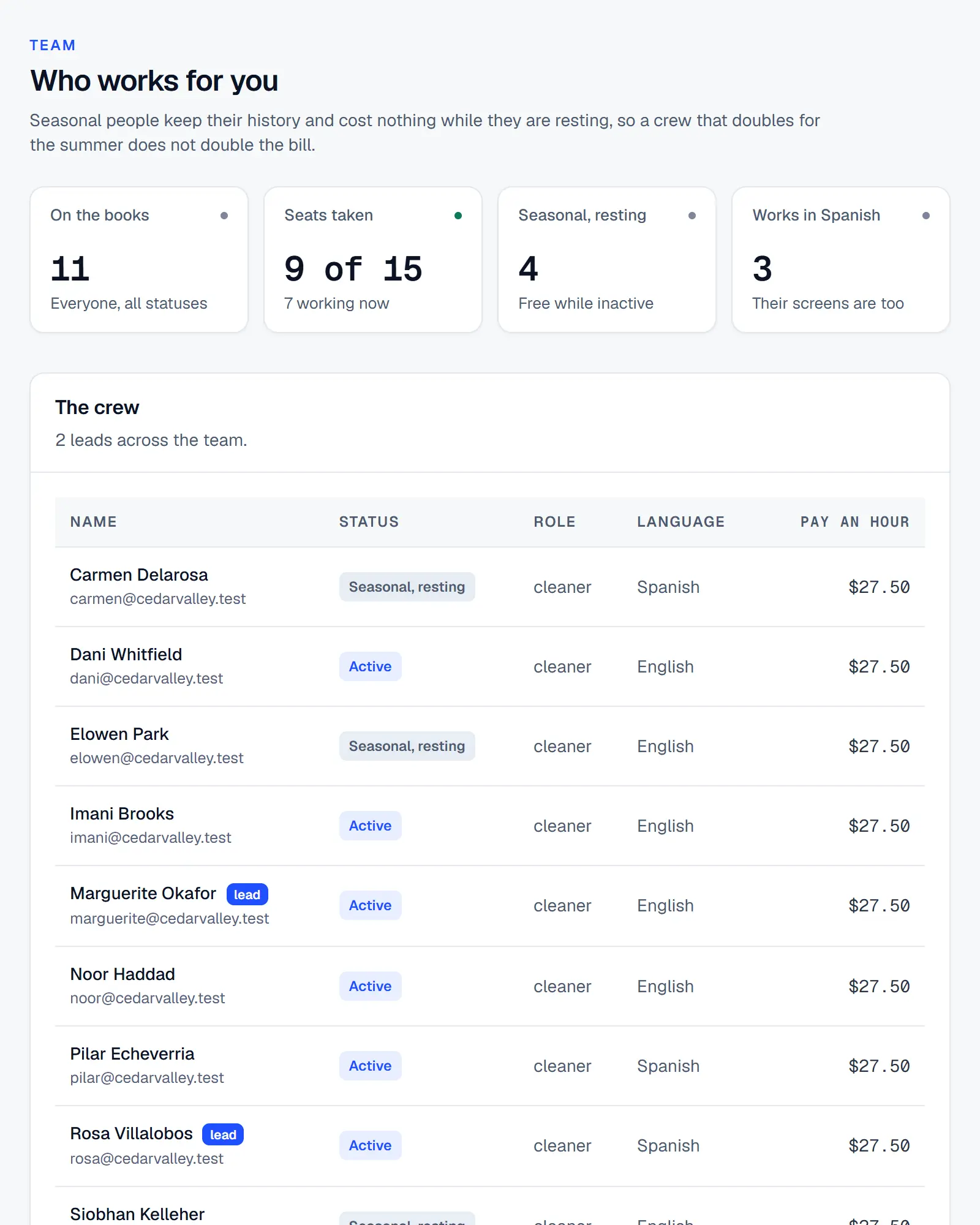
Resting staff cost nothing and keep their history. Step 4
Hand over the business if you need to
The owner cannot be removed. To pass the business on, use Hand over next to the new owner's name. You become a manager, and only then can the former owner be removed.
Questions people ask next.
Short answers, with the same limits the guide has already stated.
How many people can I invite?
What does a cleaner need on their phone?
The next step
Try it on one real week.
Put a week of cleans on the calendar, send the crew their shifts and invoice from the visits. 60 days free.
No card. Cancel from settings.