Guide
How to manage cleaner time off and working hours
A cleaner asks for time off from Team on their phone, with the first day, the last day and a reason. The request waits under Time off for you to approve or decline. Set each person's working week under Edit hours. Arbon then refuses to put anyone on a clean during their leave or outside their hours.
Step 1
The cleaner asks from their phone
On Team, a cleaner fills in the first day, the last day and a reason if they want to give one, and taps Ask for it. The request shows straight away, waiting, so they know it arrived.
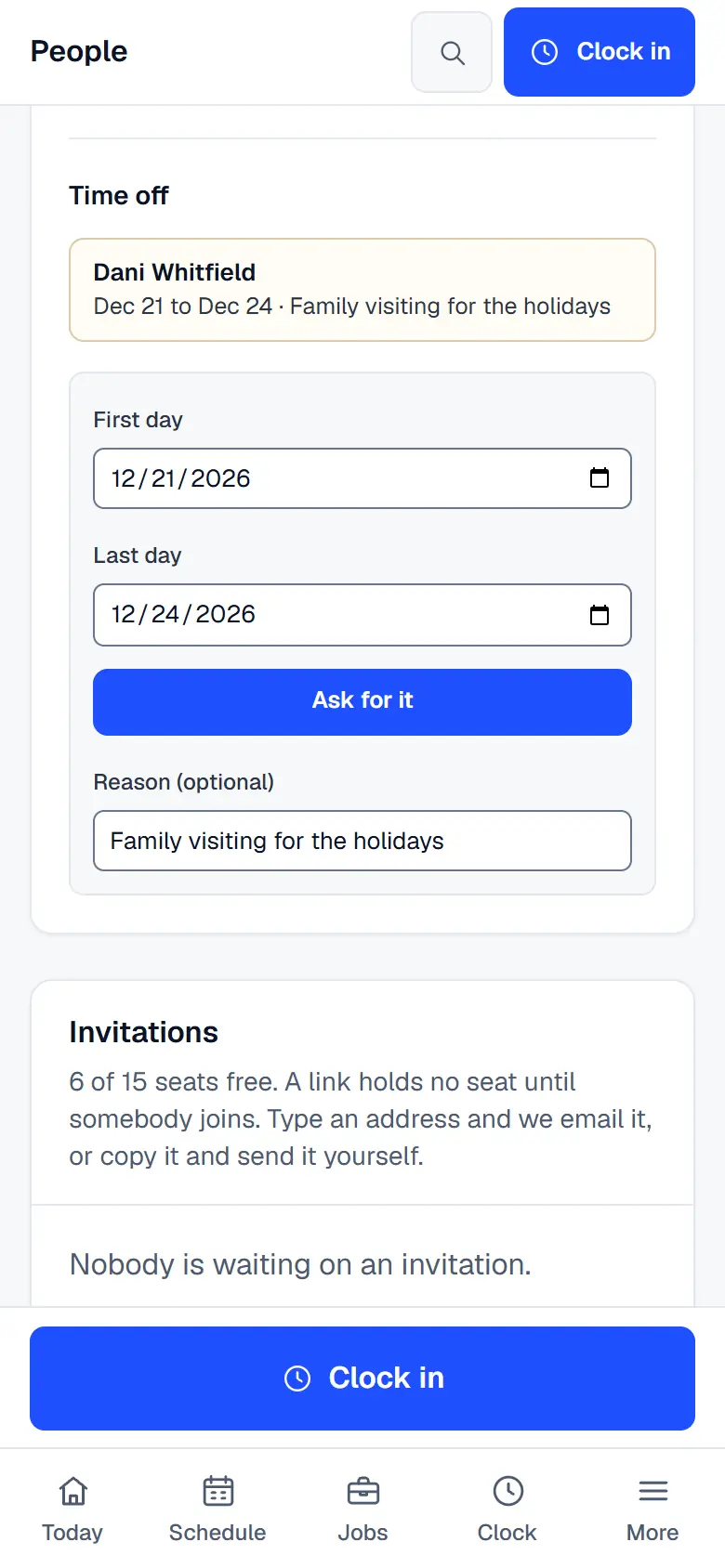
The request waits on their screen until the office answers. Step 2
Approve or decline it
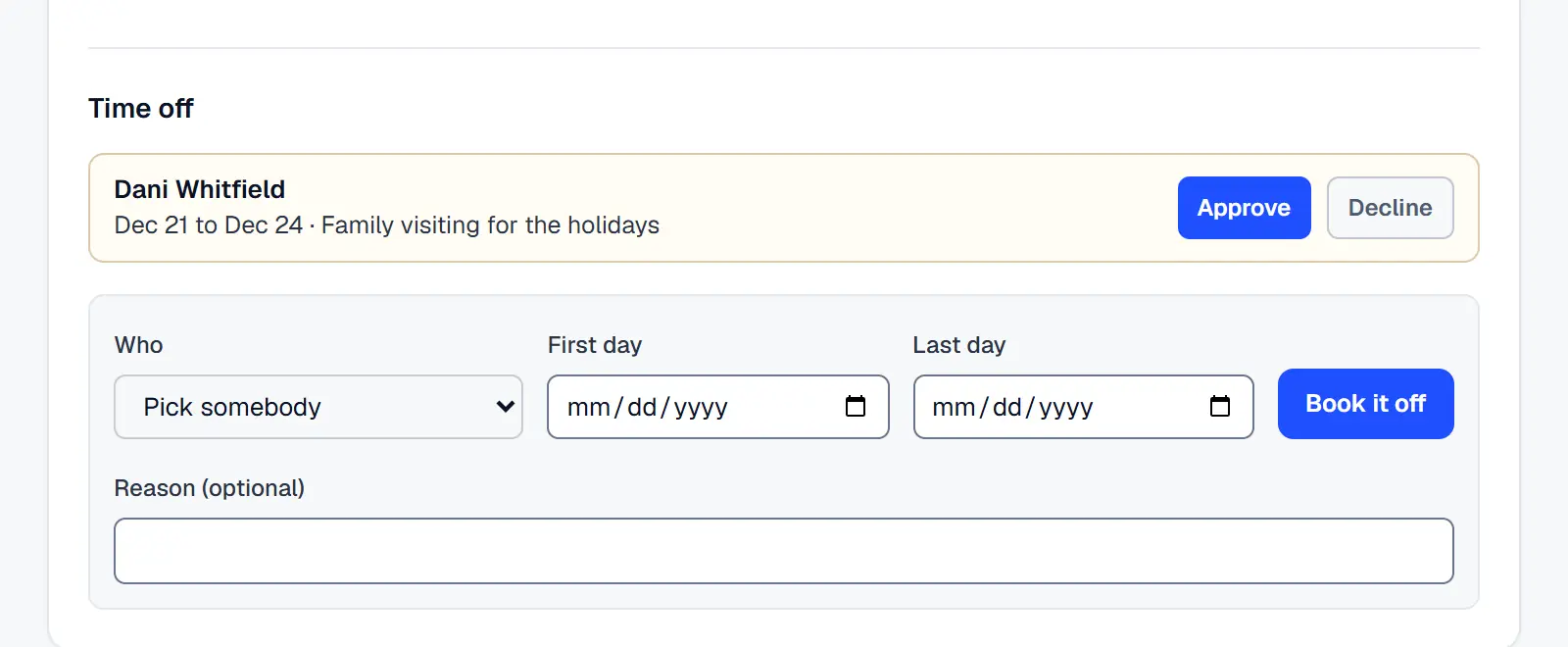
Requests wait under Time off on the Team page with the dates and the reason. Approve or Decline is one tap each. When you already know someone is away, choose them under Who and press Book it off; leave you enter yourself is approved at once.
Step 3
Set each person's working week
Under Working hours and time off, open Edit hours next to a name. Tick the days they work and set the hours for each. A day left clear is a day they do not work; a week with nothing ticked means no restriction at all.
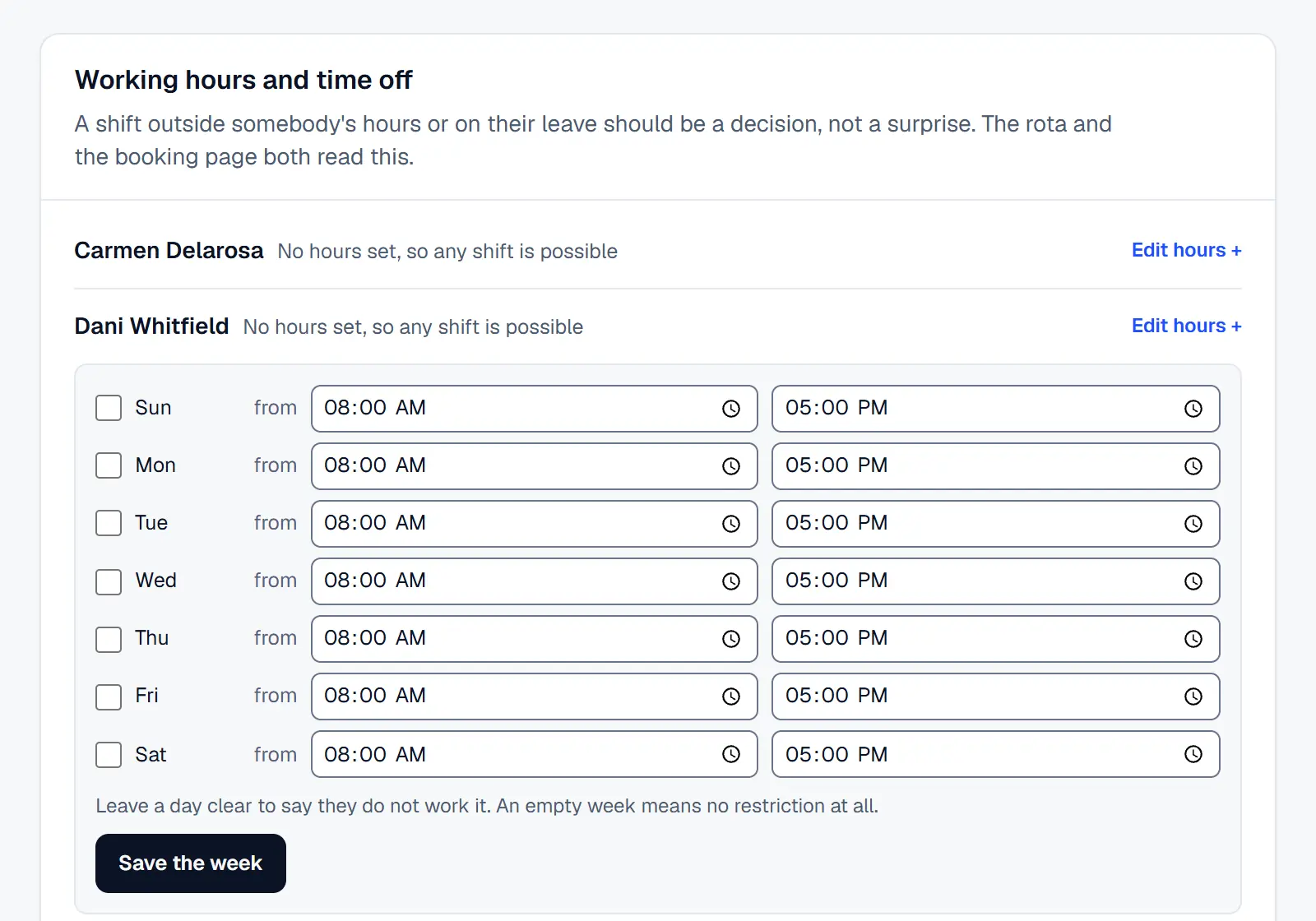
An empty week means any shift is possible. Step 4
Let the schedule do the checking
When you put someone on a clean, the schedule checks their leave, their working hours and whether they are already at another job at that time. If any of those clash, it names the problem and leaves them off, so the fix happens at the desk and not at 7am.
The booking link for regular clients reads the same hours, so a client is never offered a time when nobody can go.
Questions people ask next.
Short answers, with the same limits the guide has already stated.
Can I add leave for someone myself?
Is there a record of who asked for what?
The next step
Try it on one real week.
Put a week of cleans on the calendar, send the crew their shifts and invoice from the visits. 60 days free.
No card. Cancel from settings.